shown) is also available that makes the connector cover flush with the peripherals. The
standard connector cover protrudes slightly beyond the peripherals if an LCD and model
DT50/DT50II printer are selected.
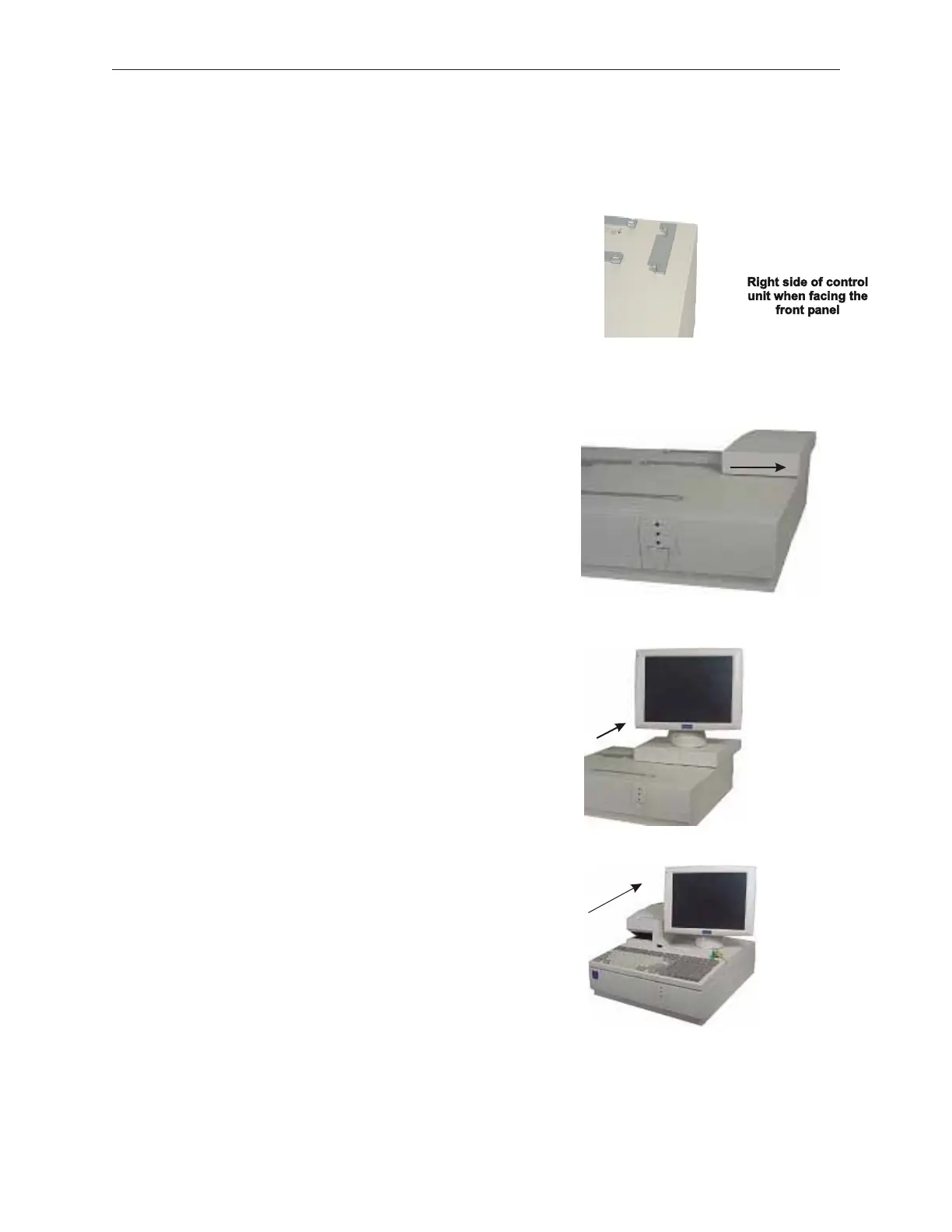
1. Attach filler bracket to top cover of
unit with bracket hooks facing inward.
Secure with two screws.
2. Slide filler part onto bracket.
3. Stack display only after filler part has been
fixed to bracket.
4. Stack DT50/DT50II printer and
model 133PQ keyboard after the display has
been stacked.
90000291 Rev 3.0 5-9
TeamPoS 2000 MAINTENANCE MANUAL



 To Next Page