5-34 Rev 3.0 90000291
TeamPoS 2000 MAINTENANCE MANUAL
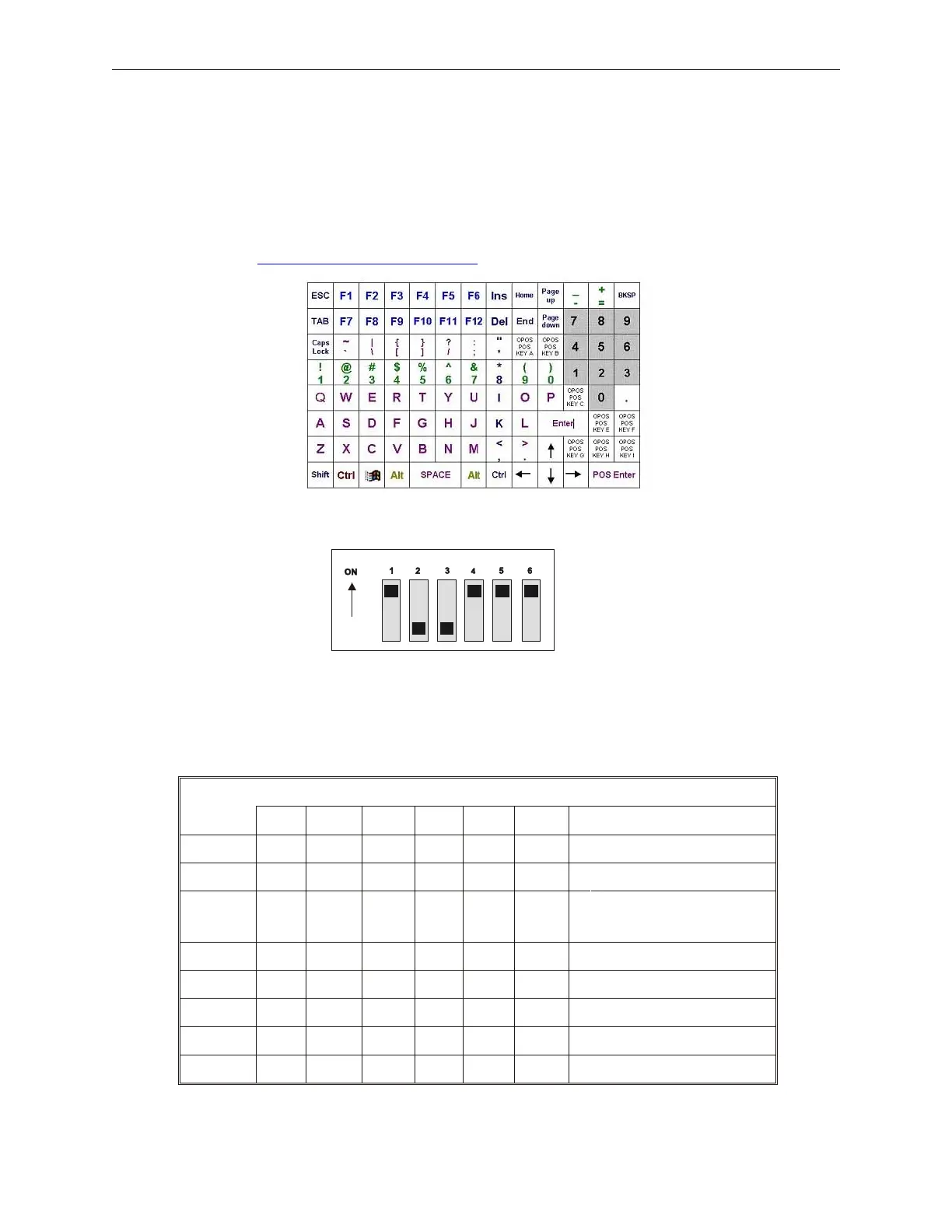
5.8.4.1 Model 104P Keyboard Default Layout
The following is the default keyboard layout which may not match the customer’s
layout. The keyboard is programmable. The keyboard mapping utility is on the Fujitsu
FTP site at ftp://ftp.ftxs.fujitsu.com/pos/.
5.8.4.2 Model 104P Keyboard Switch Settings (Compact Keyboard)
The Model 104P keyboard has DIP switches as follows. Default settings are in bold::
Switch
1 2 3 4 5 6 Meaning
1,2 ON ON ISO 1/2 (Not Used)
OFF ON ISO 2/3 (Not Used)
ON OFF ISO 1/2/3 (Default)
Supports MSR options
OFF OFF JIS 1/2 (Not Used)
3 ON F key roll-over
OFF 2 key lock-out (Default)



 To Next Page