Switch
1 2 3 4 5 6 Meaning
4 OFF POS command invalid
MSR default Enabled
ON POS command valid
(Default)
MSR default Disabled
5,6
ON ON KEYMAP A (Default)
OFF ON KEYMAP B (Not Used)
ON OFF KEYMAP C (Not Used)
OFF OFF KEYMAP D (NotUsed)
5.8.4.3 Model 104 Keyboard Volume Adjustment
The volume control of the buzzer is on the bottom of the keyboard unit. Turning the
control clockwise increases the volume.
5.8.4.4 Model 104P Keyboard, Mounting the MSR
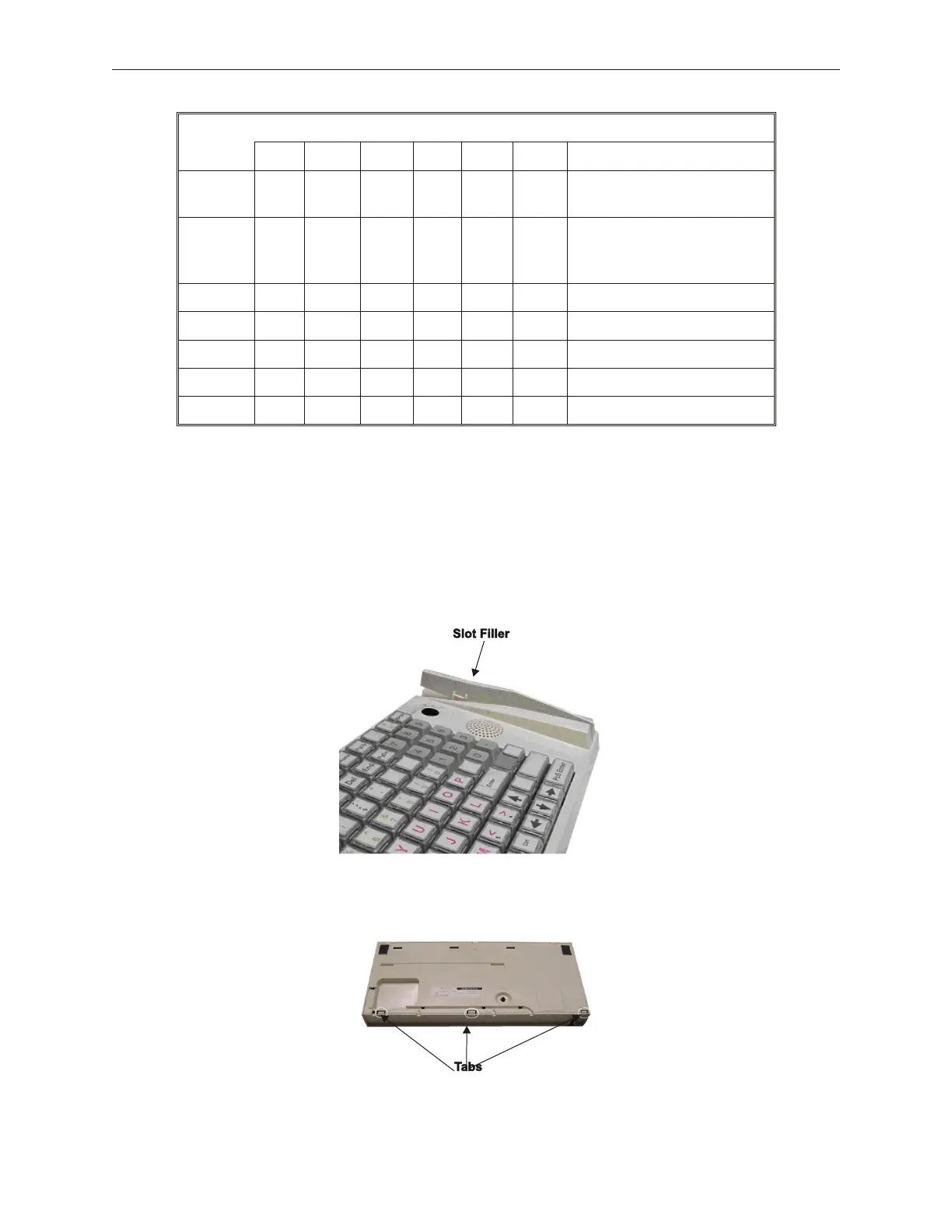
1. Remove MSR slot filler from the MSR keyboard slot and the cable from the bottom of
the keyboard.
2. Remove the bottom cover of the keyboard unit by depressing the three tabs and pulling
bottom cover upward.
90000291 Rev 3.0 5-35
TeamPoS 2000 MAINTENANCE MANUAL



 To Next Page