4-11
Chapter 4 Connection to the External Devices BIS Data Input
Connecting the A-2000/A-3000 (Covidien)
When connecting this system and the BIS monitor, use only the specified connection cable.
Make sure that the BIS monitor is connected to the specified connector on this system.
When connecting the cable, make sure that the main power of this system and the BIS
monitor is OFF.
Connecting to the Main Unit:
1Use the BIS connection cable (CJ0-03RS4) to connect the serial port, status port on the DSC-8500 and serial
port on the BIS monitor.
Connecting to the Multiport Module:
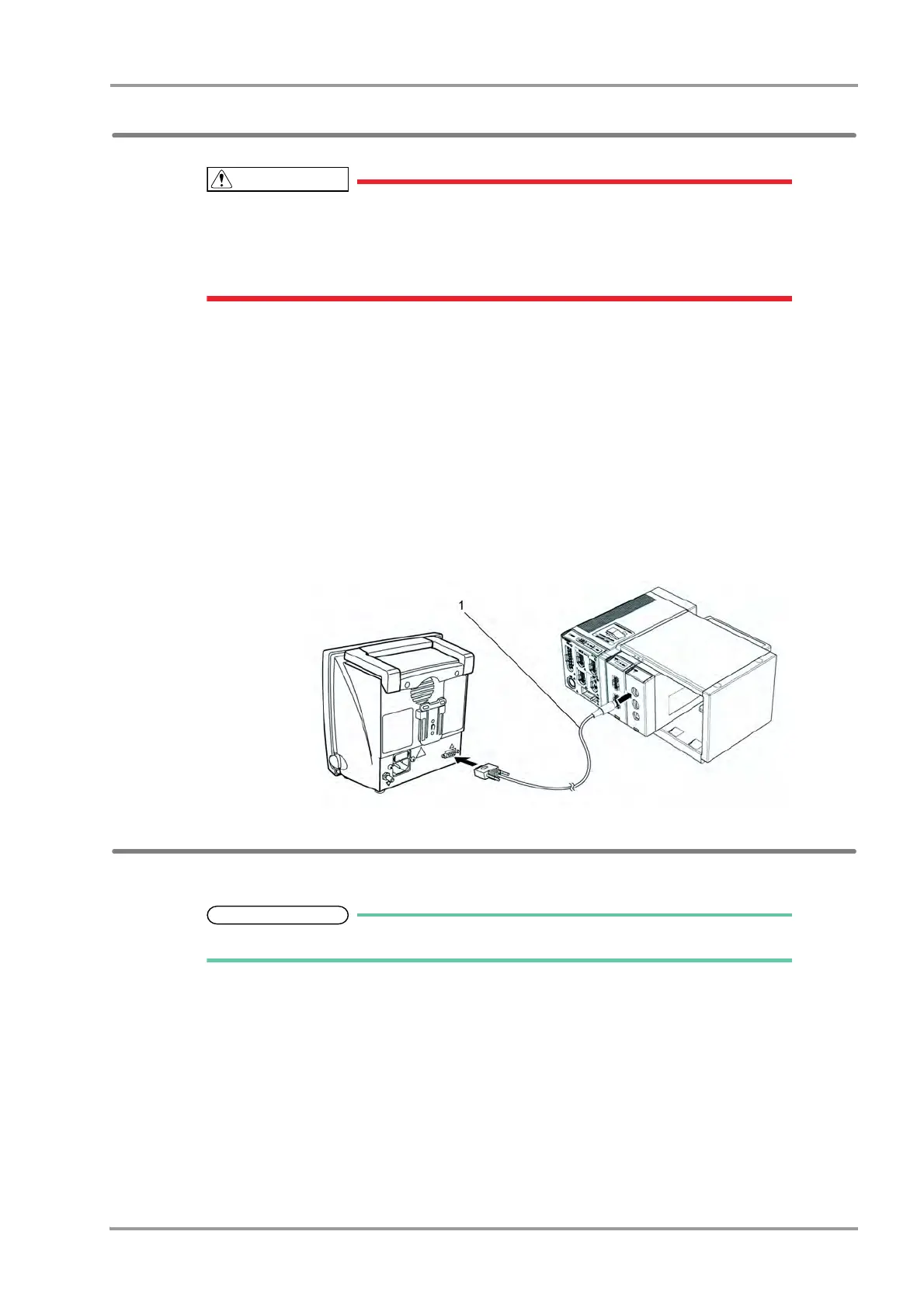
1Use the BIS connection cable (CJ-407RI-70BIS) to connect the Status II connector on the HP-800 and serial
port on the BIS monitor.
(The illustration is example of connection with HP-800.)
1 CJ-407RI-70BIS
External Device Setup
To display the BIS monitor data, external device setup is required.
Refer to the following procedure. (
"External Device Setup" P4-16)



 To Next Page