5-17
Chapter 5 Initial Settings User I/F
19 Select the display type of the waveform size.
[Numeric]: The waveform size for the ECG, RESP, SpO
2
will be displayed in
numerics.
[Bar]: The waveform size will be indicated by a bar.
[Bar (10mm)]: The waveform size will be indicated by a 10 mm bar. The
amplitude voltage value of the corresponding waveform size will be displayed
beside the bar. (shown on right)
20 Select ON/OFF for "Patient Name on the Information Display Area" .
[ON] : Patient name will be displayed on the information display area.
[OFF] : Patient name will not be displayed on the information display area.
21 External Device Numeric Data Box Operation
[Tabular Trend]: The tabular trend will be displayed.
[Parameters]: The parameter setup menu will be displayed.
22 Drug Calculation
(
"Drug Calculation" P5-26)
23 By setting the time for "Day Shift", "Twilight Shift", "Night Shift", the time bar displayed at the upper part on the
data/waveform review screen will be displayed in different colors by each shift time.
Day Shift: Yellow
Twilight Shift: Green
Night Shift: Blue
24 Set the key group.
8 user keys can be registered for each group. The label for the key group can be also set.
25 8 event labels (Surgery, etc.) can be registered. By setting [Event] on the user key, the registered event label
can be printed at any time.
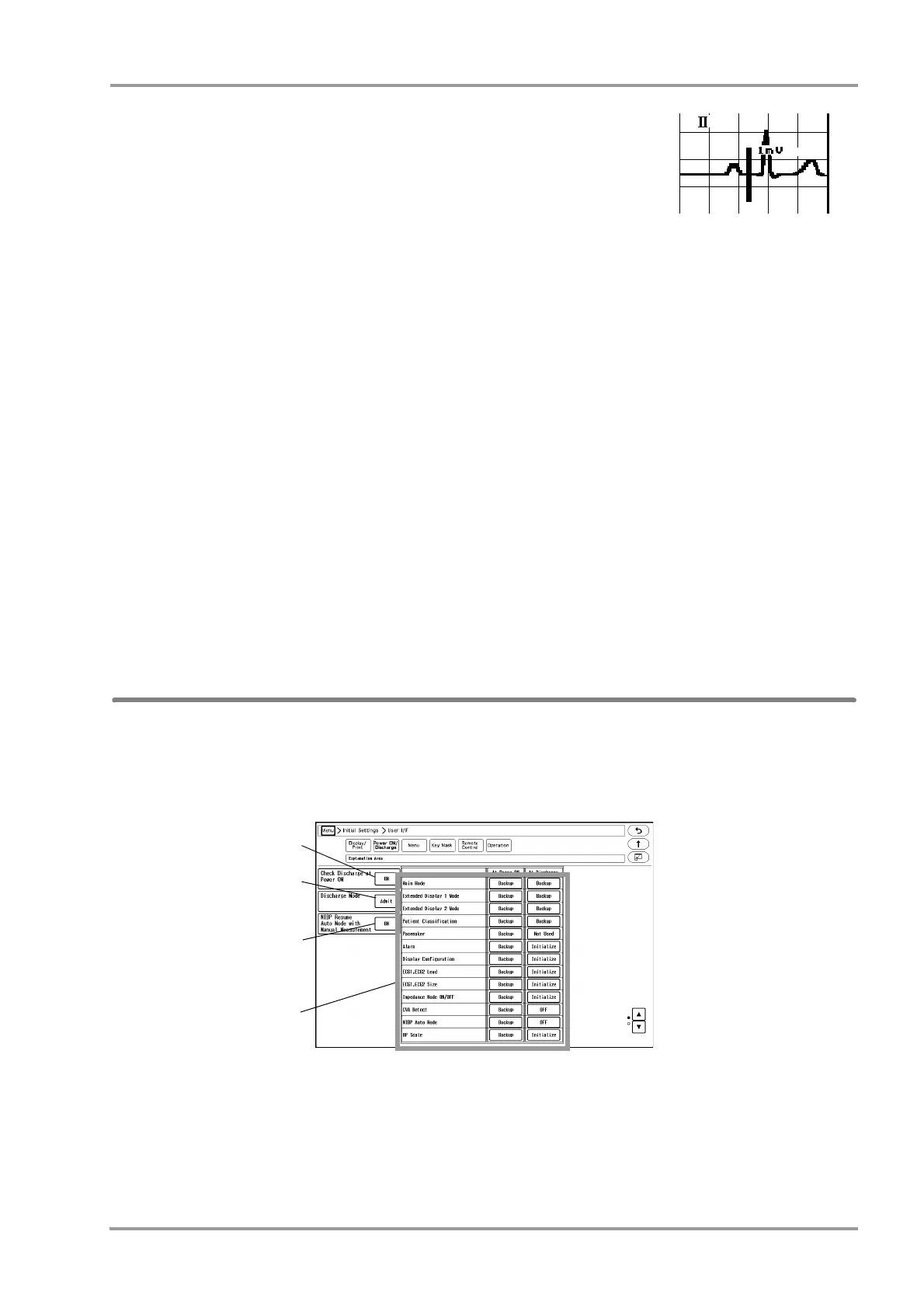
Power ON/Discharge
On this menu, monitoring operation when the power is turned ON or when a patient is discharged can be performed.
1Press the [Menu], [Initial Settings], [User I/F], [Power ON/Discharge] keys.
The "Power ON/Discharge" setup menu will be displayed.



 To Next Page