2-8
Chapter 2 Network System Construction Wireless Network
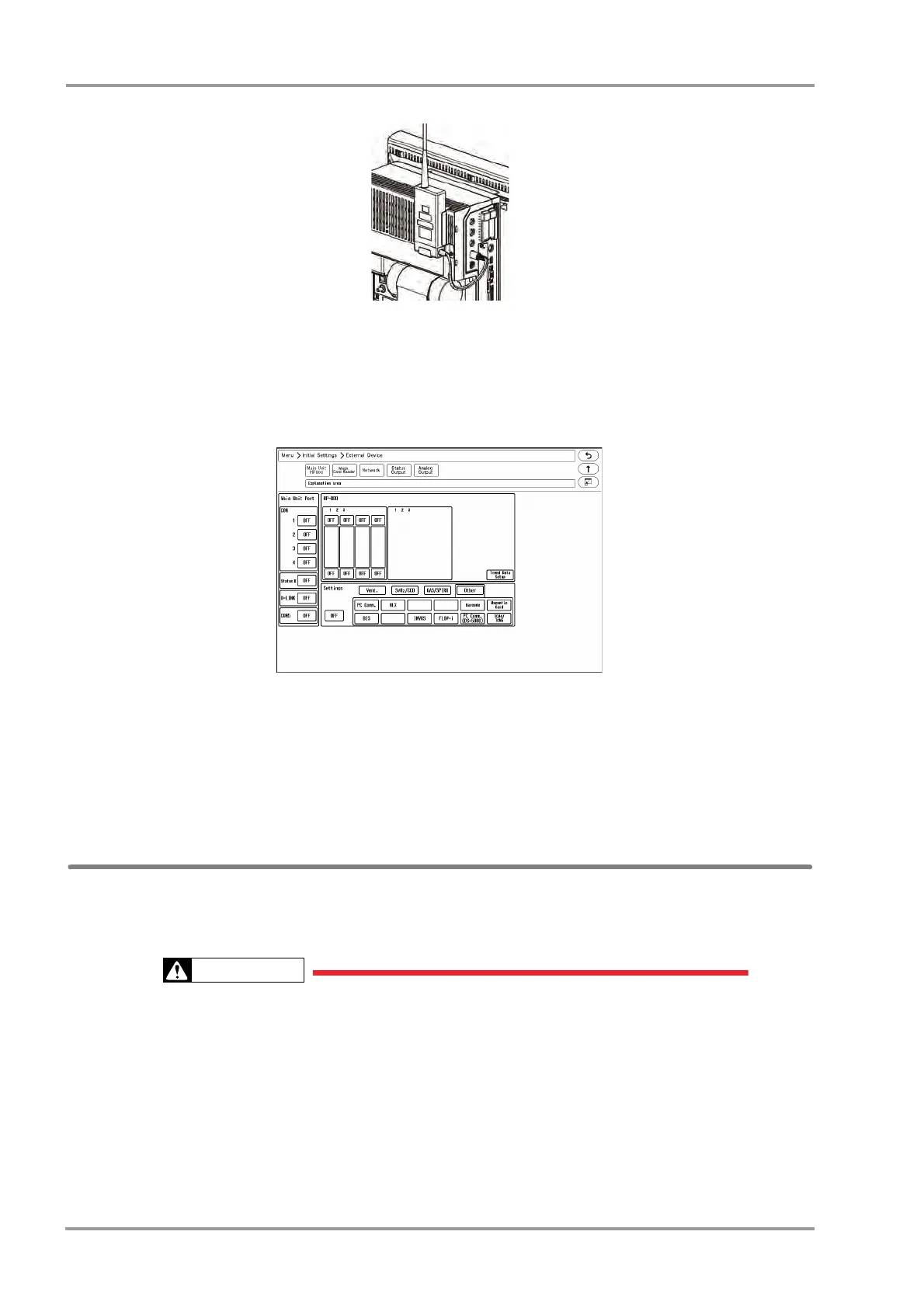
2Connect the cable of the HLX to the serial connector (COM1 to COM4) on the main unit.
Serial Communication Setup
1Press the [Menu], [Initial Settings], [External Device], [Main Unit Port HP-800] keys.
The screen to set the multigas unit type for each port will be displayed.
2Select the port to connect the HLX.
3Press [Other].
4Press [HLX].
Channel ID and Telemetry Wave Setup
In this section, channel ID and telemetry wave setup when using the HLX is explained.
Once the transmitting channel ID and group ID are set, these will be retained even after the main power is turned
OFF.
A password can be set to access the channel ID setup menu to allow only the telemetry
channel administrator to change the channel ID.
Some combinations of channels may generate interference with other telemetry
transmitters.
Before selecting a channel, verify it will not interfere with other channels.
Make sure the telemetry manager of your system is aware of any changes to the telemetry
channels.
If transmitters are used in a neighboring medical facility, your facility and the neighboring
facility must make agreements on the setting of the telemetry channels to prevent telemetry



 To Next Page