4-24
Chapter 4 Connection to the External Devices Using the Magnetic Card Reader
Using the Magnetic Card Reader
This section explains the connection and setup procedure for the magnetic card reader.
By using the magnetic card reader, patient information can be automatically entered from the magnetic card at patient
admittance.
(
Operation Manual "Entering Patient Information from the Magnetic Card" P5-5)
Connecting the Magnetic Card Reader
1Connect the cable of the magnetic card reader to the conversion cable (CJ-756).
2Connect the other end of the conversion cable to the serial connector (COM1 to 4) on the left side of the main
unit.
Magnetic Card Reader Setup
The initial settings for the magnetic card reader can be performed.
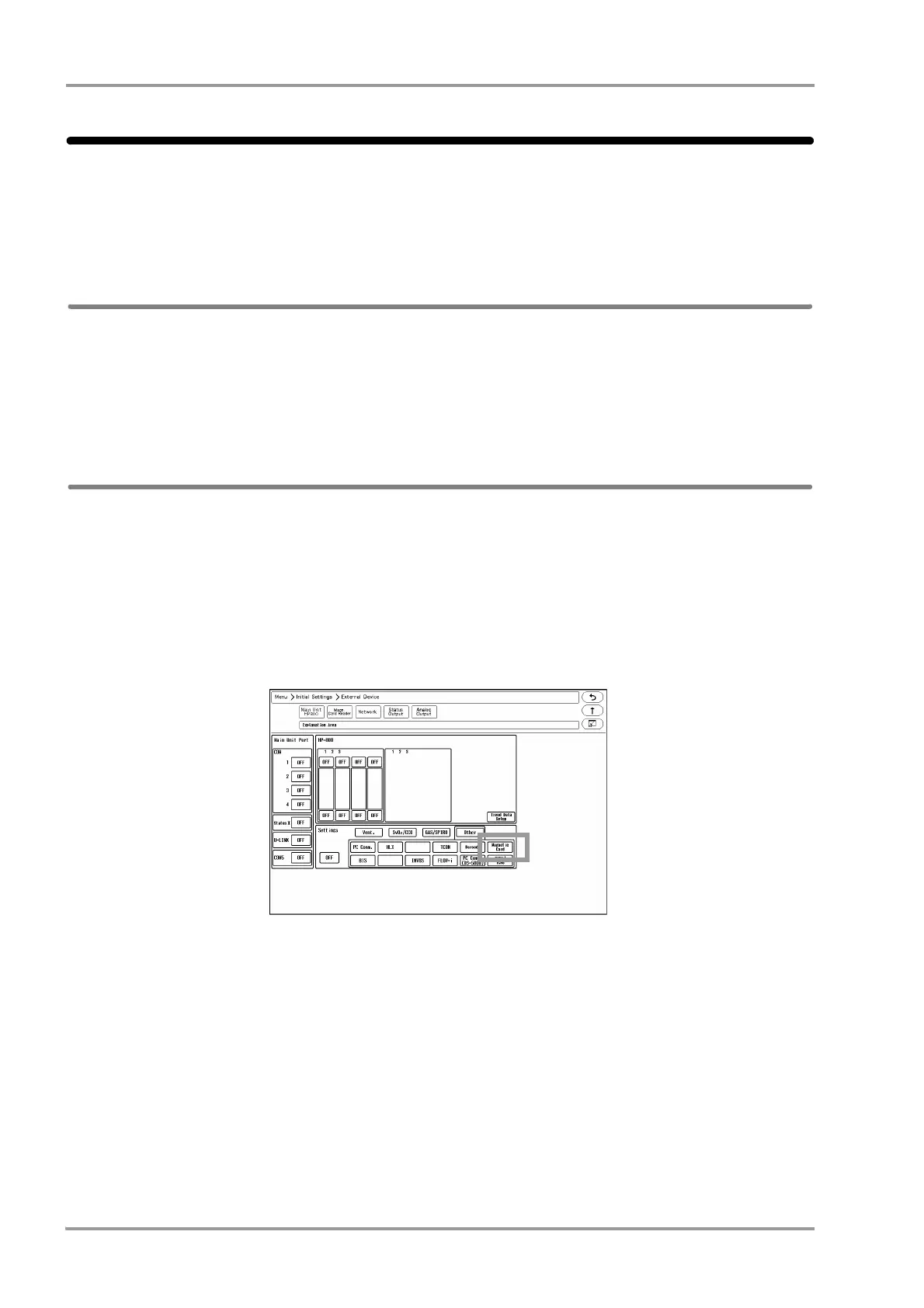
1Press the [Menu], [Initial Settings], [External Device] keys.
The "External Device" setup menu will be displayed.
2Select the port (COM1 to 4) for the magnetic card reader.
3Select [Magnetic Card Reader] in the [Other] category.
Since the data formats of magnetic card vary for each institution, it is necessary to set the digit location of each
information.
For the items that needs to be read, perform the setup following the procedure 4 to 7. This setup is not necessary for
the items not required to be read.
4Press the [Magnetic Card Reader] key.



 To Next Page