4-7
Chapter 4 Connection to the External Devices SvO2/CCO Monitor Connection
Make sure that the SvO
2
/CCO monitor is connected to the specified connector on this
system. When connecting the cable, verify that the main power of this system and the SvO
2
/
CCO monitor is OFF.
SvO
2
/CCO Monitor Connection
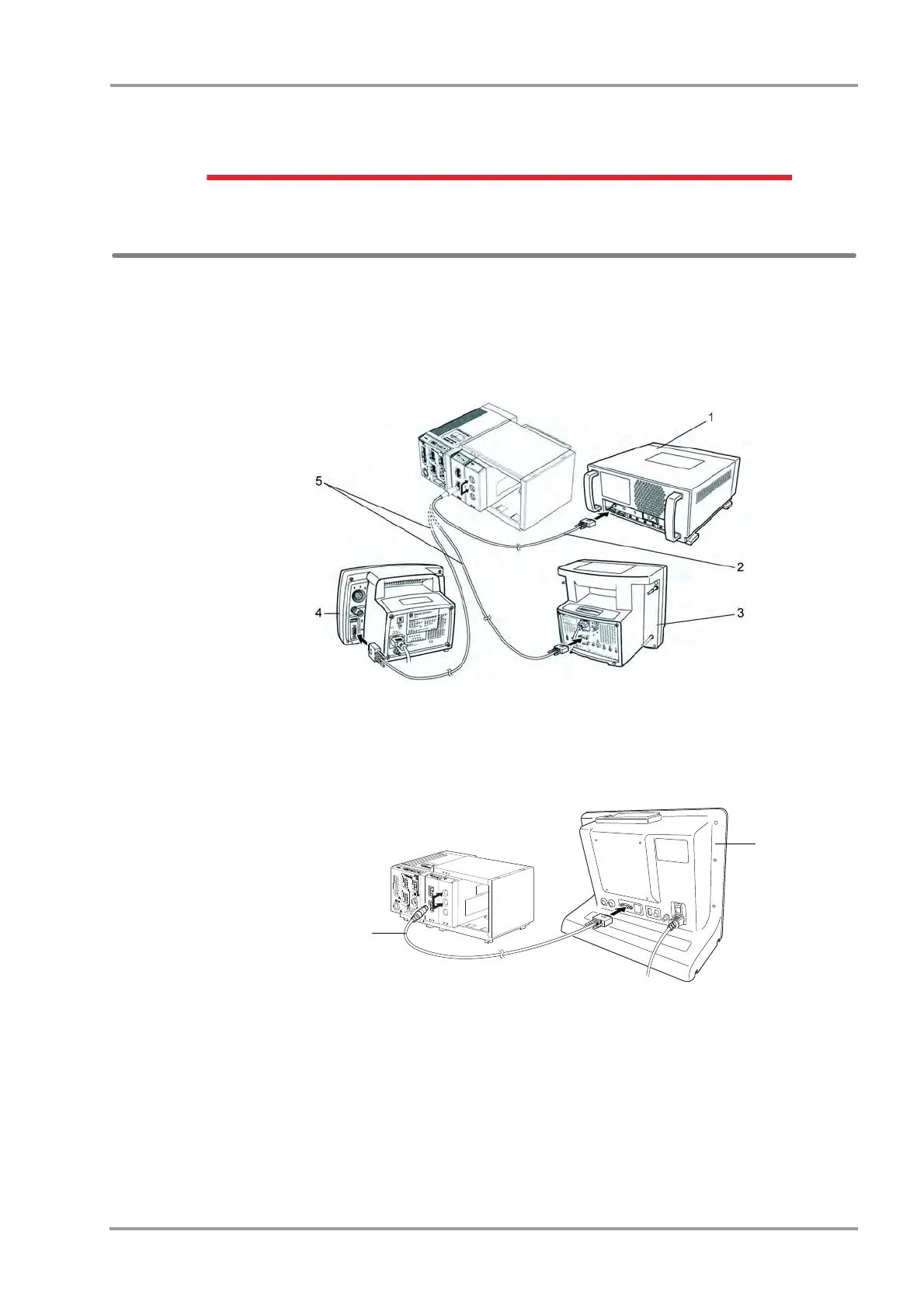
Connection of Vigilance
1Connect the Vigilance to the DS-8500 system.
(The illustration is example of connection with HP-800.)
1 Vigilance
2 CJ-406RI-70Vigi
3 Vigilance II
4 Vigileo
5 CJ-402RI-70SVi
Connection of PiCCO
1Connect the PiCCO to the DS-8500 system.
(The illustration is example of connection with HP-800.)
1CJO-19RS5
2 PiCCO



 To Next Page