4-3
Chapter 4 Connection to the External Devices Ventilator Measurement and Alarm Input
The ventilator operation should be performed by well-trained and authorized personnel.
When connecting the DS-8500 system and the ventilator, use only the specified connection
cable.
Make sure that the ventilator is connected to the specified connector on the DS-8500
system. A confirmation window will be displayed when a ventilator cable is disconnected or
when the power of the ventilator is turned OFF. (
Operation Manual "Ventilator
Disconnected Confirmation Window" P3-24)
When connecting the cable, make sure that the main power of this system and the ventilator
is OFF.
The external device parameters to be displayed on the graphic trend/tabular trend needs to
be selected in advance. When the external device is connected, make sure to select the
displaying parameters on the "Trend Data Setup" window ([Data Review>Graphic Trend or
Tabular Trend] or [Initial Settings>External Device>Main Unit/HP-800]).
Ventilator Connection
Only one ventilator can be connected to each DS-8500 system. Do not connect more than
one ventilators.
The ventilator and anesthesia delivery system (FLOW-i) cannot be connected
simultaneously.
Ventilator and Multigas Unit (MGU-810 series) cannot be connected simultaneously.
In Case of SV-900
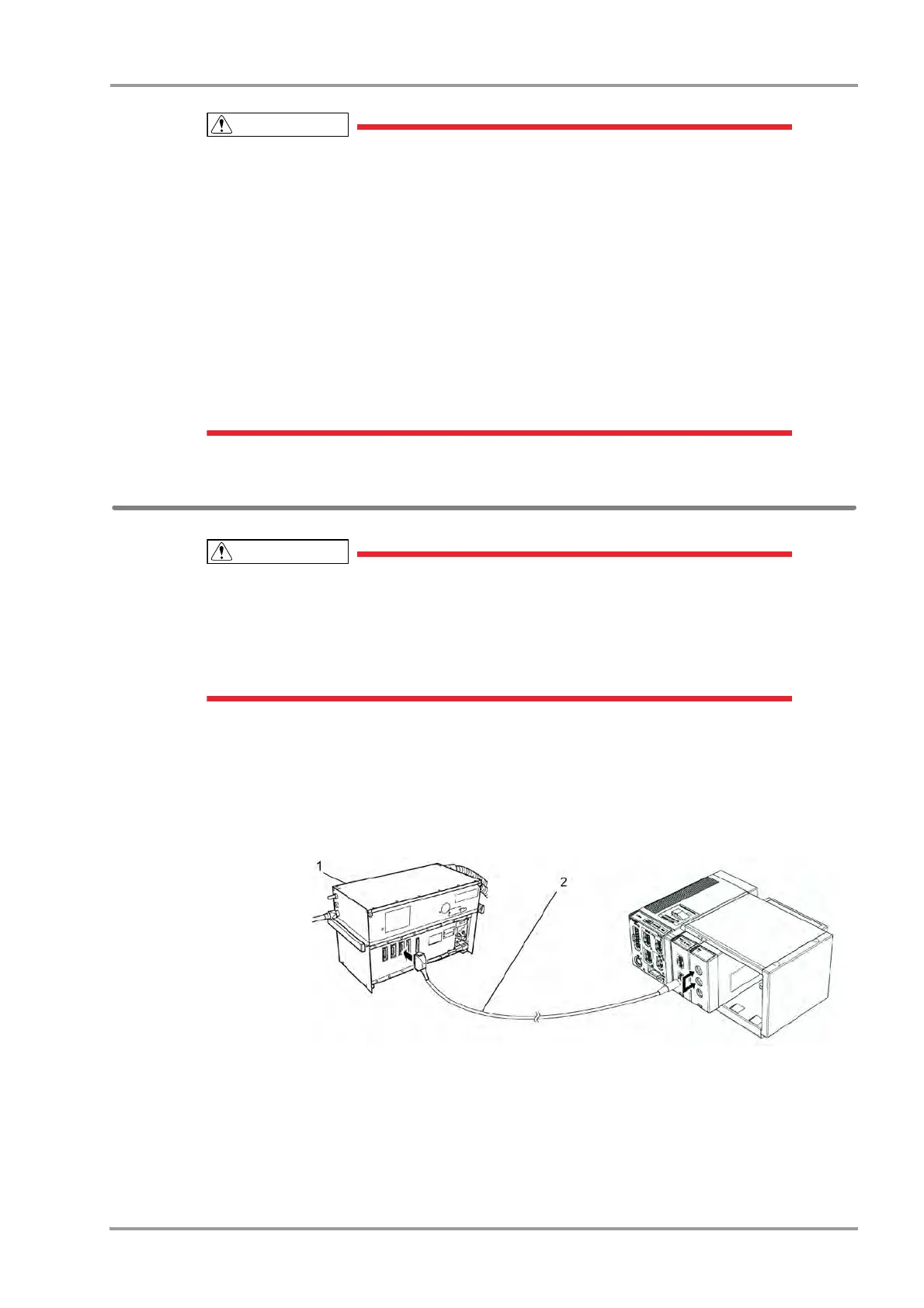
1Connect the SV-900 to Status II connector on the DSC-8500, or one of Status II connector A or Status II
connector B on the multiport module.
(The illustration is example of connection with the HP-800.)
1SV-900
2 CJ-400RI-70SV9
In Case of SV-300, SERVO-i/s
1Connect the SV-300 or SERVO-i/s to Status II connector on the DS-8500, or one of Status II connector A or
Status II connector B on the HP-800.
(The illustration is example of connection with the HP-800.)



 To Next Page