2-2
Chapter 2 Network System Construction Wired Network System
PR_SpO
2
(1ch)
PR_SpO
2
(2ch)
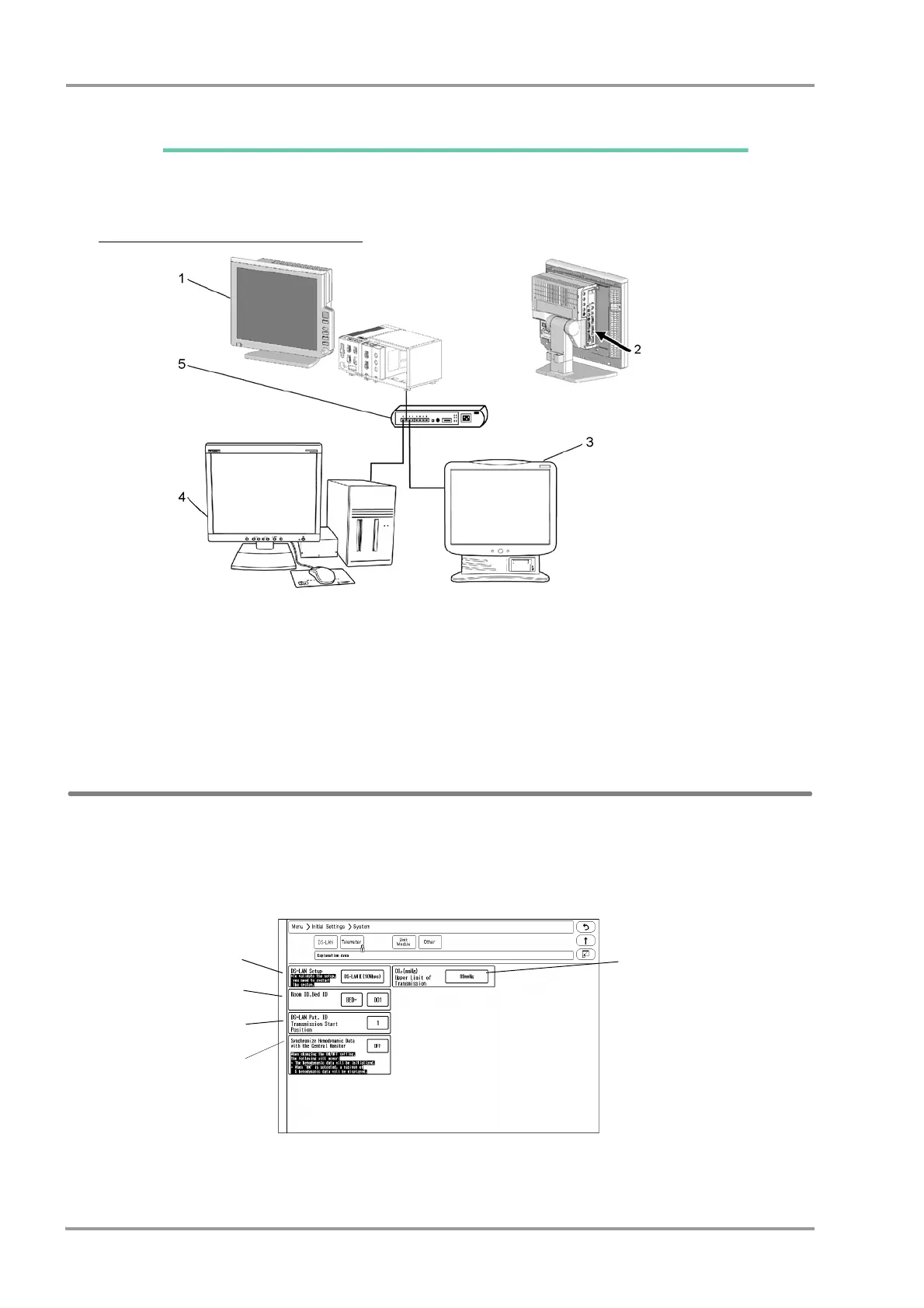
By connecting a Ethernet branch cable to the DS-LAN connector on the Main Unit (DSC-8500 Series), a wired
network system can be constructed.
Example of Wired Network Configuration
1 Bedside Monitor: DS-8500 System
2 Ethernet Branch Cable (CJ-522)
3 DS-7600 System Central Monitor
4 DS-5700 Central Monitor (For DS-LANII connection)
5 HUB
DS-LAN Setup
To connect to the central monitor using the wired network, DS-LAN, Room/Bed ID setup is necessary.
1Press the [Menu], [Initial Settings], [System] keys.
The DS-LAN setup screen will be displayed.
2Set the DS-LAN.



 To Next Page