iii
Safety About the Safety Precautions
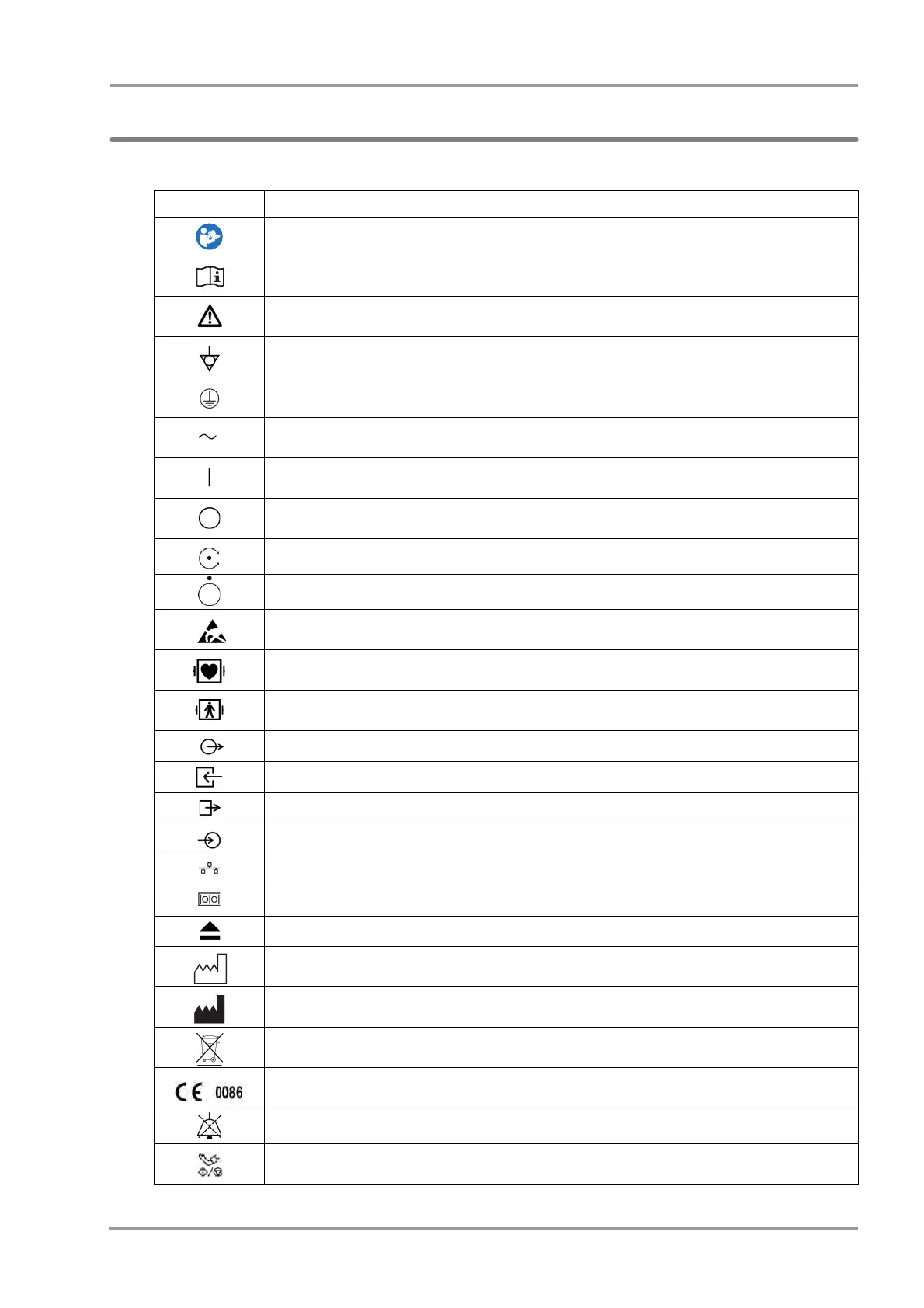
Graphic Symbols
Refer following for the meaning of the symbols indicated on the equipment.
Symbol Description
Follow operating instructions (Warning); indicated in blue. Failure to follow operating instructions could
place the patient or operator at risk.
Follow operating instructions (Information). Indicates the need to refer to the related accompanying
documents before operation.
Caution, refer to accompanying documents. Indicates the need to refer to the related accompanying
documents before operation.
Potential Equalization Terminal
Indicates the terminal to equalize the potential difference when interconnecting the devices.
Protective Earth
Indicates the protective earth inside the equipment.
Alternating Current
(Main Power Input Indicator)
Power ON
Indicates that the main power switch is in the ON position.
Power OFF
Indicates that the main power switch is in the OFF position.
Indicates that the equipment is in normal operation.
Indicates that the equipment is in standby mode.
Electrostatic Sensitive Part
Directly touching this connector part with hands should be avoided.
Type CF Applied Part with Defibrillation-Proof
Indicates the degree of protection against electric shock is Type CF Applied Part with defibrillation-proof.
Type BF Applied Part with Defibrillation-Proof
Indicates the degree of protection against electric shock is Type BF Applied Part with defibrillation-proof.
Signal Output
Gas Input
GAS Output
Signal Input
TCP/IP Network Connector
RS-232C Connector
Eject: Indicates the switch to remove the recorder paper cassette.
Date of Manufacture
Indicates the date of manufacture.
Name and Address of Manufacturer
Indicates the name and address of manufacturer.
WEEE (Waste Electrical and Electronics Equipment)
Indicates a separate collection for electrical and electronic equipment.
Indicates that this device bears the CE label in accordance with the provisions of Medical Device Directive
93/42/EEC. The 0086 represents the number of the notified body.
Alarm Silence Key: Silences the alarm.
NIBP Start/Stop Key
Starts/stops the NIBP measurement.Stops the measurement if pressed while measurement is in progress.



 To Next Page