5-27
Chapter 5 Initial Settings System Setup
2Set the initial value for the drug.
If [OFF] is selected for "Display ON/OFF", the corresponding drug
will not be displayed on the drug selection list.
When the unit for the dosing rate is set, the unit for the drug
amount will be automatically set.
System Setup
On the "System" menu, system related setup can be performed.
For the setup procedures of DS-LAN, telemeter, unit module setup, and data transfer among
the DS-8007, DS-8500, refer to the corresponding chapters in this manual.
(
"Network System Construction" P2-1)
(
"Connection to the External Devices" P4-1)
(
Operation Manual "Data Transfer Function Using the Transport Monitor (DS-8007)" P4-
5)
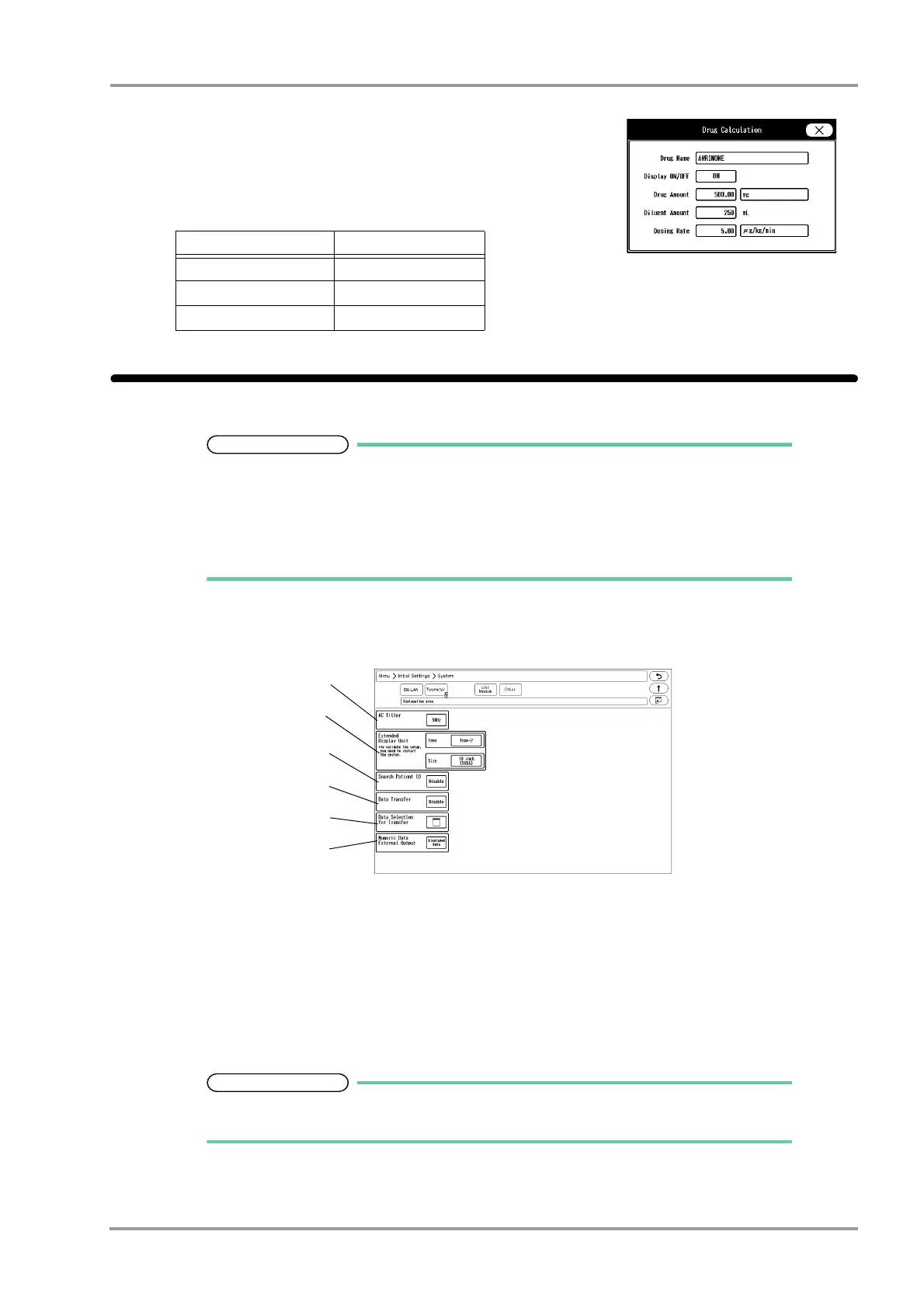
1Press the [Menu], [Initial Settings], [System], [Other] keys.
The system setup menu will be displayed.
2Set the AC filter frequency.
1 Press the key for "AC filter".
The dropdown list will be displayed.
2 Select from [50Hz]/[60Hz].
3Set the "Extended Display Unit".
For details of the extended display unit setup, contact your nearest service
representative.
4Set the "Search Patient ID".
Dosing Rate Unit Drug Amount Unit
units/h units
IU/h IU
Other than above mg



 To Next Page