4-14
Chapter 4 Connection to the External Devices Transcutaneous Blood Gas Monitor Data Input
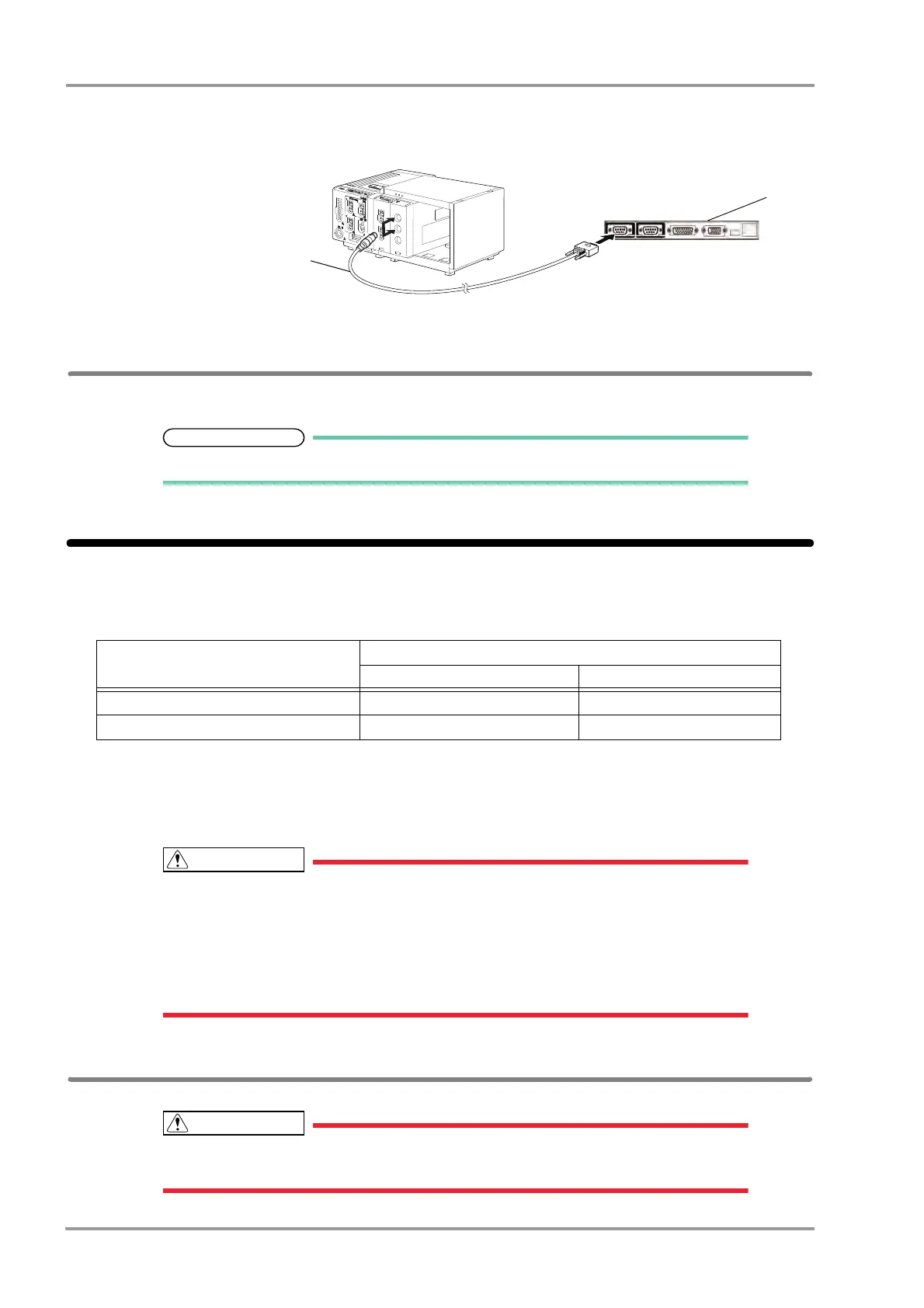
1Connect the FLOW-i to Status II connector on the DS-8500, or Status II connector A or B on the HP-800. (The
illustration is example of connection with the HP-800.)
1 Input/Output Port of
FLOW-i
2 CJ-402RI-70SVi
External Device Setup
To monitor the anesthesia data, it is necessary to select the anesthesia delivery system to be connected.
Refer to the following procedure. (
"External Device Setup" P4-16)
Transcutaneous Blood Gas Monitor Data Input
By connecting the transcutaneous blood gas monitor, TCM4 or TCM 5 FLEX (Radiometer Medical ApS) to the DS-
8500 System, transcutaneous blood gas data can be monitored.
The software version of the transcutaneous blood gas monitor that can be connected to the DS-8500 System is as
follows.
TCM4: 3.04
TCM5 FLEX: 1.18
When connecting the DS-8500 System and the transcutaneous blood gas monitor, use only
the specified connection cable.
Make sure that the transcutaneous blood gas monitor is connected to the specified
connector on the DS-8500 System.
When connecting the cable, make sure that the main power of this equipment and the
transcutaneous blood gas monitor is turned OFF.
Connecting the Transcutaneous Blood Gas Monitor
Only one transcutaneous blood gas monitor can be connected to each DS-8500 System. Do
not connect more than one transcutaneous blood gas monitors.
Transcutaneous Blood Gas Monitor
Connection Cable
For Status II Connector For Serial Connector
TCM4 (Connection not possible) CJ-726 (x1)
TCM5 FLEX (Connection not possible) CJ-725 (x1)



 To Next Page