1-12
Chapter 1 Installation of the Unit System Construction
4 DS-8007 Adapter (DSA-82)
Connection of Multigas Unit
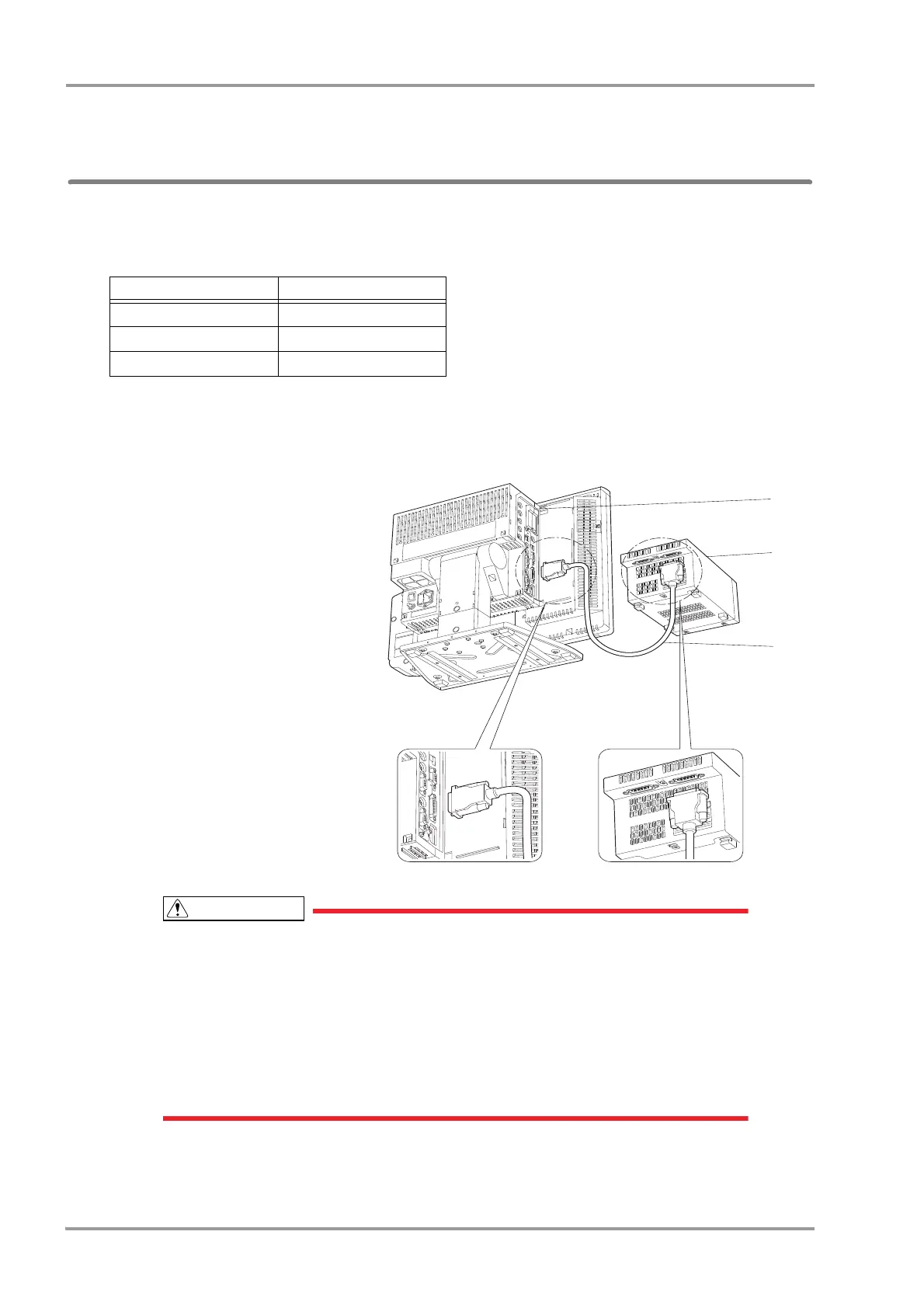
Connect the main unit and the Multigas Unit (MGU-800/810 series).
The following cables of different length are available according to the different arrangement of main unit and the
Multigas Unit (MGU-800/810 series).
1Connect the main unit (DSC-8500 series) and the MGU-800/810 series using the unit connection cable (CJO-
09SSxx).
1 Main Unit (DSC-8500 series)
2 MGU-800/MGU-810
3 Unit Connection Cable
(CJO-09SSxx)
When connecting the connection cable, make sure to secure the connector with screws.If
the connection is not secure, contact failure may occur.
Do not connect unspecified equipment to the U-LINK connector on the main unit.
When not connecting the MGU-800/810 series, make sure to select [OFF] for "U-LINK"
on the [Menu > Initial Settings > External Device > Main Unit/HP-800]. Otherwise,
printing on the HR-800 cannot be performed.
Make sure that the power of the DS-8500 is turned OFF when connecting/disconnecting
the cable.
Model Type Length
CJO-09SS0.3 0.3m
CJO-09SS1.5 1.5m
CJO-09SS5 5m



 To Next Page