1-11
Chapter 1 Installation of the Unit System Construction
Removal of Expansion Module
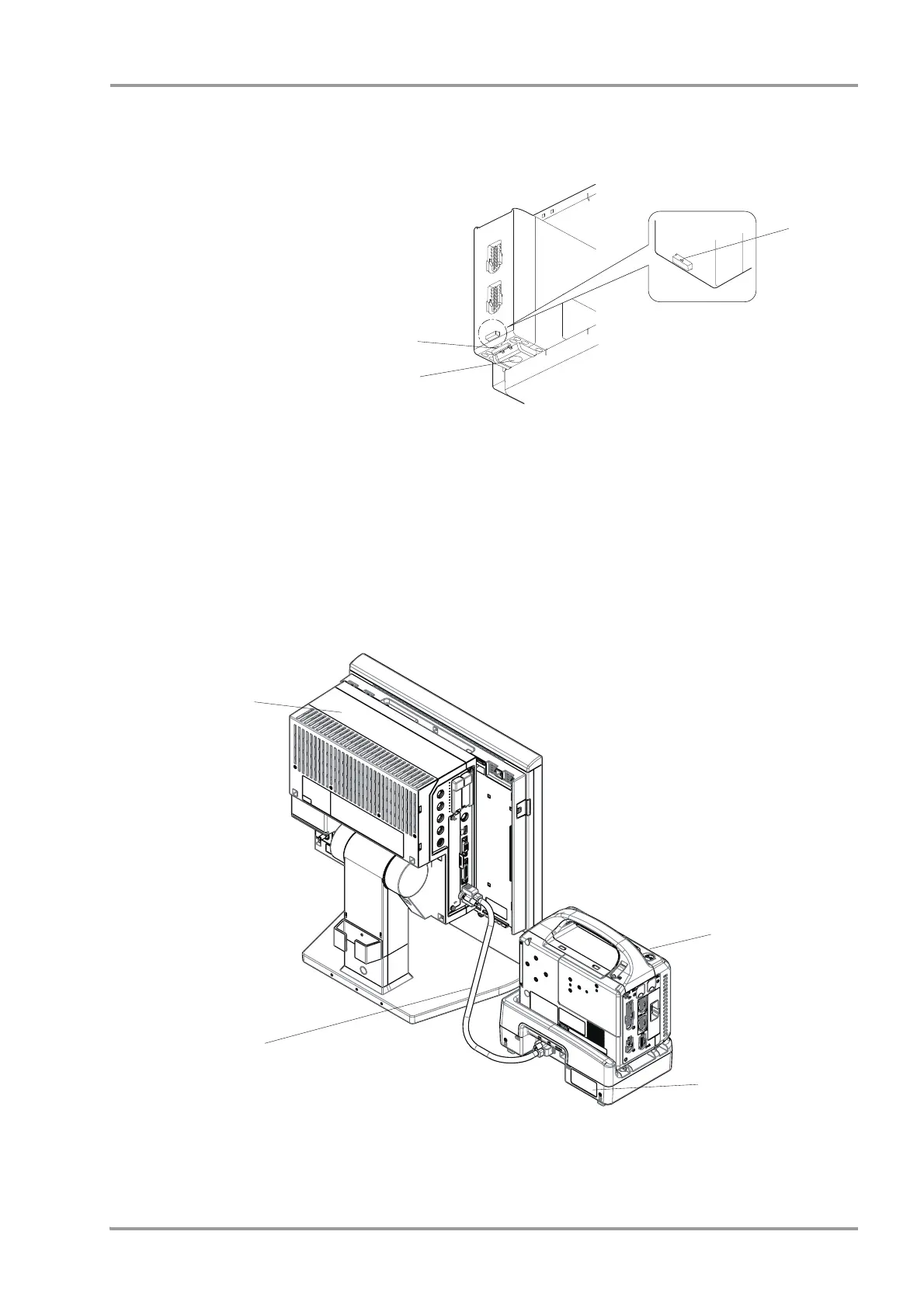
1Pull the protruded part on the bottom of the expansion module.
1 Protruded Part on the
Bottom
2 Lever
3 Triangle Mark on the
Release Button
2Pull out the expansion module by pushing up the lever while the triangle mark on the release button can be
seen.
The expansion module can be connected/removed with the DS-8500 power turned ON.
The power should be turned OFF when connecting/disconnecting the module connection cable.
Connecting the Main Unit and the DS-8007
1Connect the main unit (DSC-8500 series) and DS-8007 Adapter (DSA-82) using the module connection cable
(CJO-08SSxx).
1 Main Unit (DSC-8500 series)
2 Module Connection Cable (CJO-08SSxx)
3 DS-8007



 To Next Page