5-29
Chapter 5 Initial Settings User Mode Registration
7Select the numeric data to be output to the extended display unit and central monitor.
The numeric data to be output during DS-LAN, HLX, PC communication will also change with this selection.
The numeric data for trend data will also change with this selection.
1 Press the key for "Numeric Data External Output".
The dropdown list will be displayed.
2 Select from [Displayed Data]/[All Data].
[Displayed Data]: Only the displayed data on the home display will be output.
[All Data]: All data will be output.
When [All Data] is selected, alarm will not generate on the extended display unit/central
monitor if the corresponding parameter is not displayed on the display unit (LC-8015/LC-
8019).
For the parameters which requires alarm monitoring on the extended display unit/central
monitor, make sure to display those on the display unit.
User Mode Registration
This section explains about the user mode registration.
About the User Mode
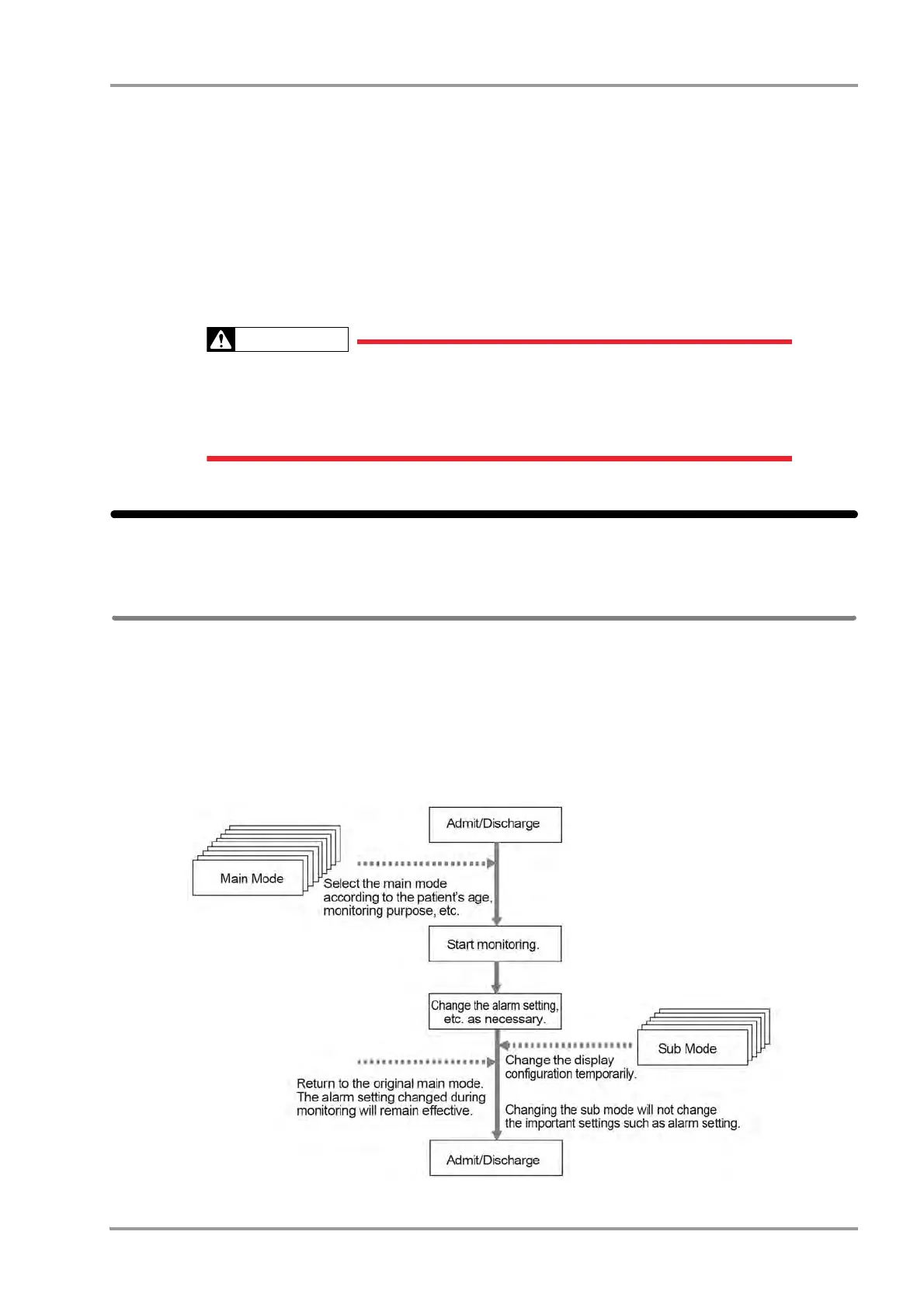
For the user mode, up to 9 main modes of display configuration and alarm settings can be registered according to the
patient's age and monitoring purpose. Also, for temporarily changing the display configuration, 6 sub modes of
display configuration can be registered.
By programming the main mode, the alarm setups and display configuration setups at admittance of patient can be
simplified by just selecting one of the modes. It is recommended to program the mode in rough classification such
as patient's age, monitoring purpose (ICU or surgery), and if necessary, perform unique setup for each patient. The
sub modes can be used when temporarily changing the display configuration such as when checking the 12-lead
ECG, etc.



 To Next Page