4-29
Chapter 4 Connection to the External Devices Connection with the Laser Printer
Connection with the Laser Printer
This section explains the setup procedure for the laser printer.
There are two ways to print on the laser printer.
Printing on the laser printer connected to the TCP/IP network
(Connects to the LAN (TCP/IP) Connector.)
Printing on the laser printer connected to the central monitor
(Only when connected to DS-LAN III network)
Laser Printer Setup
To Output on the TCP/IP Network Printer
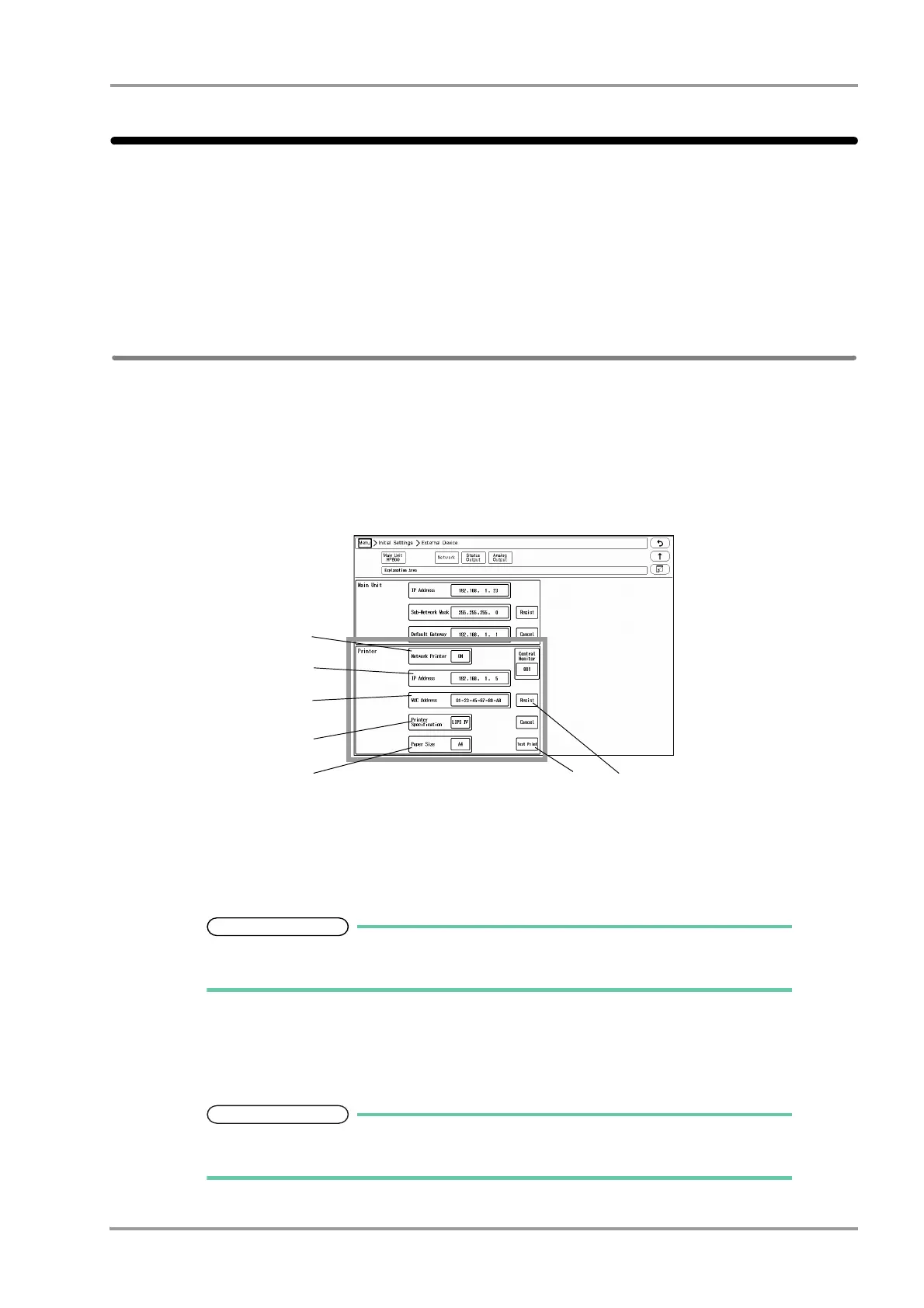
Set the IP address, MAC address, and printer specification for the laser printer.
1Press the [Menu], [Initial Settings], [External Device], [Network] keys.
The laser printer setup screen will be displayed.
2Select ON/OFF for "Network Printer".
[ON]: Laser printer will be enabled.
[OFF]: Laser printer will be disabled.
Select [DS-LAN] to output on the laser printer of DS-7700 system central monitor
connected to the DS-LANIII network.
3Enter the IP address of the printer.
4Enter the MAC address of the printer.
MAC (Media Access Control) address is an address assigned for each network
equipment. Refer to the operation manual of the printer or printer network board.



 To Next Page