4-22
Chapter 4 Connection to the External Devices Setup for the External Device Connection
Analog Output Setup
The HS-8000, DS-8007 is capable to output the analog ECG and BP waveform.
The BP waveform for analog output can be selected from the measured waveforms on the HS-8000 multiparameter
connector.
On the "Analog Output" setup menu, initial settings for display/printing can be performed.
When the HS-8000 is used
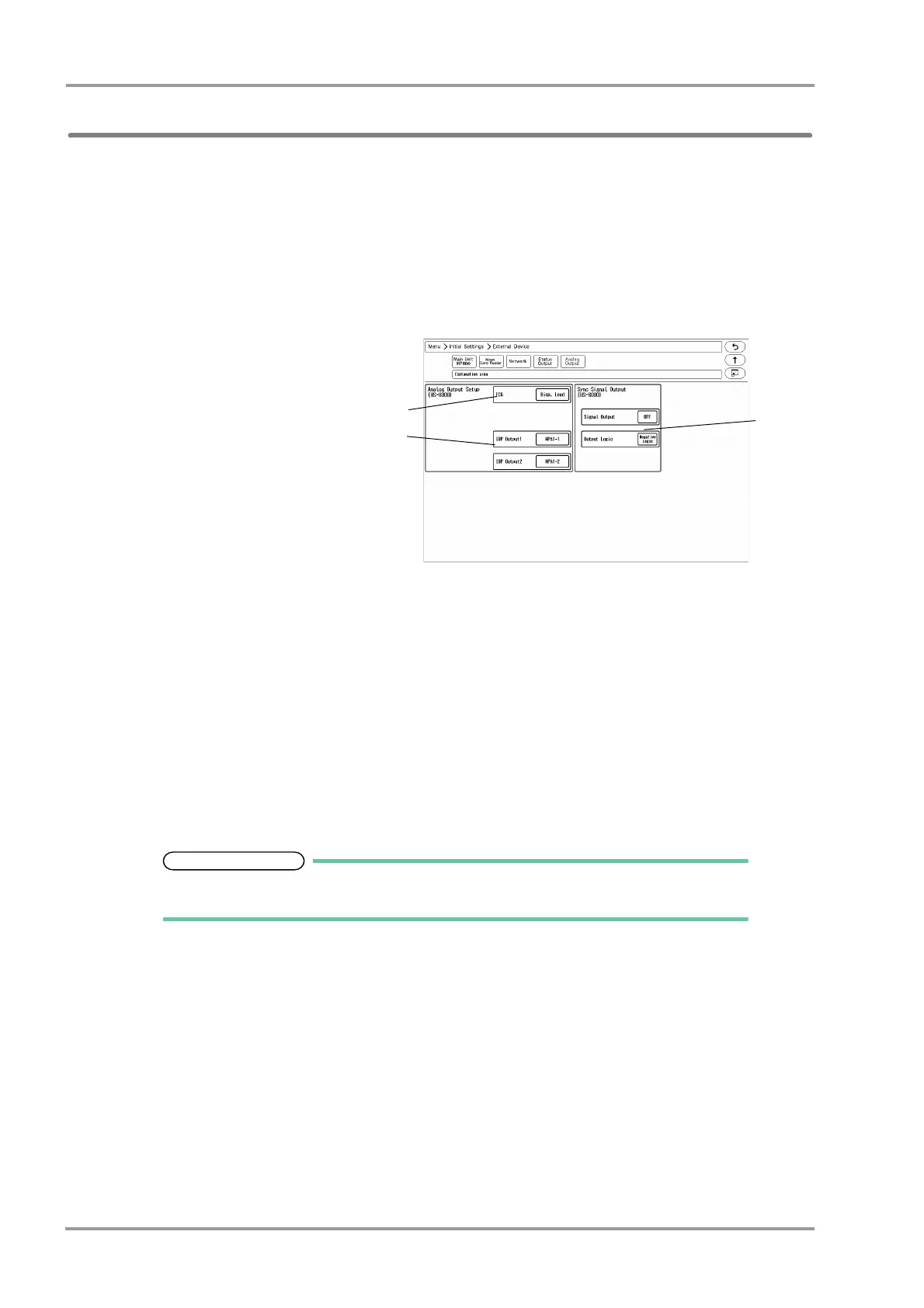
1Press the [Menu], [Initial Settings], [External Device], [Analog Output] keys.
The "Analog Output" setup menu will
be displayed.
2Set the ECG waveform lead.
1 Select from [Disp. Lead]/[Selected
Lead].
2 When [Selected Lead] is selected,
press the key for "Output Lead Sel."
to select the output lead.
Select from [I]/[II]/[III]/[avR]/[aVL]/
[aVF]/[V1]/[V2]/[V3]/[V4]/[V5]/[V6].
3Select the IBP waveform to output from the HS-8000.
Select from [MPA1-1] / [MPA1-2] / [MPA2-1] / [MPA2-2] / [MPA3-1] / [MPA3-2].
4Set the synchronized signal output.
1 Press the key for "Signal Output", and select from [HR]/[RR].
[HR]: Synchronized signal based on HR source (ECG, BP, SpO
2
) will be output.
[RR]: Synchronized signal based on RR source (impedance) will be output.
2 Set the "Output Logic".
[Positive Logic]: Positive synchronized signal will be output.
[Negative Logic]: Negative synchronized signal will be output.
Refer to the operation manual of the HS-8000 Super Unit for connector pin
assignments of the output signal.



 To Next Page