5-11
Chapter 5 Initial Settings Measurement Related Setup
Measurement Related Setup
User Label Setup
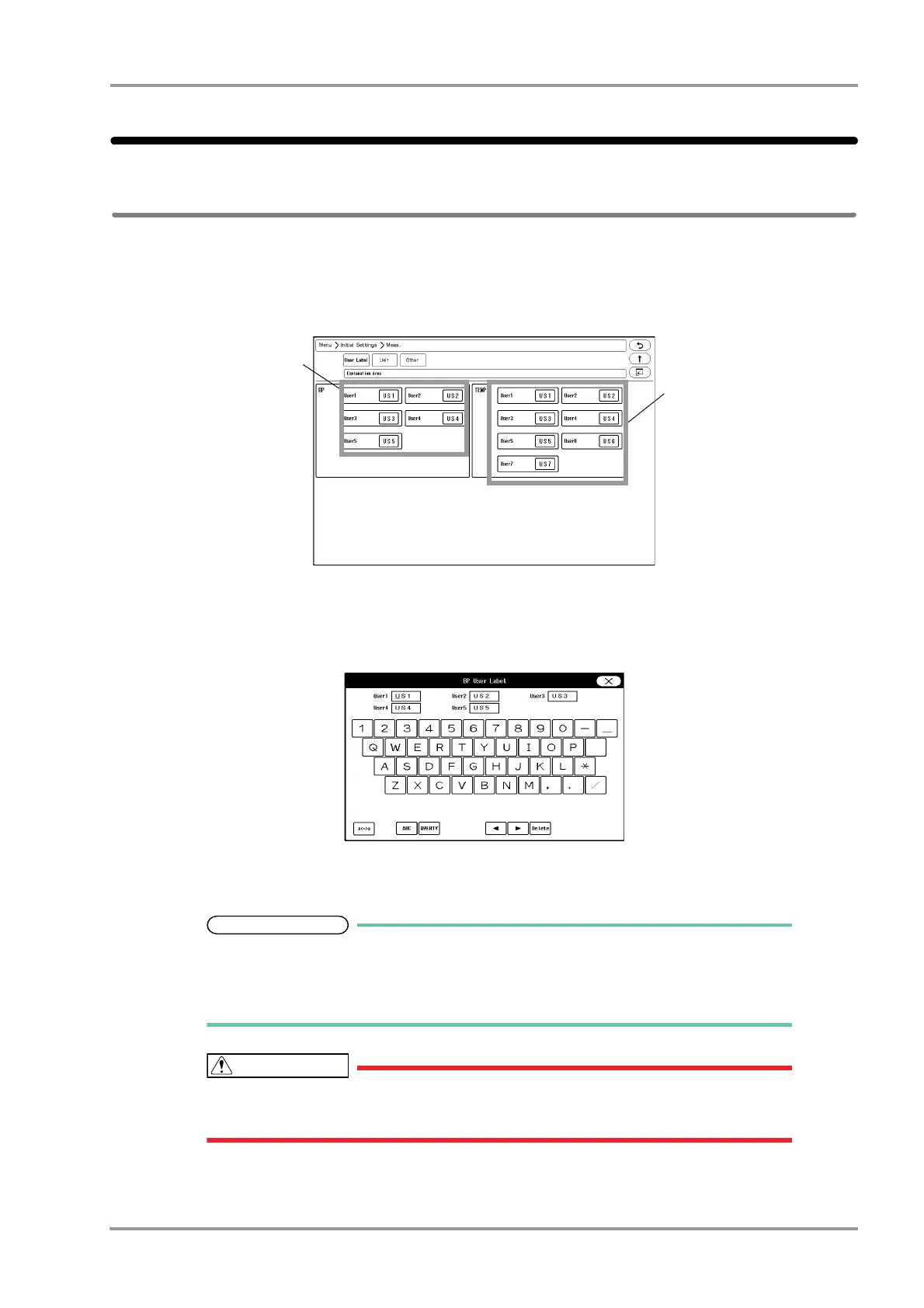
On the user label setup screen, BP and TEMP user labels can be set.
1Press the [Menu], [Initial Settings], [Meas.] keys.
The user label setup screen will be displayed.
2Set the BP user label.
1 For "BP", select from [US1] to [US5].
The "BP User Label" window will be displayed.
2 Use the alphanumeric keys to enter the user label up to 3 characters.
The cursor position will be indicated by a red underline.
Press the display area for the user label to perform the setting.
The key arrangement can be selected from [ABC] or [QWERTY].
The upper case/lower case can be changed using the [A <-> a] key.
When the system is connected to DS-LAN, BP label of US3 to US5, TEMP label of
US3 to US7 cannot be selected.
3Set the TEMP label using the same procedure with Step 2.



 To Next Page