4-13
Chapter 4 Connection to the External Devices FLOW-i Data Input
External Device Setup
To display the INVOS 5100C data, "External Device" setup is required.
Refer to the following procedure. (
"External Device Setup" P4-16)
FLOW-i Data Input
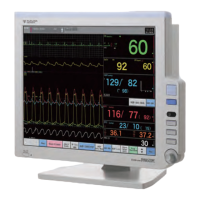
By connecting the FLOW-i Anesthesia Delivery System (MAQUET) to the DS-8500 System, the numeric data,
waveform data of the FLOW-i can be monitored.
The software version of FLOW-i that can be connected to the DS-8500 System is as follows.
System Software Version 02 (FCI Protocol Version 0004)
System Software Version 03 (FCI Protocol Version 0005)
The alarm data of FLOW-i cannot be monitored.
The alarm will not be generated on the DS-8500 System.
The operation of anesthesia delivery system should be performed by well-trained and
authorized personnel.
When connecting the DS-8500 System and the anesthesia delivery system, use only the
specified connection cable.
Make sure that the anesthesia delivery system is connected to the specified connector on
the DS-8500 System.
When connecting the cable, make sure that the main power of this equipment and the
anesthesia delivery system is turned OFF.
Connection with the FLOW-i
Only one anesthesia system can be connected to each DS-8500 system. Do not connect
more than one anesthesia systems.
The anesthesia system and Multigas Unit (MGU-800, MGU-810 series) cannot be
connected simultaneously.
The anesthesia system and ventilator cannot be connected simultaneously.
Anesthesia Delivery System
Connection Cable
For Status II Connector For Serial Connector
FLOW-i CJ-402RI-70SVi (x1) CJ-502 (x1)



 To Next Page