5-21
Chapter 5 Initial Settings User I/F
Key Mask
On the key mask setup screen, unnecessary keys and tabs can be masked.
The masked key function will be disabled on this system, but it will not affect the central
monitor operation.
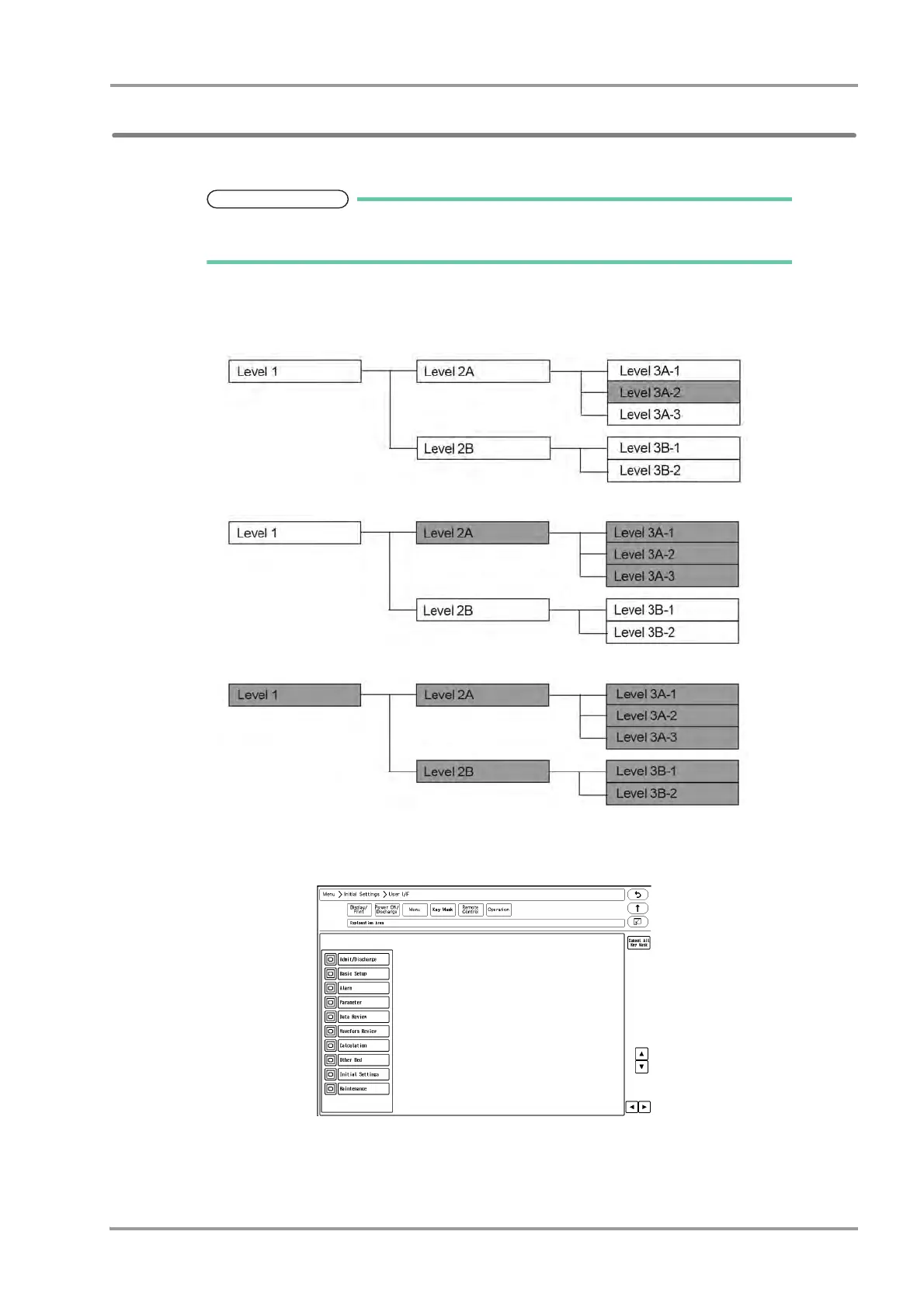
The setup items are in tree structure.
If a upper level key is masked, the lower level key will be also masked.
For the following tree structure, if "Level 3A-2" is masked, only this item will be masked.
If "Level 2A" is masked, the masked items will be as follows.
If "Level 1" is masked, the masked items will be as follows.
1Press the [Menu], [Initial Settings], [User I/F], [Key Mask] keys.
The key mask setup screen will be displayed.
2Select the item to perform the setting.



 To Next Page