5-12
Chapter 5 Initial Settings Measurement Related Setup
Measurement Unit
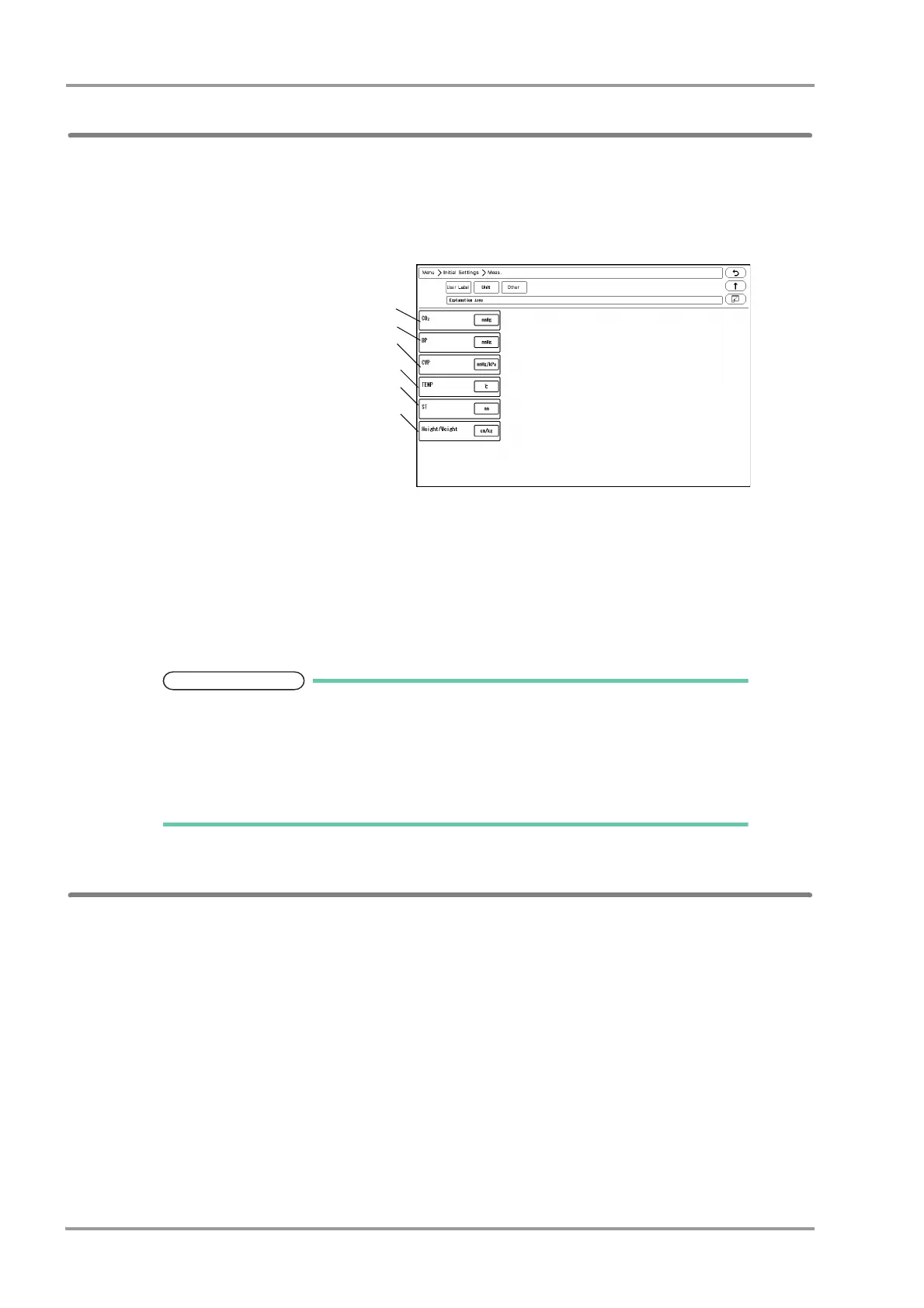
The measurement unit can be set on the unit setup screen.
1Press the [Menu], [Initial Settings], [Meas.], [Unit] keys.
The "Unit" setup screen will be displayed.
1CO
2
,
Select the CO
2
unit from [mmHg]/
[kPa]/[%].
2BP
Select the BP and NIBP unit from
[mmHg]/[kPa].
3CVP
When the BP label is CVP (Central
Venous Pressure), select the unit
from [mmHg/kPa]/[cmH
2
O].
4TEMP
Select the TEMP unit from [°C]/[°F].
5ST
Select the ST unit from [mV]/[mm].
6 Height/Weight
Select the Height/Weight unit from [cm/kg]/[in/lb].
2Select the unit for each parameter.
When the BP, CVP unit is changed, the tabular/graphic trend data with the previous
measurement unit will be deleted. Also, when the unit is changed, it is necessary to
perform the alarm setup for the new measurement unit.
The measurement unit of tcpO
2
, tcpCO
2
can be set on the TCM4 or TCM5 FLEX. When
the measurement unit is changed, the tabular trend data of tcpO
2
and tcpCO
2
on the
bedside monitor will be deleted.
Other Setup
On the "Other" menu, other measurement related settings can be performed.
1Press the [Menu], [Initial Settings], [Meas.], [Other] keys.



 To Next Page