5-30
Chapter 5 Initial Settings User Mode Registration
Items that can be registered for the Main Mode
The following items can be registered for the main mode.
Mode Name
Patient Classification
Alarm
Display Configuration
Manual Printing
Auto Printing
Sound
Color
Brightness
Night Mode
Parameter
Graphic/Tabular Trend Display
Synchronized Mark/Tone
RR Alarm/Apnea Source
Items that can be registered for the Sub Mode
The following items can be registered for the sub mode.
Mode Name
Display Configuration
To Program the User Mode
This section explains how to register/change the user mode.
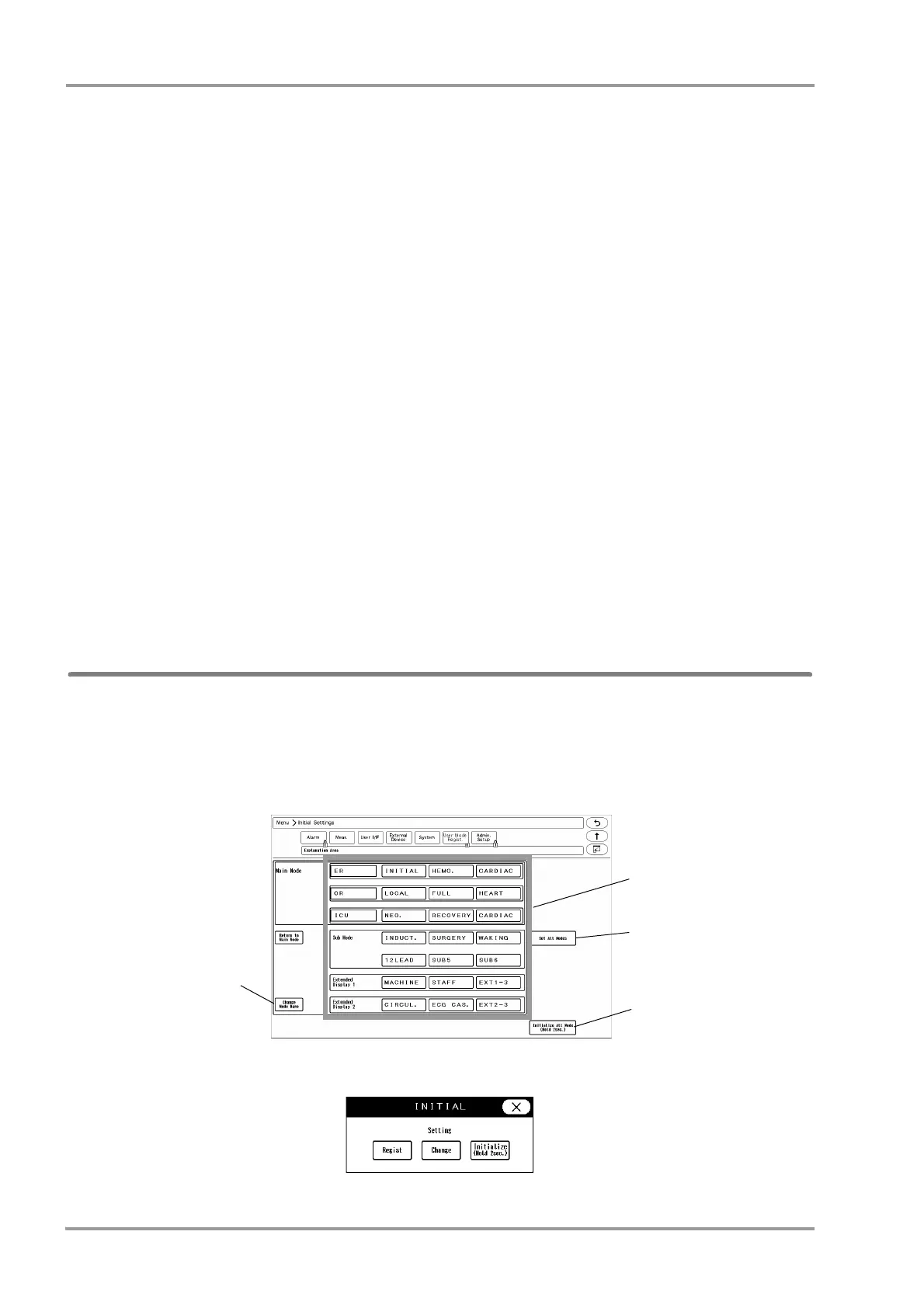
1Press the [Menu], [Initial Settings], [User Mode Regist.] keys.
User mode registration screen will be displayed.
2By pressing the key for each user mode, the operation selection window will be displayed.
[Regist]: The current monitoring settings will be registered to the selected key.



 To Next Page