5-31
Chapter 5 Initial Settings User Mode Registration
[Change]: User mode settings can be changed.
The user mode setting window background will be displayed in pink.
[Initialize]: The settings for the selected key will be initialized.
When a user mode is registered, changed, or initialized, the monitoring mode will
change to the selected user mode. The alarm settings of the selected alarm system
will be applied.
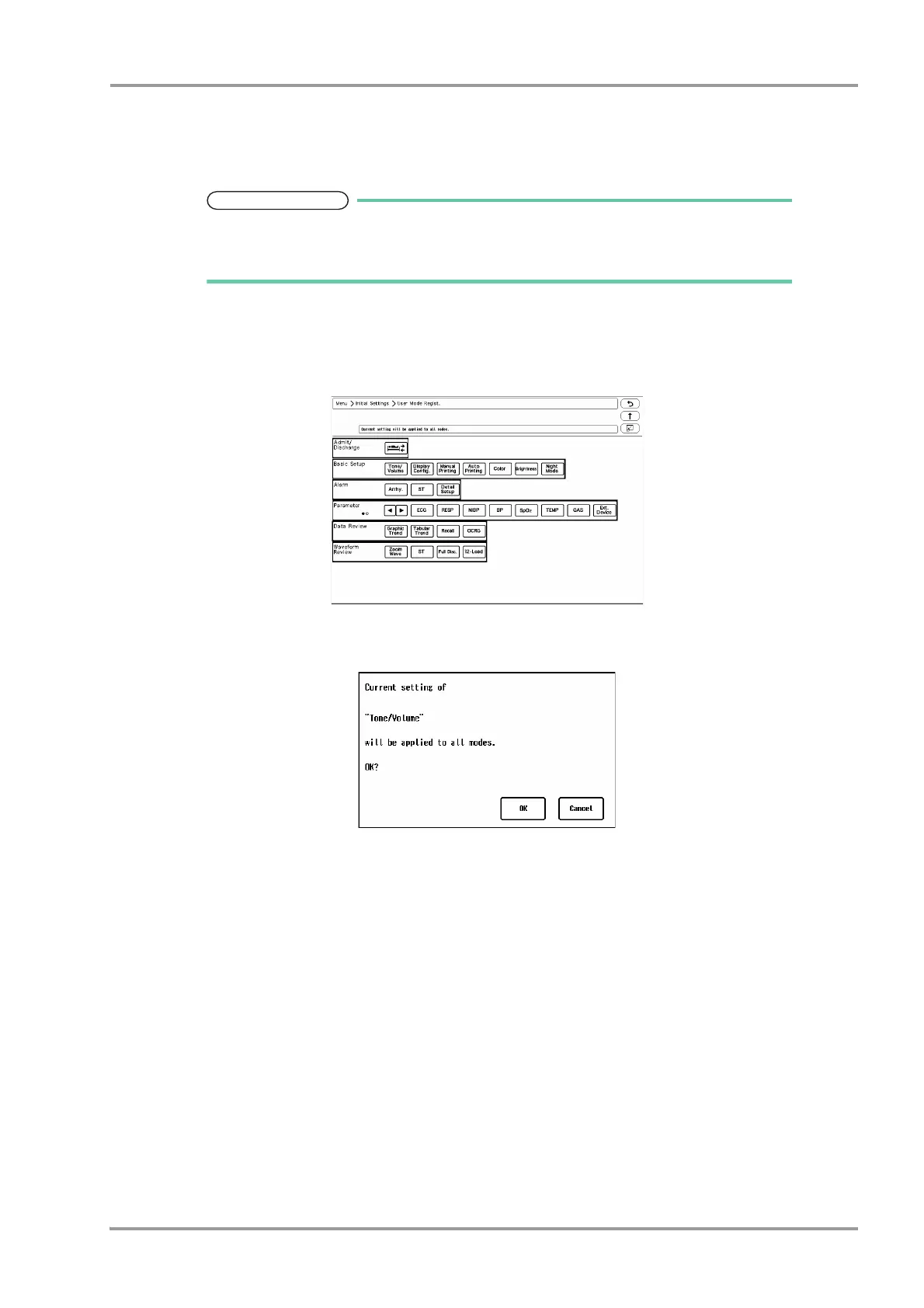
3The item to set the same settings for all modes can be selected.
1 Press the [Set All Modes] key.
The screen to select the setting item will be displayed.
2 Press the key for the setting item.
The confirmation window to apply the current setting to all modes will be displayed.
3 Press [OK] to apply the current setting to all modes.
4All user modes will be initialized.
5To change the name of user mode, press the [Change Mode Name] key and then select the key for the user
mode to change the name.



 To Next Page