5-5
Chapter 5 Initial Settings Alarm Related Setup
Maximum of 8 characters can be set for the administrator name.
Alarm Related Setup
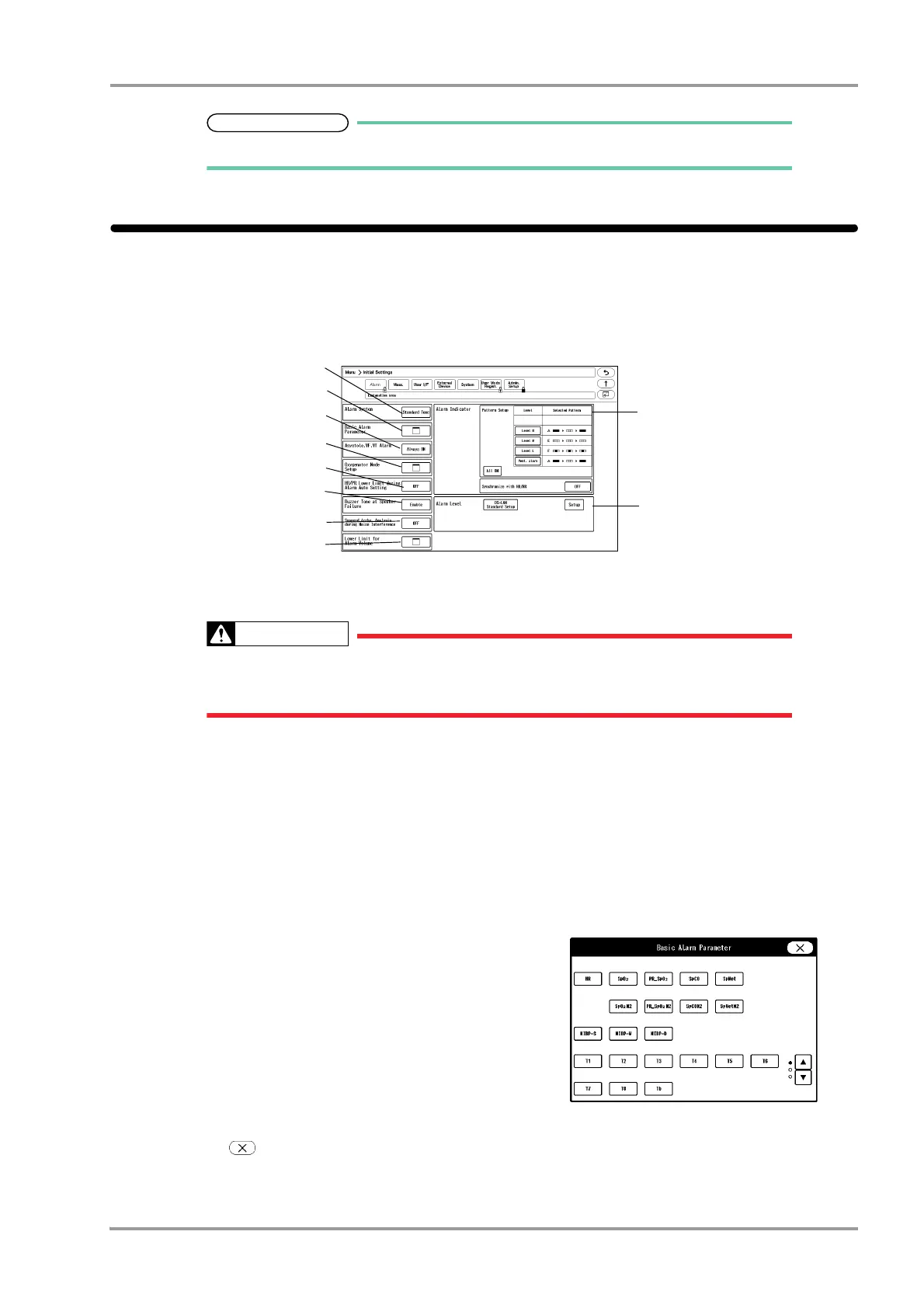
On the alarm setup menu, alarm related setup can be performed.
1Press the [Menu], [Initial Settings] keys.
The alarm setup menu will be displayed.
2Set the "Alarm System".
Changing the setting for "Alarm System" (Initial Settings > Alarm) will also change the
alarm volume and tone setting. Make sure to check the volume and tone when the setting
is changed.
1 Press the key for "Alarm System".
The dropdown list will be displayed.
2 Select from [Fukuda Tone] / [Melodic Tone] / [Standard Tone].
[Fukuda Tone]: The alarm tone common to DS-7000 series bedside monitor will be set.
[Melodic Tone]: The alarm tone which the rhythm is the same with [Standard Tone] with different melody
will be set.
[Standard Tone]: The alarm tone complied to the IEC standard will be set.
3Set the "Basic Alarm Parameter".
1 Press the key for "Basic Alarm Parameter".
The "Basic Alarm Parameter" window will be
displayed.
2 Select the item to perform the setting.
The selected key will be displayed in blue.
By pressing the selected key again, the selection will
be cancelled.
3 Press .
The "Basic Alarm Parameter" window will close.



 To Next Page