9-12
Chapter 9 Maintenance Check Software Install
Software Install
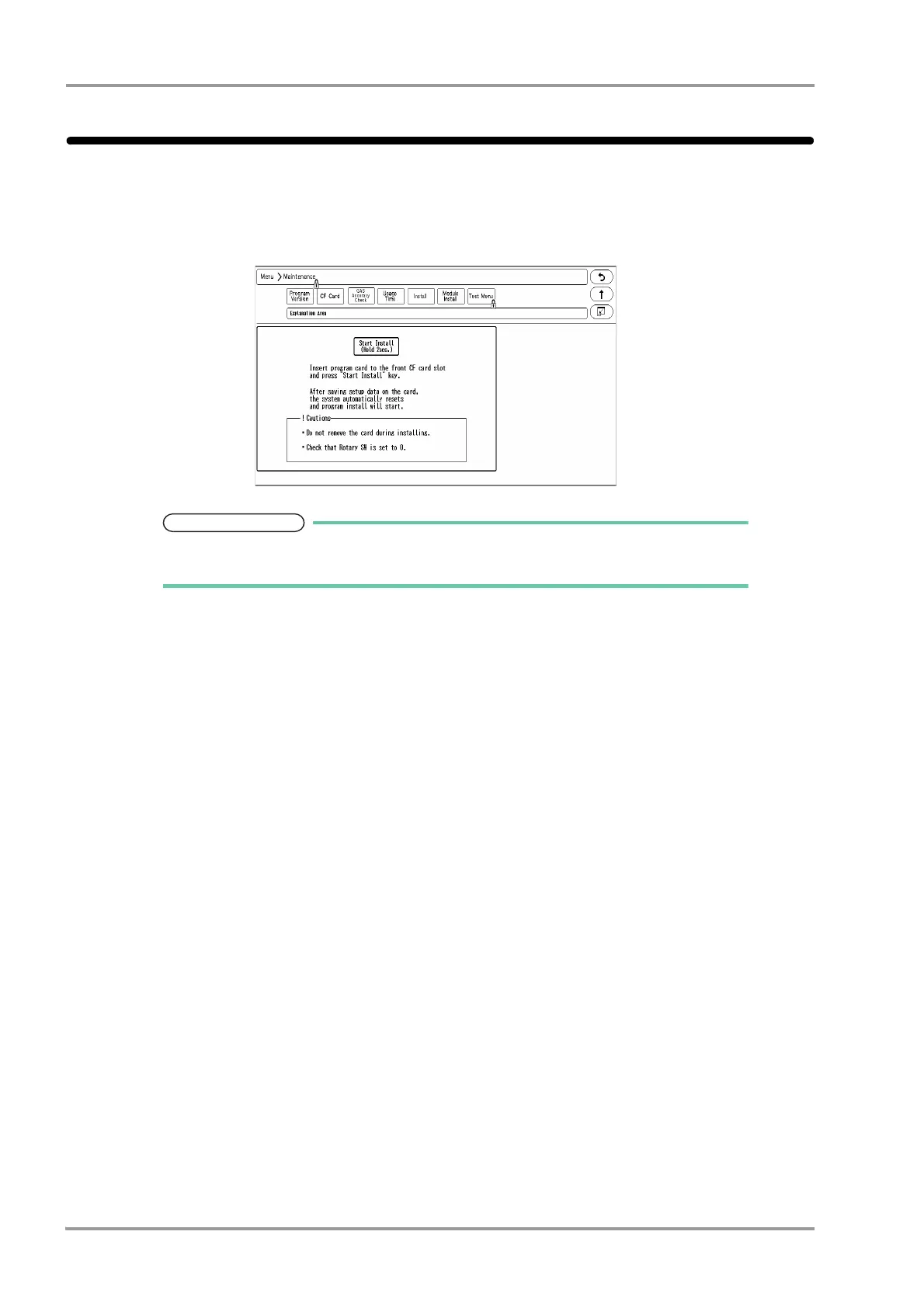
The software can be updated on the install screen.
1Press the [Menu], [Maintenance], [Install] keys.
The software install screen will be displayed.
Users cannot perform the software update process.
Contact our service representative.



 To Next Page