2-9
Chapter 2 Network System Construction Wireless Network
interference.
To change the setting, enter the password.
(
"Administrator Setup" P5-2)
Before using the telemetry transmitter module, set the port to connect the HLX in advance.
(
"External Device Setup" P4-16)
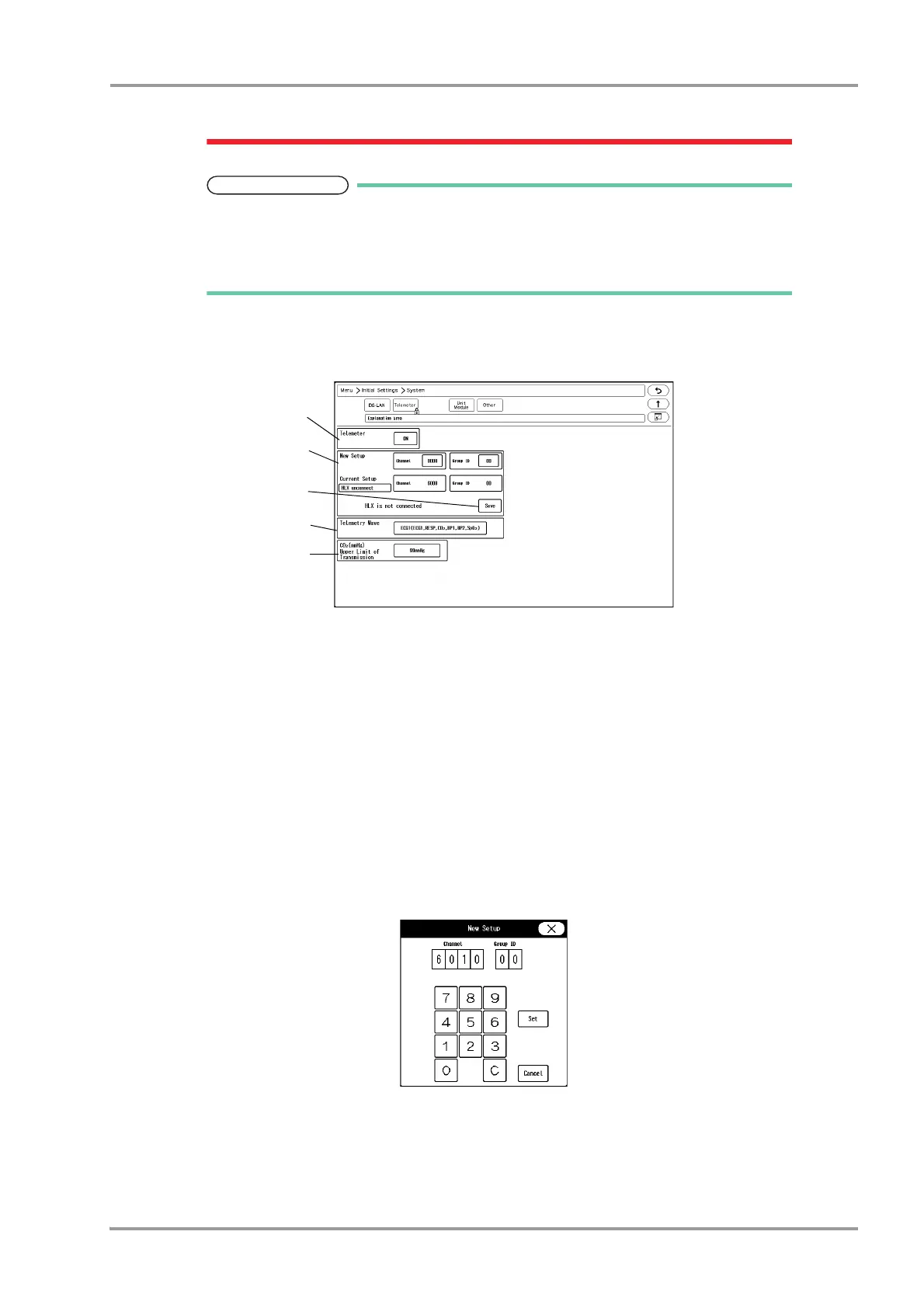
1Press the [Menu], [Initial Settings], [System], [Telemeter] keys.
The Telemeter Setup window will be displayed.
2Perform setup for the telemetry transmission.
1 Press the key for "Telemeter".
The dropdown list will be displayed.
2 Select from [ON]/[OFF].
[ON]: Telemetry transmission will be performed.
[OFF]: Telemetry transmission will not be performed. In this case, channel ID will not be displayed on
the home display.
3Set the channel ID and group ID.
1 Press the key for "Channel" or "Group ID".
The "New Setup" window will be displayed.
2 Use the numeric keypad to enter the 4-digit medical telemetry channel ID.
3 Press the input area for the Group ID.
4 Use the numeric keypad to enter the group ID in the range of 00 to 63.
5 Press the [Set] key.



 To Next Page