2-10
Chapter 2 Network System Construction Wireless Network
4Save the channel ID and group ID.
1 Press the [Save] key.
The channel ID and group ID will be saved.
The <Complete> message will be displayed.
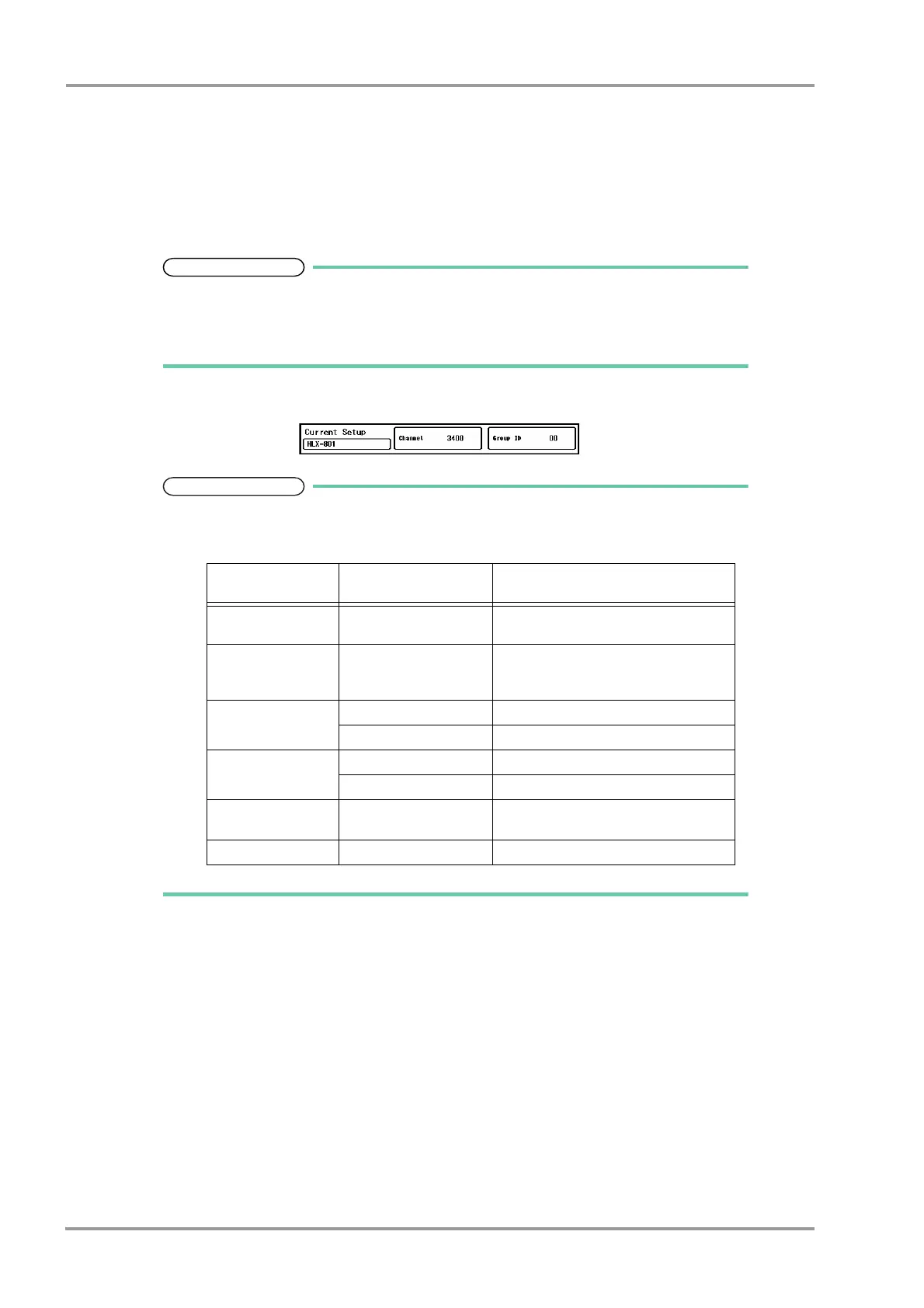
The set channel ID will be displayed on the upper left of the home display.
If an error is found on the password, channel ID, or group ID, <Invalid Data> message
will be displayed. (Ex. The entered channel ID or group ID is outside the allowable
range.)
Enter the ID within the range and press the [Save] key.
5Check the stored channel ID and group ID.
If the numeric data is displayed as "xxx" (out of measurement range) on this monitor,
maximum or minimum value of measurable range will be transmitted to the central
monitor.
6Select the transmitting waveform.
1 Press the key for "Telemetry Wave".
The dropdown list will be displayed.
2 Select from [ECG1] / [ECG2].
[ECG1]: ECG1, RESP, CO
2
, BP1, BP2, SpO
2
will be transmitted. However, RESP waveform will not be
transmitted if APNEA source is CO
2
.
[ECG2]: ECG1, ECG2, RESP/CO
2
, BP1, SpO
2
will be transmitted. One of either CO
2
or RESP
waveform will be transmitted in accordance with the APNEA source setting.
7Set the "CO
2
(mmHg) Upper Limit of Transmission".
(
"DS-LAN Setup" P2-2)
Value Outside the
Measurement Range
Central Monitor Display
HR 301bpm and above Calculated on the central monitor based
on ECG waveform.
Respiration Rate 151Bpm and above 150Bpm
In case of impedance respiration,
calculated on the central monitor.
BP -51mmHg and below -50mmHg
301mmhg and above 300mmHg
Temperature -0.1°C and below 0°C
45.1°C and above 45.0°C
PR (Masimo Unit) 240bpm and above
25bpm and below
239bpm
26bpm
PR (Nellcor
TM
Unit) 301bpm and above 254bpm



 To Next Page