5-16
Chapter 5 Initial Settings User I/F
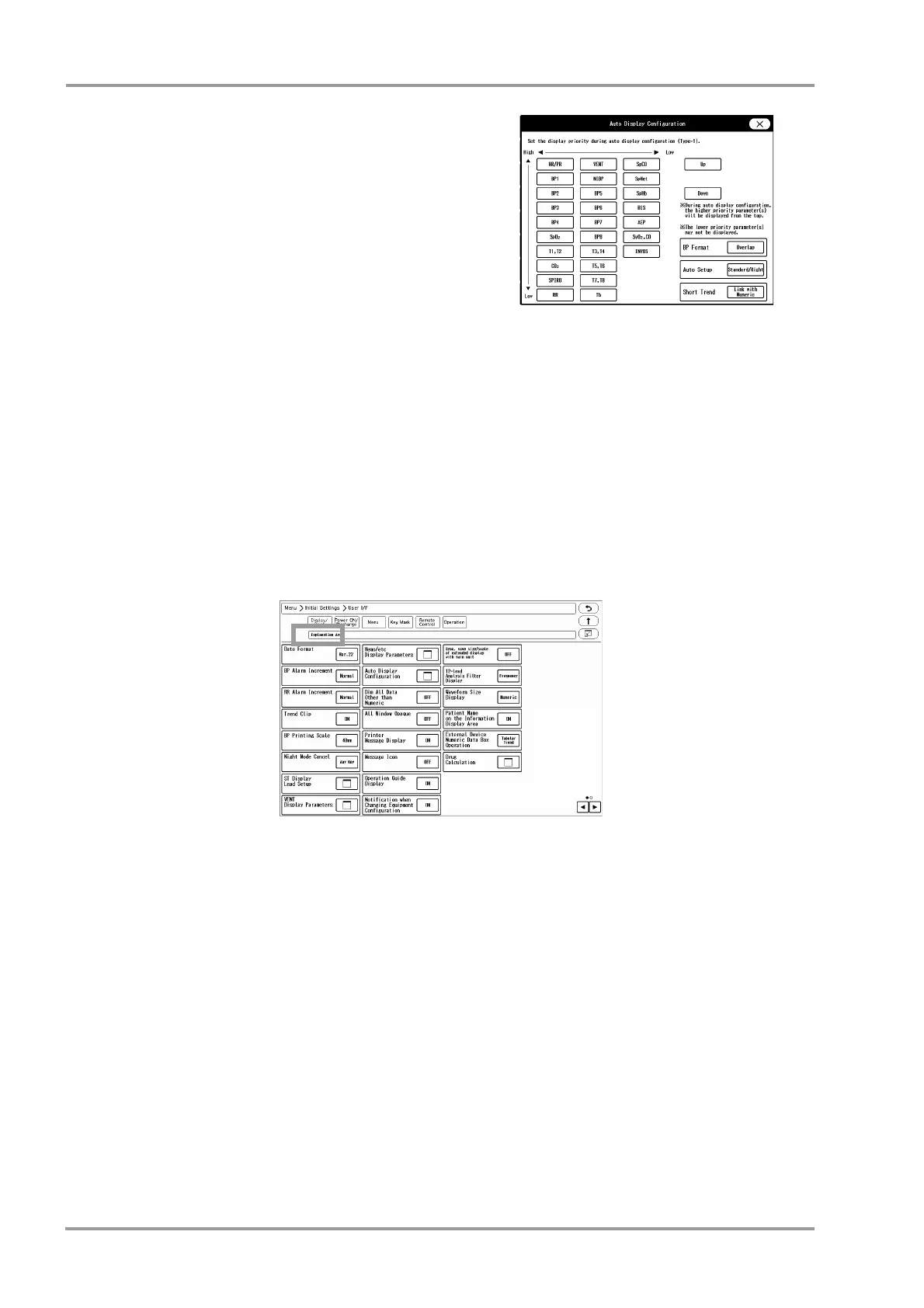
10 "BP Format" ([Overlap] / [Separate]), "Auto Setup"
([Standard/Right] / [Standard/Left]), and "Short Trend" ([Link
with Numeric] / [Link with Waveform] for automatic display
configuration can be set.
11 [ON]: The display brightness of measurement unit, alarm
limit, etc. displayed inside the numeric data box will be
dimmed.
[OFF]: The display brightness will not be dimmed.
12 [OFF]: The window will become translucent allowing to view
the waveform displayed behind the window. However, the
key display will not become translucent.
[ON]: The window will not become translucent.
13 [ON]: The printer status will be displayed on the home display.
[OFF]: The printer status will not be displayed.
14 Select [ON]/[OFF] for "Message Icon".
When there are many numeric data display, the parameter key size will be reduced which may disable the
message to be displayed inside the parameter key.
A message icon will be displayed instead to notify that a message is present.
(
Operation Manual "Numeric Data Box Display (for all parameters)" P3-12)
15 Operation Guide Display
[ON]: Operation guide message will be displayed in the window message area.
[OFF]: Operation guide message will not be displayed.
16 Select [ON]/[OFF] for "Notification when Changing Equipment Configuration".
[ON]: A confirmation message will be displayed when equipment configuration is changed. (Connector ON/
OFF, etc.)
[OFF]: A confirmation message will not be displayed even when equipment configuration is changed.
17 Select [ON]/[OFF] for "Sync wave size/scale of extended display with main unit".
[ON]: Changing the waveform size/scale displayed on the main unit will also change the waveform size/scale
on the extended display unit.
[OFF]: Changing the waveform size/scale displayed on the main unit will not change the waveform size/scale
on the extended display unit.
18 Select the display type for the 12-lead analysis filter.
The filter display type on the 12-lead analysis display/printing will change with this selection.
[Frequency]: The set frequency (ex. [25Hz]) will be displayed.
[Filter Type]: The filter type (ex. [MF_ST], [DF_WK]) will be displayed.



 To Next Page