5-15
Chapter 5 Initial Settings User I/F
1 The selected format will be applied to display and printing.
2 Select the BP alarm increment from [Normal] or [Small].
3 Select the RR alarm increment from [Normal] or [Small].
[Normal]: 5 Bpm (Adult), 2 Bpm (Child, Neonate)
[Small]: 1 Bpm
4 If the measurement on the graphic trend display exceeds the vertical axis scale, whether or not to display the
exceeded portion can be selected.
[ON]: The exceeded portion will be displayed in straight line at the upper or lower
limit.
[OFF]: The exceeded portion of the vertical axis scale will not be displayed.
5 Select the printing scale height for the BP1 to 8 waveform.
6 Select the procedure to cancel the night mode when [No Change]/[Darker]/[Dark]
is set.
[Any Key]: The night mode can be canceled by pressing any key on the screen.
[Night Mode Key]: The night mode can be canceled by pressing the [Night Mode] key on the user key area or
on the menu.
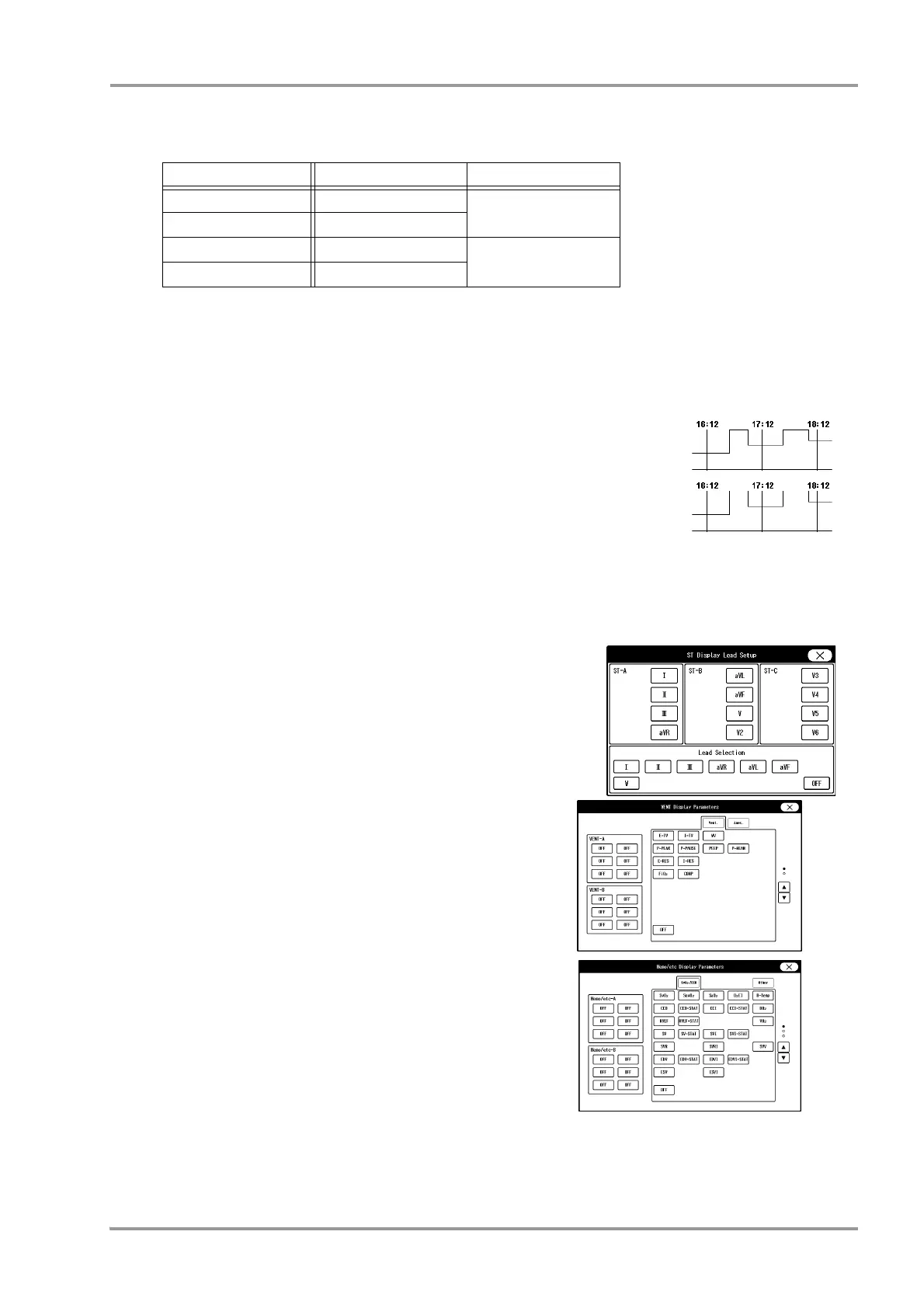
7 The ST lead to be displayed for ST-A to ST-C can be set.
Set the lead to the key displayed in blue.
8 VENT Display Parameters
The parameters to be displayed for VENT-A, VENT-B
numeric data box can be set.
9 Hemo/etc Display Parameters
The parameters to be displayed for Hemo/etc-A, Hemo/etc-
B numeric data box can be set.
[Normal] [Small]
0 mmHg to 50 mmHg 2 mmHg increment
1 mmHg increment
55 mmHg to 300 mmHg 5 mmHg increment
0 kPa to 7 kPa 0.2 kPa increment
0.1 kPa increment
7.5 kPa to 40.0 kPa 0.5 kPa increment



 To Next Page