1-3
Chapter 1 Installation of the Unit System Construction
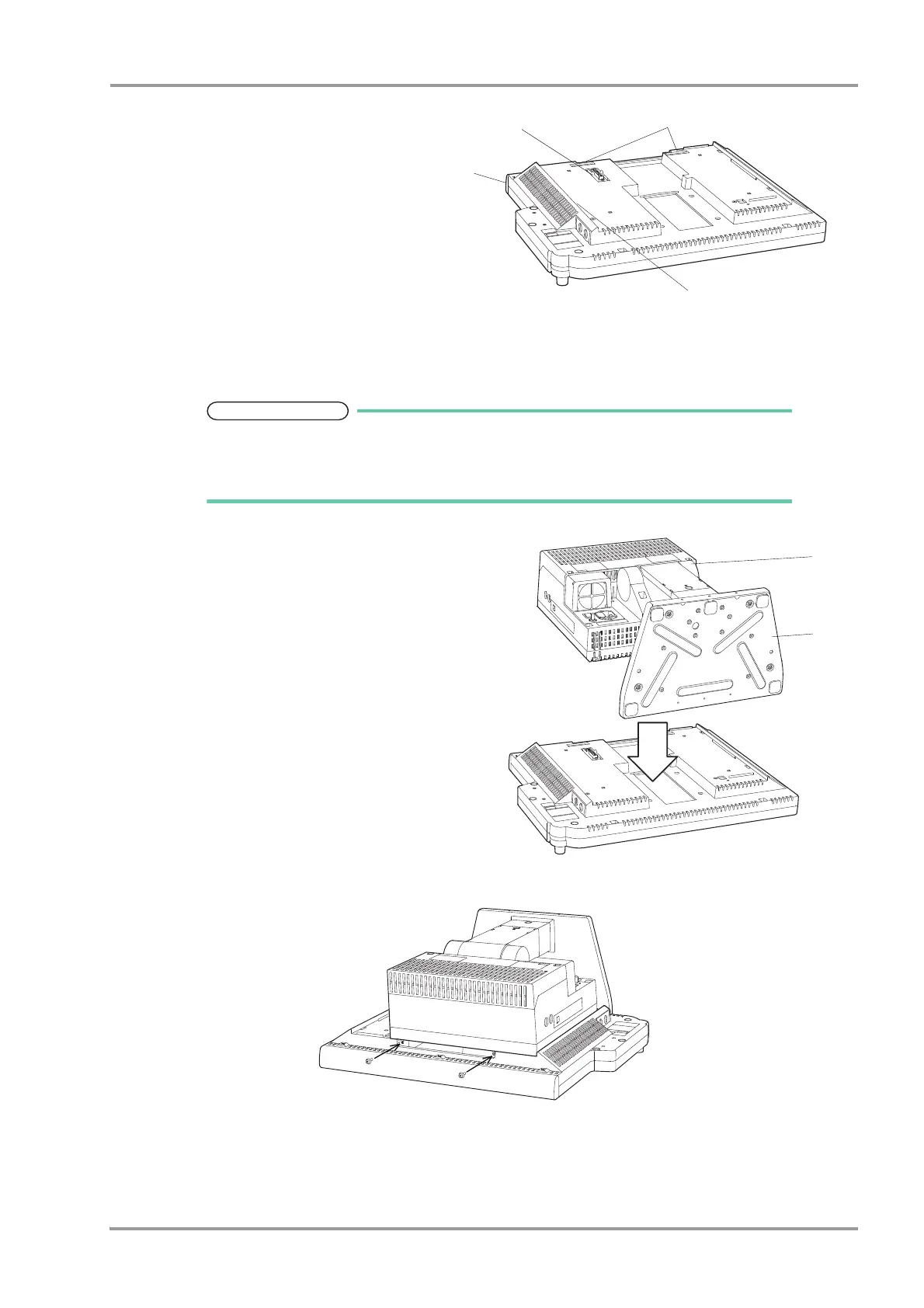
1 Display Unit (LC-8019T/LC-8019TC, LC-
8015T/LC-8015TC)
2 Main Unit Connector
3 Connection Guide Hole
4 Side Guide
2Attach the main unit from above using the
side guide and connection guide hole.
Slowly attach the main unit so that it will not apply force to the connector.
For procedure to connect the main unit with exclusive stand, refer to the OAO-44A
manual.
1 Main Unit (DSC-8510/8530)
2 DS-8500 Main Unit Stand (OAO-44A: option)
3Fix 2 parts on the top side with accessory screws
(Double Washer Sems Screw: M4x12).
1
2
3
4
* The figure shown is LC-8019T/TC.



 To Next Page