GE MEDICAL SYSTEMS
D
IRECTION 5184024-100, REVISION 5 LOGIQWORKS® BASIC SERVICE MANUAL
Chapter 3 Installation 3-47
3-4-3-10 Mouse and USB Harddisk Connection of Dell Precision 360
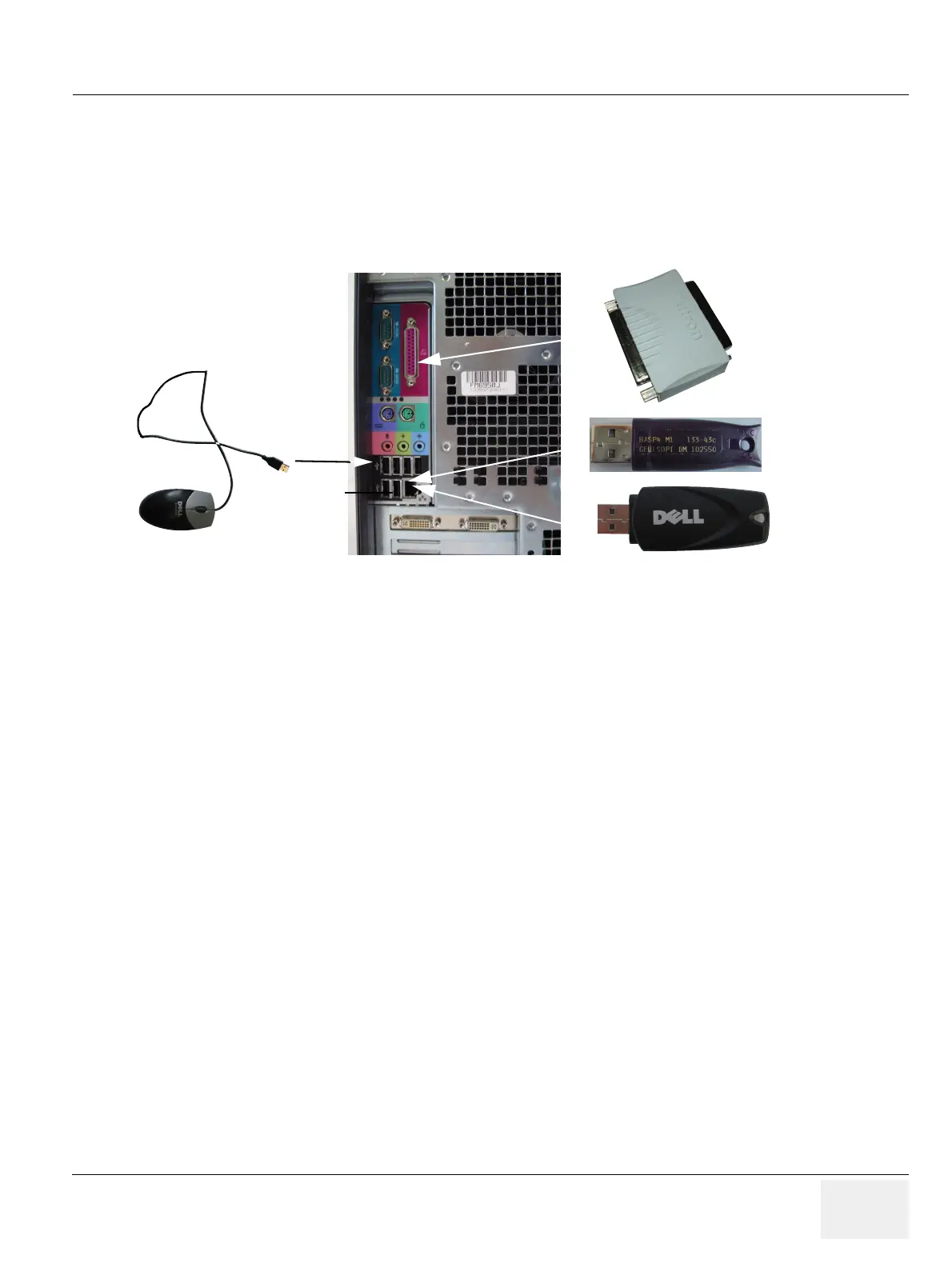
1.) Connect the Mouse to one of the USB Connectors.
2.) Connect the USB Harddisk to the other USB Connector.
3.) Connect the USB Software Option Dongle.
4.) Connect the parallel RA600 Dongle.
3-4-3-11 Keyboard and Network Connection of Dell Precision 360
1.) Connect PS2 Cable from the keyboard, that has a red plug, to the left hand PS2 Connector at the
rear of the PC.
2.) Connect the patch cable with the network connector at the rear of the PC and the wall network
outlet.
Figure 3-33 Mouse and PC Rear



 To Next Page