GE MEDICAL SYSTEMS
D
IRECTION 5184024-100, REVISION 5 LOGIQWORKS BASIC SERVICE MANUAL
Chapter 4 Functional Checks 4-7
4-3-1-2 Check Ethernet Connection
Check Ethernet connection (only needed if DCM Ping - see Section 4-3-1-1 "Check the DICOM
Connection" - fails).
Condition: The LOGIQworks system needs to be connected to the network. See Section 2-3-4 on page
2-14 for details.
Check the status of the Ethernet connection to the devices your LOGIQworks system is set up to
communicate with. Please look up all sending and receiving devices in the connections destination and
origins list from the data selector menu. Refer to 3-5-10-1 on page 3-183 and 3-5-10-2 on page 3-186
for detailed information on how to set up sending and receiving devices in LOGIQworks.
Run the network ping command to perform this verification:
1.) Click on Start > Programs > Accessories > Command Prompt. A command window will
open.
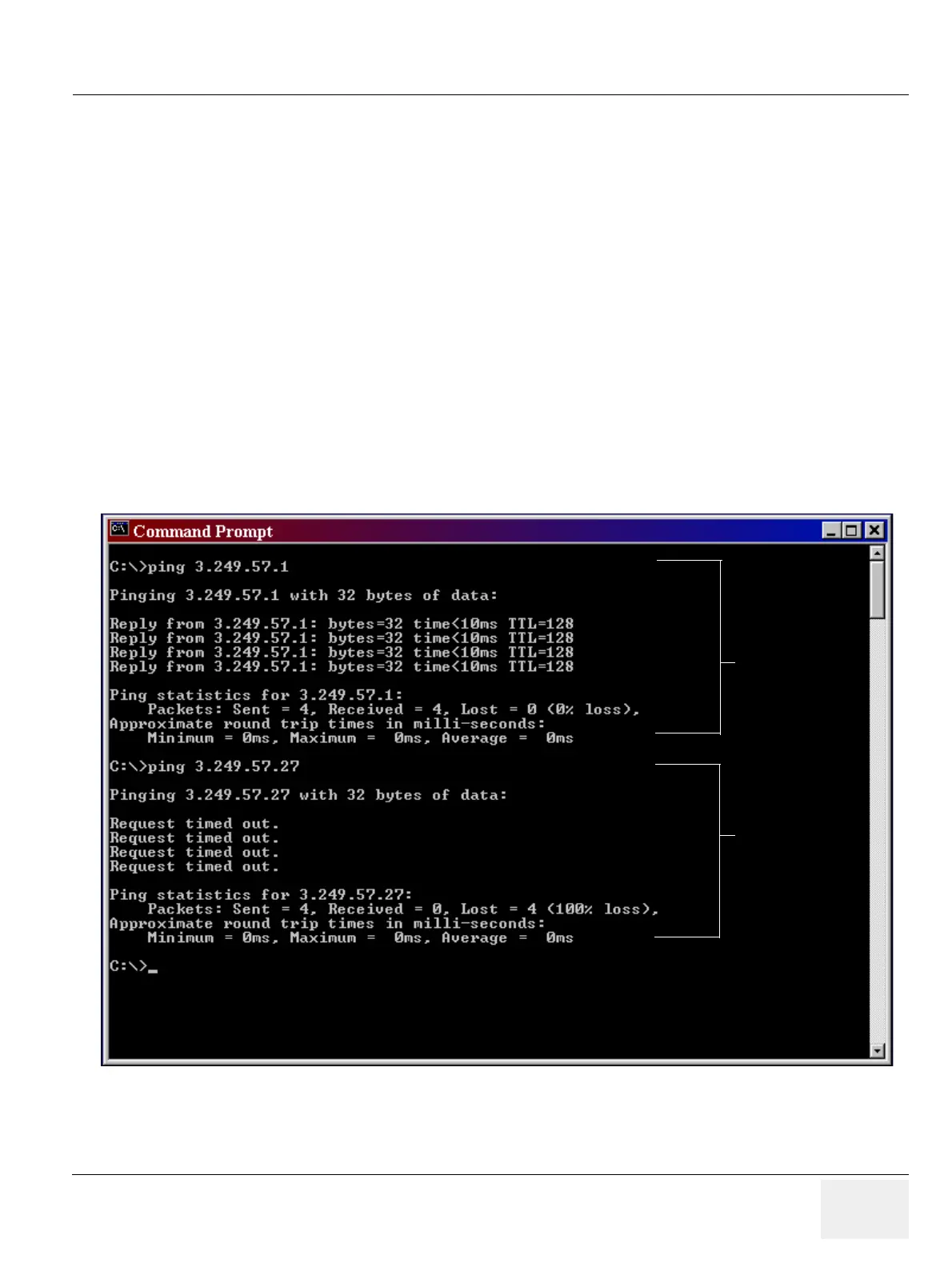
2.) Execute the ping command for every IP address listed in the destinations and origins database
(3-5-10-1 on page 3-183 and 3-5-10-2 on page 3-186).
Example:
Figure 4-5 Ethernet Connection Check
successful,
Ethernet connection
is good
failed,
connection not
established



 To Next Page