GE MEDICAL SYSTEMS
D
IRECTION 5184024-100, REVISION 5 LOGIQWORKS® BASIC SERVICE MANUAL
Chapter 3 Installation 3-163
3-5-6-4 Input (cont’d)
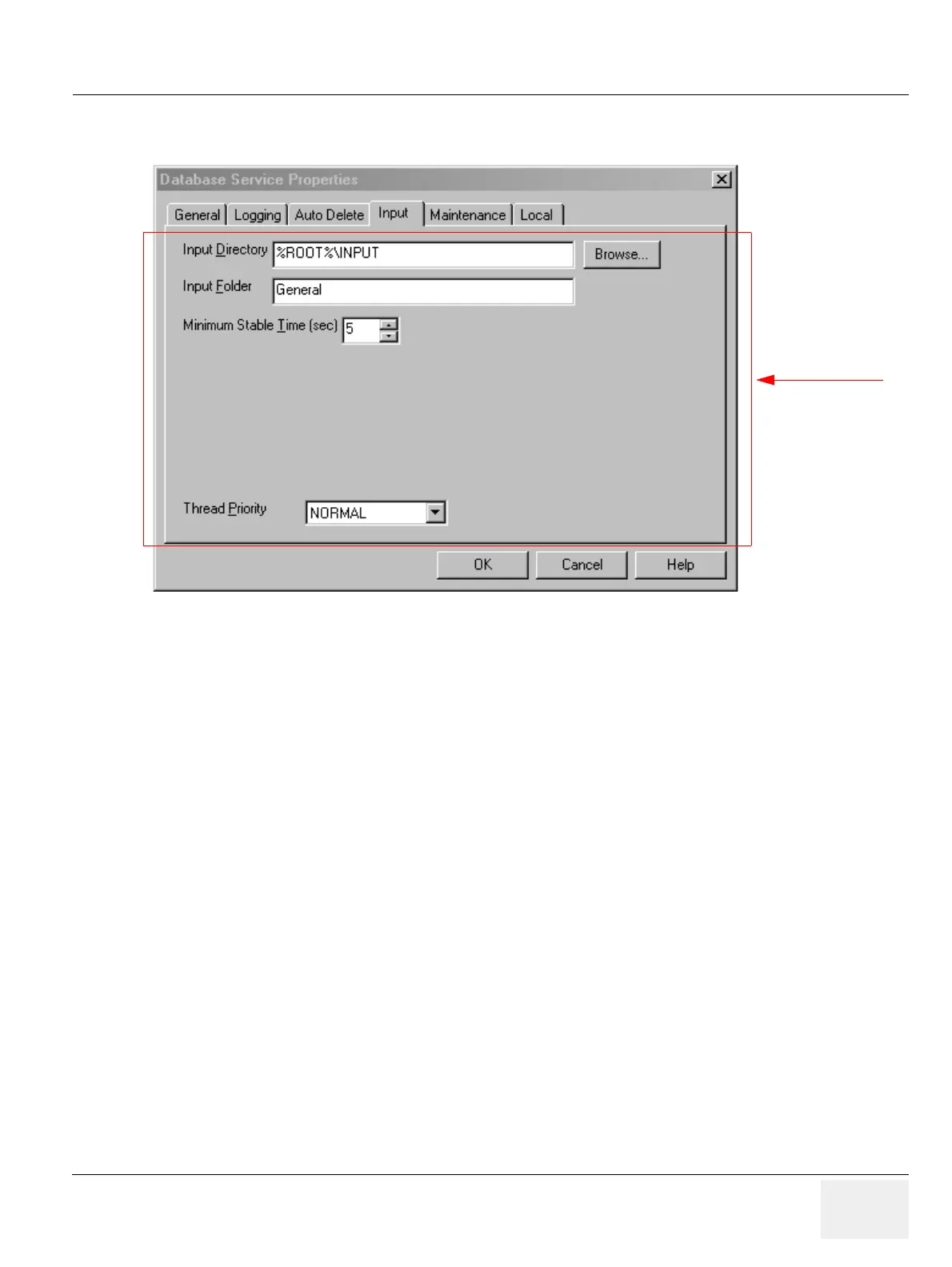
• Input Directory: Directory which will be watched (monitored) for new data. Data converted to AMI
format (.IMG and MET files) and copied into this directory will be automatically added to the local
database. (Default: C:\AMI_61\DATABASE\INPUT)
• Input Folder: New data will be added to this folder in the local database.
• Minimum Stable Time: Time (in seconds) during which the input directory must be stable (there
have been no writes to this directory) before the Database Service starts appending the data in the
input directory to the local database.
• Thread Priority: Priority of the Input thread within the service. Changing this setting may influence
system performance.
3-5-6-5 Maintenance
To set up the maintenance aspects of the Database Service:
1.) Select Configuration > Database Service... from the Data Selector menu.
2.) Select the Maintenance tab from the Database Service Properties page.
Figure 3-137 Database Service Properties - Input (Default settings)
Administrator only



 To Next Page