GE MEDICAL SYSTEMS
D
IRECTION 5184024-100, REVISION 5 LOGIQWORKS BASIC SERVICE MANUAL
Chapter 4 Functional Checks 4-11
4-3-2-3 Confirm images can be sent to a configured destination device. (cont’d)
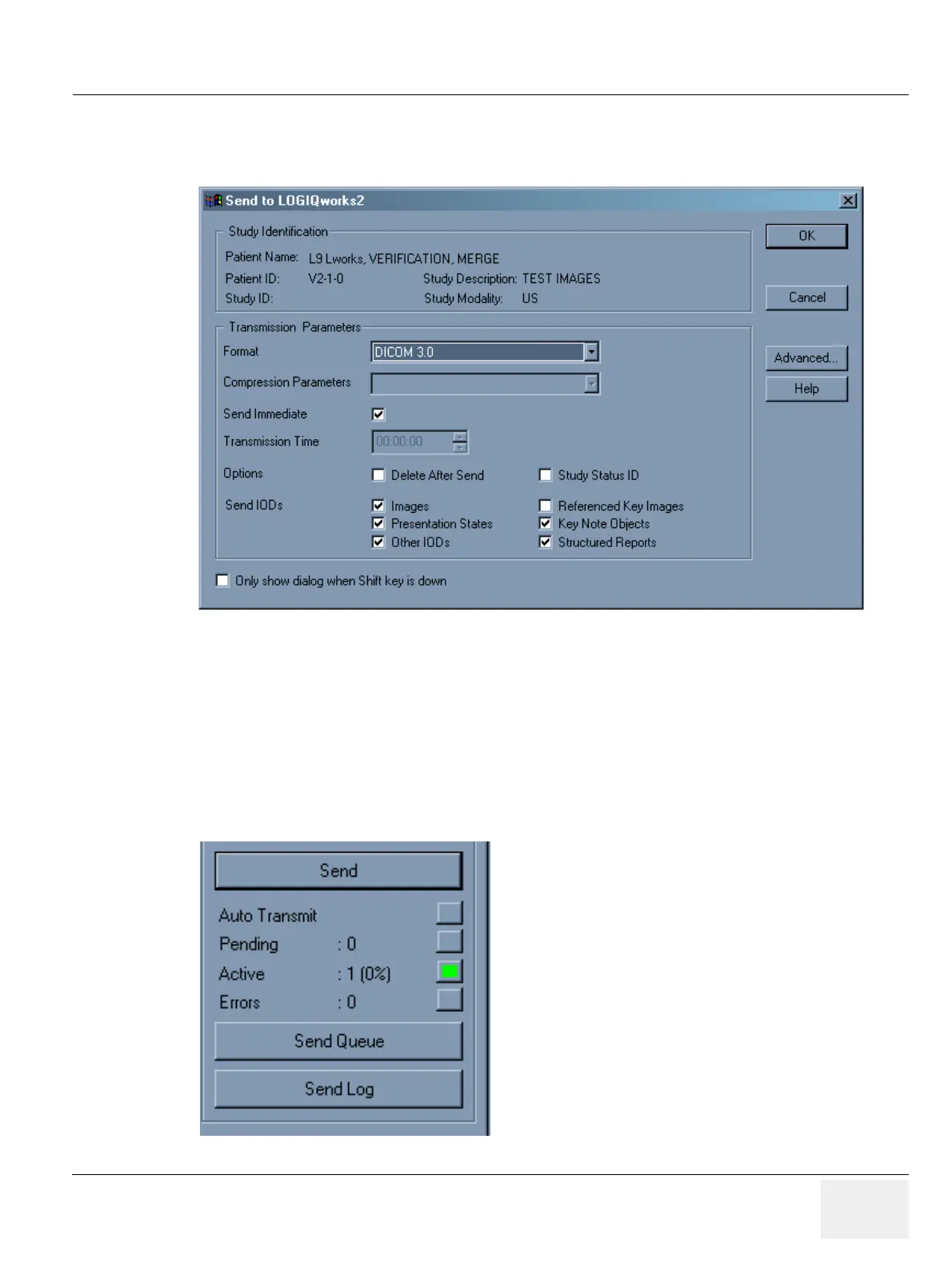
5.) In the Send to... dialog box specify the format you would like to use from the Format drop-down list.
6.) Make sure the Send Immediate check-box is checked if you wish to send immediately.
7.) Make sure the Image check-box is checked.
8.) Click OK to send your study.
You can now monitor how many studies are waiting to be sent,
a.) whether any are correctly being sent (active)
Figure 4-10 Teleradiology - Configure Sending Parameters
Figure 4-11 Monitor Transmission



 To Next Page