GE MEDICAL SYSTEMS
DIRECTION 5184024-100, REVISION 5 LOGIQWORKS® BASIC SERVICE MANUAL
4-10 Section 4-3 - System Check
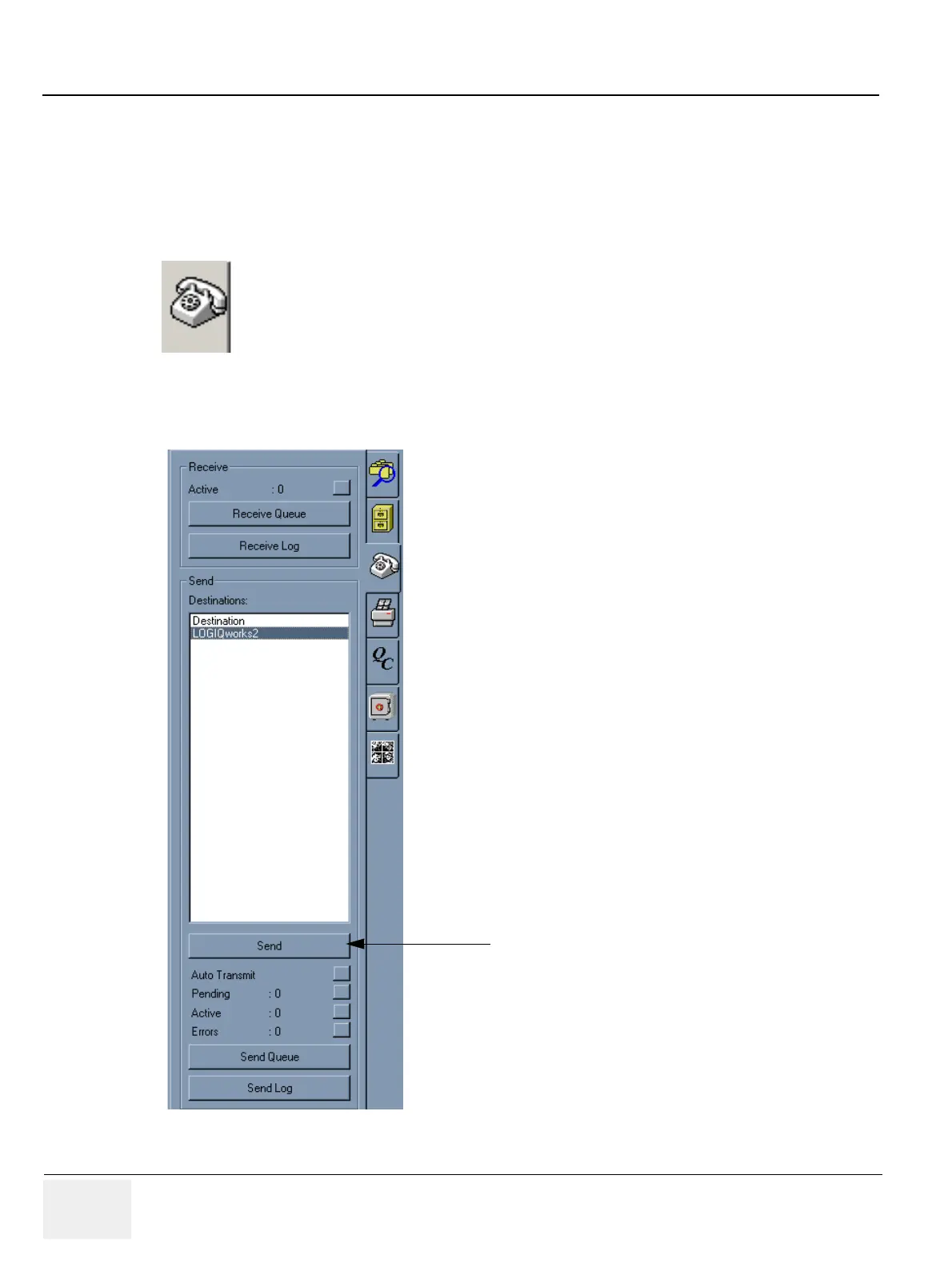
4-3-2-3 Confirm images can be sent to a configured destination device.
Only applicable if your system is connected to a network.
1.) Select the data set you want to send to a remote device listed in the destinations list (see 3-5-10-2
"Setting up and configuring destinations" on page 3-186 for details on how to set up destinations).
2.) Select the Teleradiology tool tab.
3.) In the destinations pane, select the site to which you want to send one or more images.
4.) Press the send button.
Figure 4-8 Teleradiology Tool tab Icon
Figure 4-9 Teleradiology Tool tab
4.


 To Next Page
 Loading...






