GE MEDICAL SYSTEMS
D
IRECTION 5184024-100, REVISION 5 LOGIQWORKS® BASIC SERVICE MANUAL
Chapter 3 Installation 3-89
3-5-2-7 Monitors of System Dell Precision 340 (cont’d)
Setting up LOGIQworks for use with dual monitors log on as system administrator:
1.) Select Configuration -> Generic... from the menu bar in the Data Selector and click the Monitor
tab.
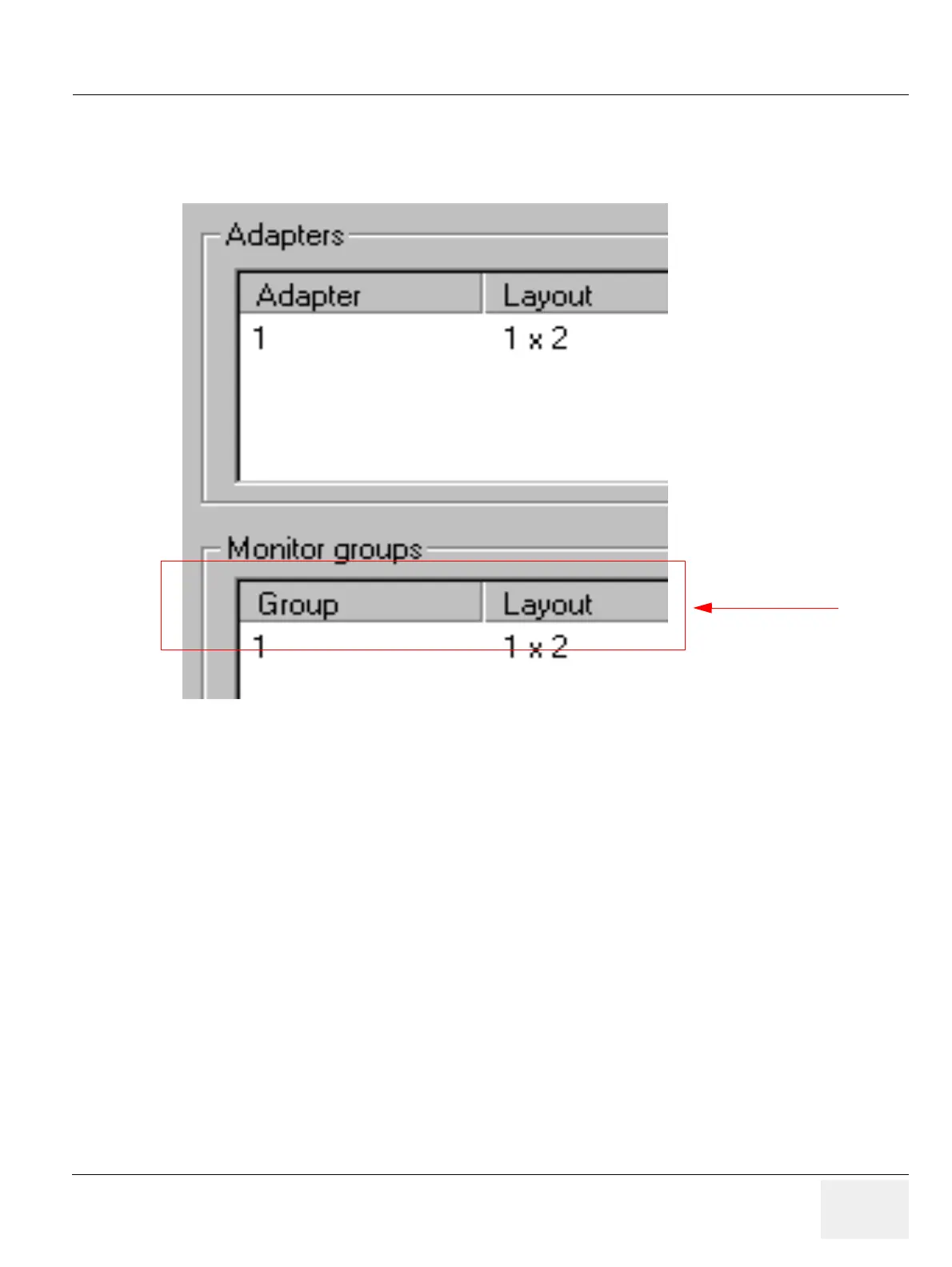
2.) Select the Adapter and click Settings. Specify that 1 row and 2 columns of monitors (1 x 2) are
connected to that adapter.
3.) Select the Monitor Group and click Edit. Specify that 1 row and 2 columns of monitors (1 x 2) are
defining this group. A group must have monitors with the same resolution and/or space.
4.) Set the “Default Monitor” (1 = left most monitor; 2 = second from the left).
5.) Set the “Select Monitor”, this determines where the data selector will appear (1 = left most
monitor; 2 = second from left).
6.) Restart LOGIQworks.
Figure 3-77 Dual Monitor Setup
Administrator only



 To Next Page