GE MEDICAL SYSTEMS
D
IRECTION 5184024-100, REVISION 5 LOGIQWORKS® BASIC SERVICE MANUAL
Chapter 3 Installation 3-193
3-5-11 CD-R/RW and DVD Setup
3-5-11-1 Reading DICOM volume from DVD or CD
Creating and configuring a DVD or CD worklist view.
To create a study or patient list:
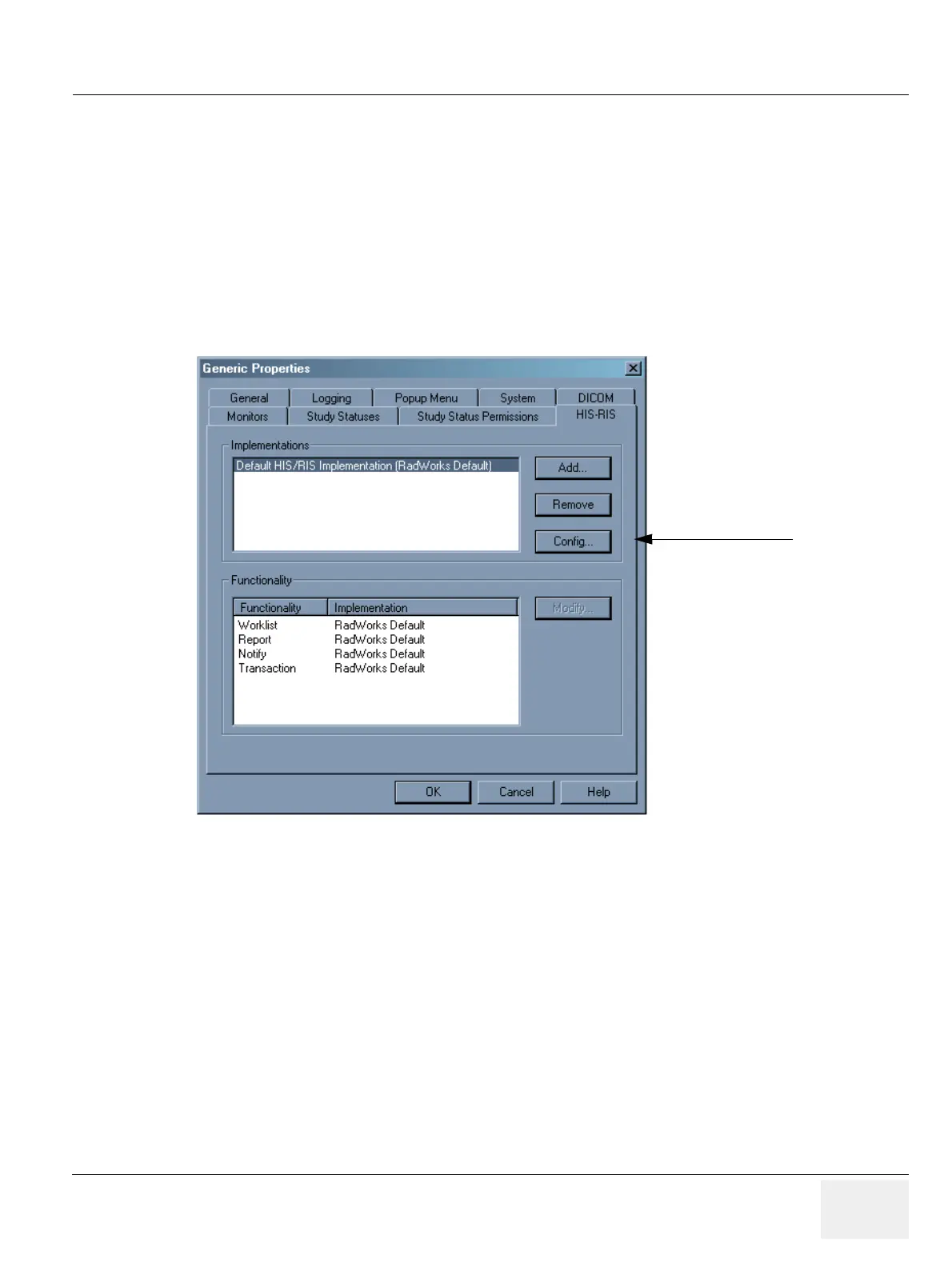
1.) Select Configuration -> Generic... from the Data Selector menu bar and click on the HIS-RIS tab
in the Generic Properties dialog box.
2.) Select Default HIS/RIS Implementation in the Implementations section and then click on the
Config... button.
Figure 3-166 Generic Properties - HIS-RIS for LOGIQworks up to Version 1.3
2.



 To Next Page