GE MEDICAL SYSTEMS
D
IRECTION 5184024-100, REVISION 5 LOGIQWORKS® BASIC SERVICE MANUAL
Chapter 3 Installation 3-93
3-5-2-9 Study Statuses
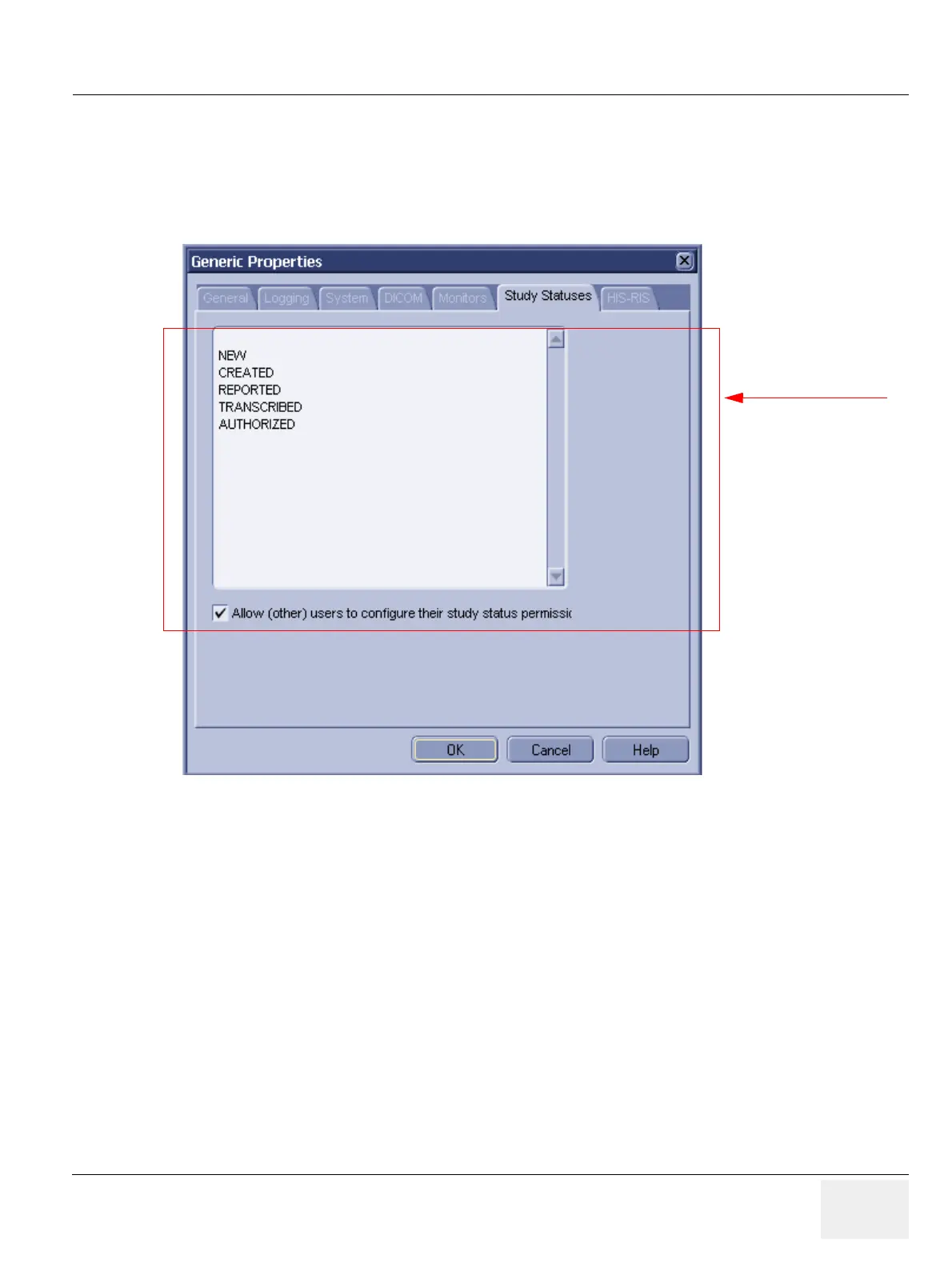
To add/remove/modify study statuses:
1.) Select Configuration > Generic... from the Data Selector menu.
2.) Select the Study Statuses tab from the Generic Properties dialog.
You can add study statuses to be stored in the Data Selector with a selected study (use this Generic
Properties page to do so) or to be saved with the study in the Save Data dialog drop-down list in the
Viewing Section (see Section 3-5-2-12 on page 3-99 in the Configuration Menu).
The priority of the statuses is from low to high reading from the top of the list down.
Statuses can be entered in various ways. The status written first (in capital letters) is the official DICOM
description and will be stored in the database. This status description may not consist of words
separated by a space. If you want to use two words, use an underscore character between them.
Figure 3-81 Generic Properties - Study Statuses
Administrator only
if option below is disabled.



 To Next Page