GE MEDICAL SYSTEMS
D
IRECTION 5184024-100, REVISION 5 LOGIQWORKS® BASIC SERVICE MANUAL
Chapter 3 Installation 3-117
3-5-3-10 HIS-RIS
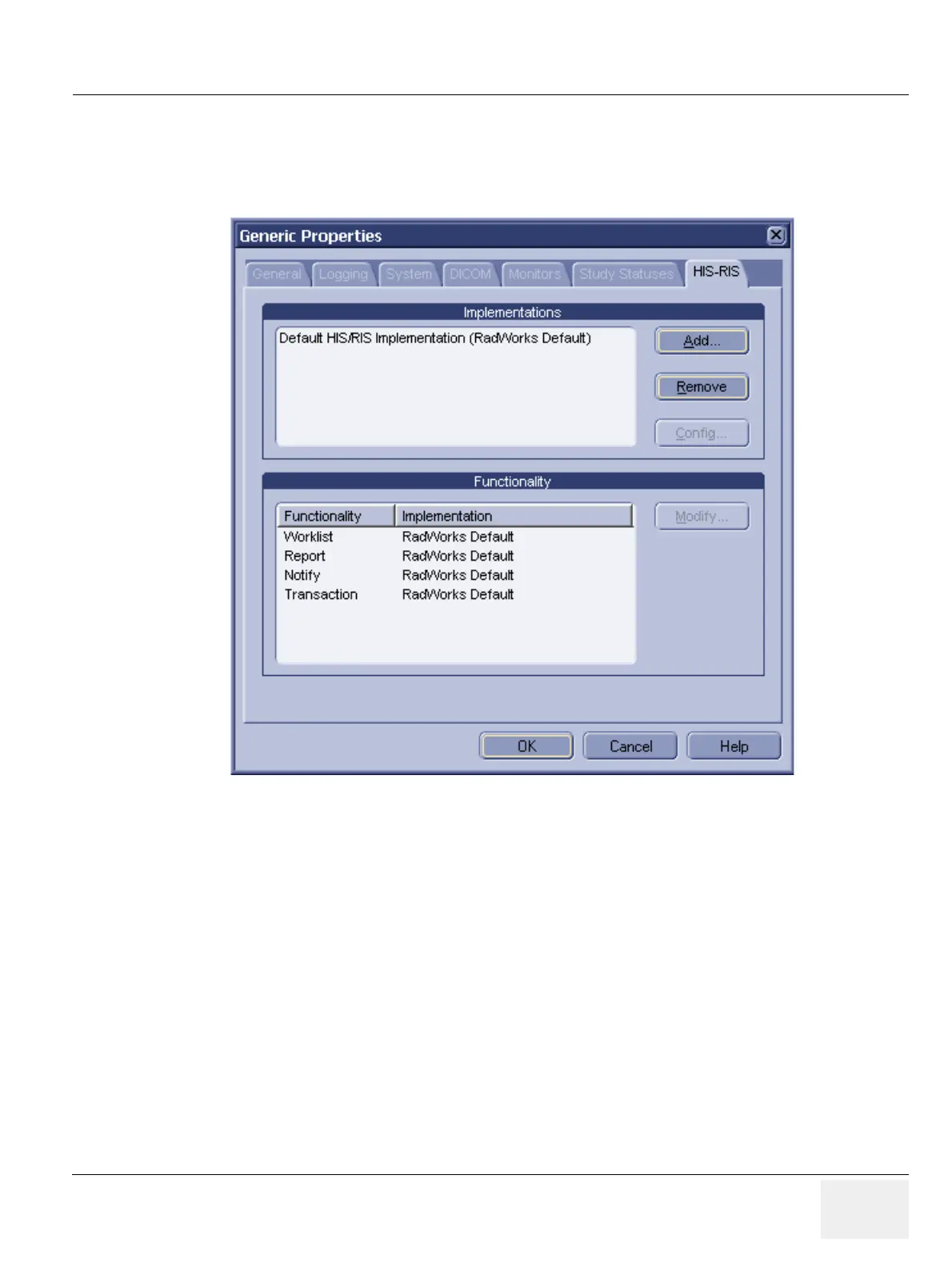
To configure HIS-RIS implementations, add/remove/modify worklist:
1.) Select Configuration > Generic... from the Data Selector menu.
In order to be able to use work lists you must configure or add HIS-RIS implementations. LOGIQworks
comes with several Dynamic Link Libraries (DLL) which enable the system to connect to a HIS-RIS
system, providing there is an external program that can make use of the supplied DLLs.
By default, the HIS-RIS Manager uses its own DLL, which allows you to work with Local Database and
DICOM Modality Work lists.
• Implementations: During installation of LOGIQworks a default implementation will be installed.
- Click the Add... button to add a pre-defined HIS-RIS implementation. You can only add an
implementation if your system is connected to a HIS-RIS system.
- Click on an implementation in the list and then on Remove to delete it from your system.
- Click Config... to configure your HIS-RIS system. If you are not connected to a HIS-RIS
system you need not change the default values in this dialog.
Please refer to Section 3-5-11-1 "Reading DICOM volume from DVD or CD" to learn how to add a
Study/Patient List DVD or CD with DICOM volume on CD or DVD as source database.
Figure 3-105 Generic Properties - HIS-RIS



 To Next Page