GE MEDICAL SYSTEMS
DIRECTION 5184024-100, REVISION 5 LOGIQWORKS® BASIC SERVICE MANUAL
4-12 Section 4-3 - System Check
4-3-3 Connectivity
Connectivity on the LOGIQworks™ is based on the DICOM standard.
4-3-3-1 Teleradiology
Teleradiology allows you to send series, studies, images, or image-related data to another
LOGIQworks™ or other DICOM 3.0 compliant systems. Also the system is able to query and retrieve
images from other DICOM 3.0 compliant systems in the network. The steps to prepare the system for
sending and query retrieve are described in the following sections. The whole process of sending and
receiving data can be monitored.
4-3-3-2 Configuring Connectivity
Verify correct TCP/IP configuration using the Windows Control Panel.
If not already properly configured, identify the workstation to the rest of the network by filling in its IP
Address, Subnet Mask, and Gateway (if applicable). Press OK to save the settings.
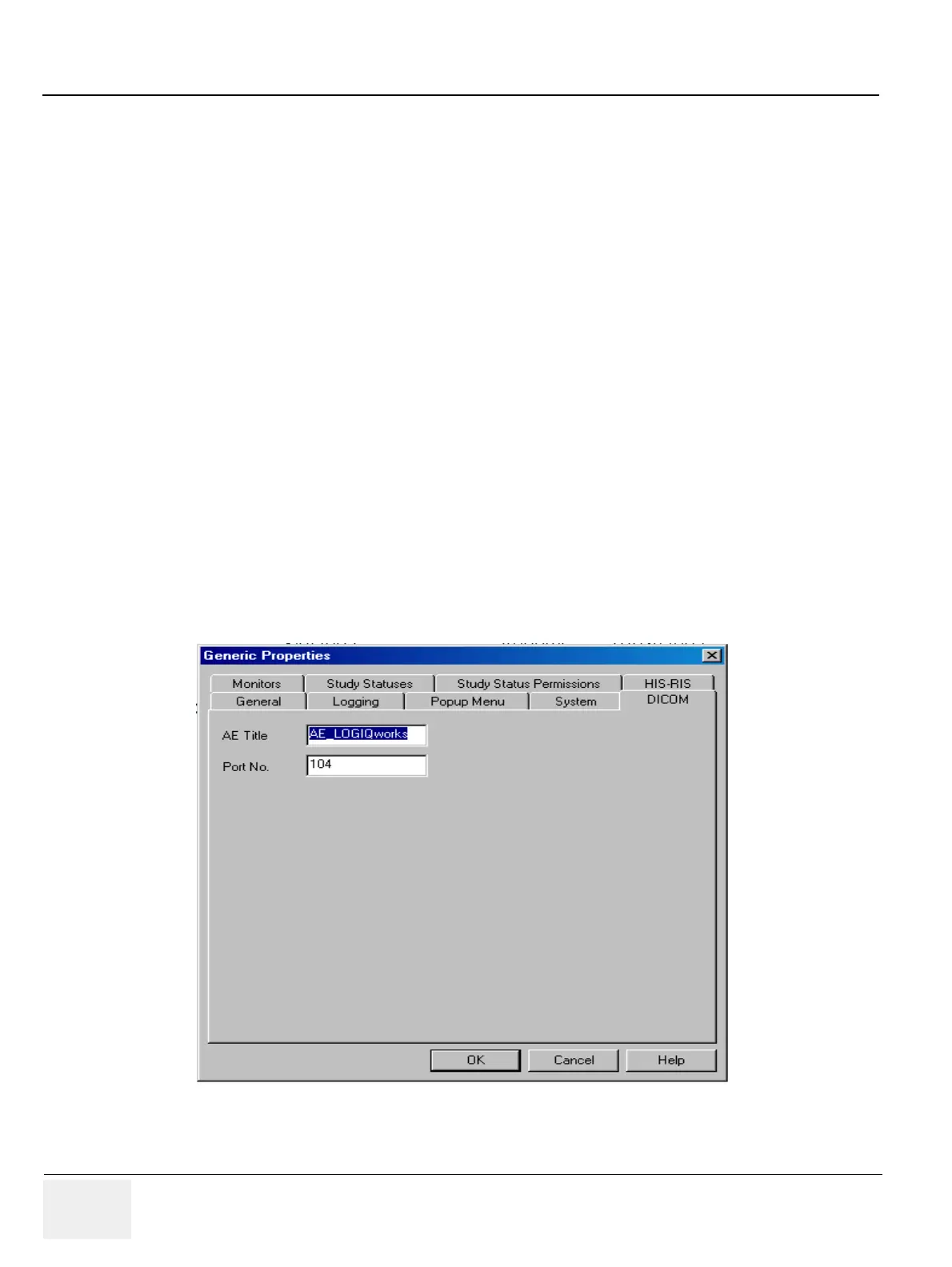
4-3-3-3 DICOM Properties
Select Configuration -> Generic from the menu bar in the Data Selector. Bring the DICOM tab to the
front and type in the DICOM Application Entity Title (AE Title) and the Port number.t
4-3-3-4 Configuring Destinations
To add a teleradiology destination
1.) Select
Connection -> Destinations... from the menu bar in the Data Selector.
2.) In the Destinations dialog box, press Add. A dialog opens.
Figure 4-12 Generic Properties



 To Next Page