GE MEDICAL SYSTEMS
D
IRECTION 5184024-100, REVISION 5 LOGIQWORKS® BASIC SERVICE MANUAL
Chapter 3 Installation 3-165
3-5-6-6 Local
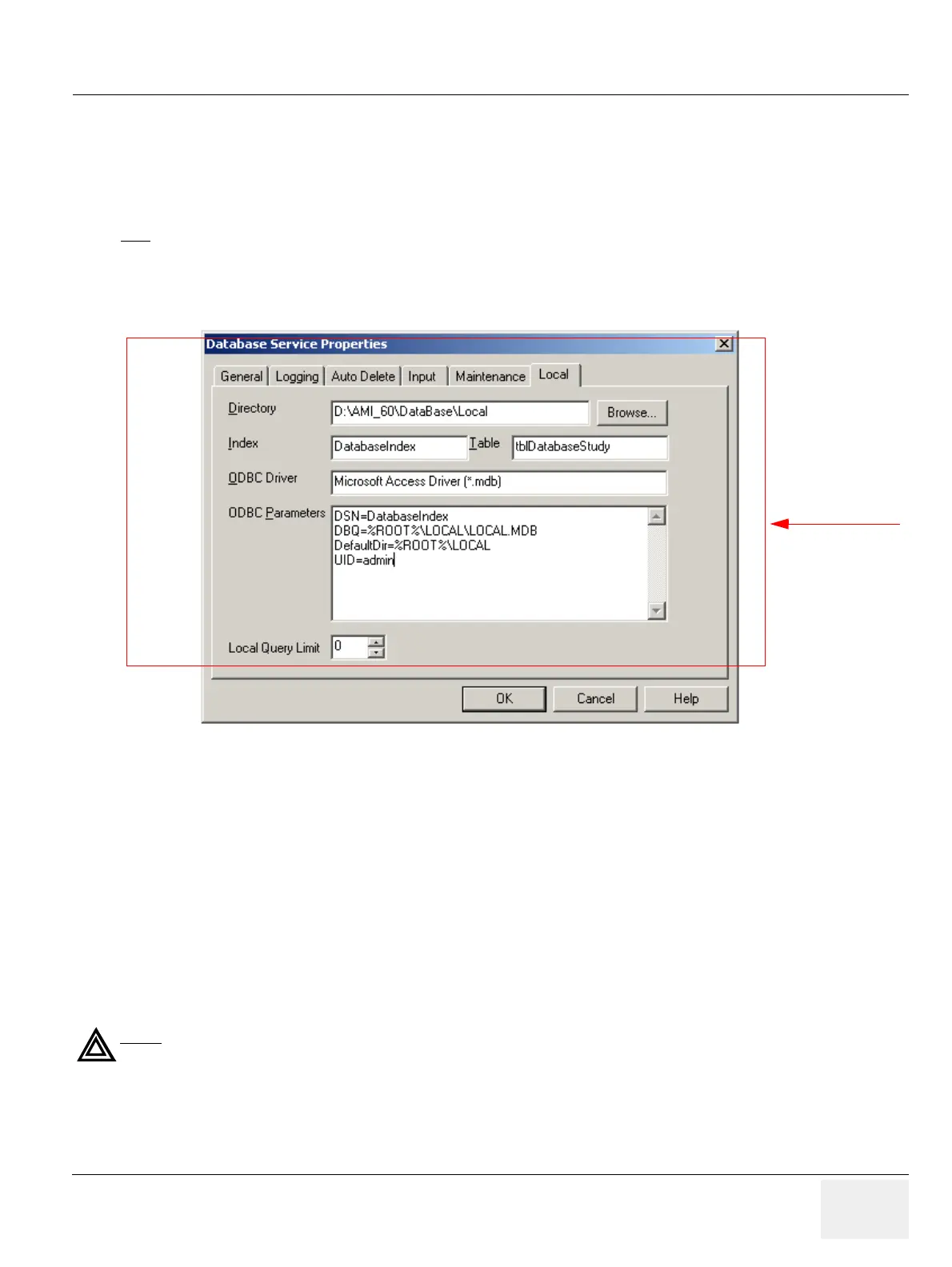
To set up the local database aspects of the Database Service:
1.) Select Configuration > Database Service... from the Data Selector menu.
2.) Select the Local tab from the Database Service Properties page.
• Directory: Specify the root directory of the local database. All folders will have sub-directories of
this directory.
• Index: Specify the name of the DSN (Data Source Name) used.
• Table: Specify the name of the table in the database.
• ODBC Driver: Specify the ODBC driver to be used.
• ODBC Parameters: Parameters required to create a DSN (Data Source Name) in ODBC.
• Local Query Limit: The maximum number of studies or patients LOGIQworks will display as a
result of a local query. You can specify up to a maximum of 100,000. Leave the setting at 0 if you
want LOGIQworks to be able to show the maximum.
3-5-7 Database Service Properties for LOGIQworks 2.0 and 3.0
3-5-7-1 General
To set up the general aspects of the Database Service:
1.) Select Configuration > Database Service... from the Data Selector menu.
NOTE
Remember: Only change if you are an expert!
Figure 3-139 Database Service Properties - Local (Default settings)
WARNING
WARNING
ONLY CHANGE THE DEFAULT SETTINGS IF YOU ARE AN EXPERT!
Administrator only
1



 To Next Page