GE MEDICAL SYSTEMS
D
IRECTION 5184024-100, REVISION 5 LOGIQWORKS® BASIC SERVICE MANUAL
Chapter 3 Installation 3-71
3-5-1-3 Monitor Setup
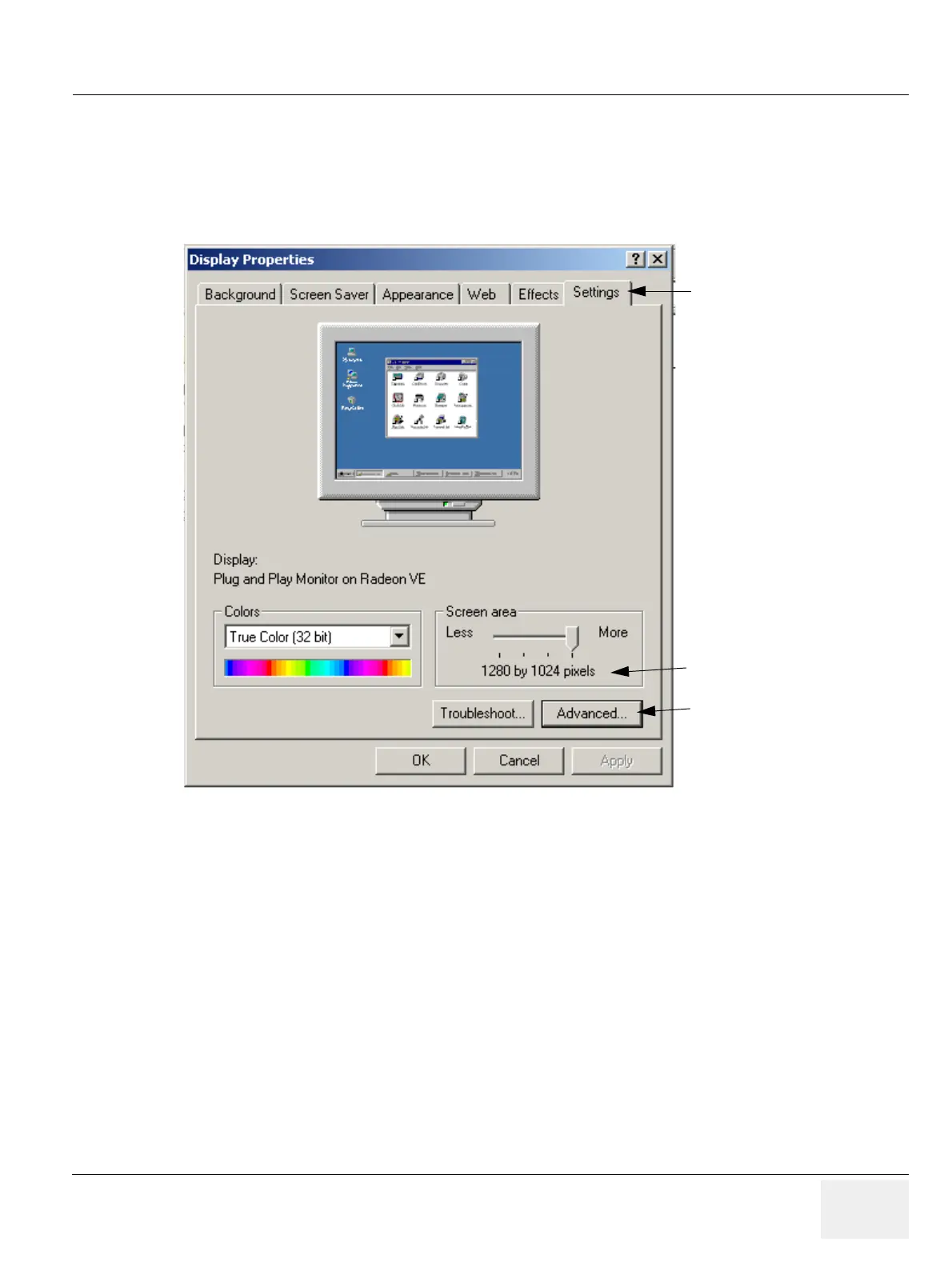
1.) Select Control Panel from the Windows Start Menu.
2.) Select Display, the Display Properties page opens.
3.) Select the Settings tab and click Advanced...
Set up your system for single monitor use:
On the ATI Displays Tab only one monitor is available. You don’t need to apply any changes, the system
automatically detects the number of monitors connected.
Figure 3-59 Windows Display Properties
Settings Tab
Resolution for Dell LCD 1901:
1280x1024
Advanced for Dell LCD 2001:
1600x1200



 To Next Page