GE MEDICAL SYSTEMS
DIRECTION 5184024-100, REVISION 5 LOGIQWORKS BASIC SERVICE MANUAL
3-206 Section 3-7 - Disable RAW data image transfer for Le
Section 3-7
Disable RAW data image transfer for Le
For Le only DICOM only images are supported, RAW data image transfer have to be disabled by the
user.
DICOM Image Storage allows the system to send or receive ultrasound images in a format that can be
interpreted by LOGIQworks. For compatibility between LOGIQworks and Le, RAW data have to be turn
off.
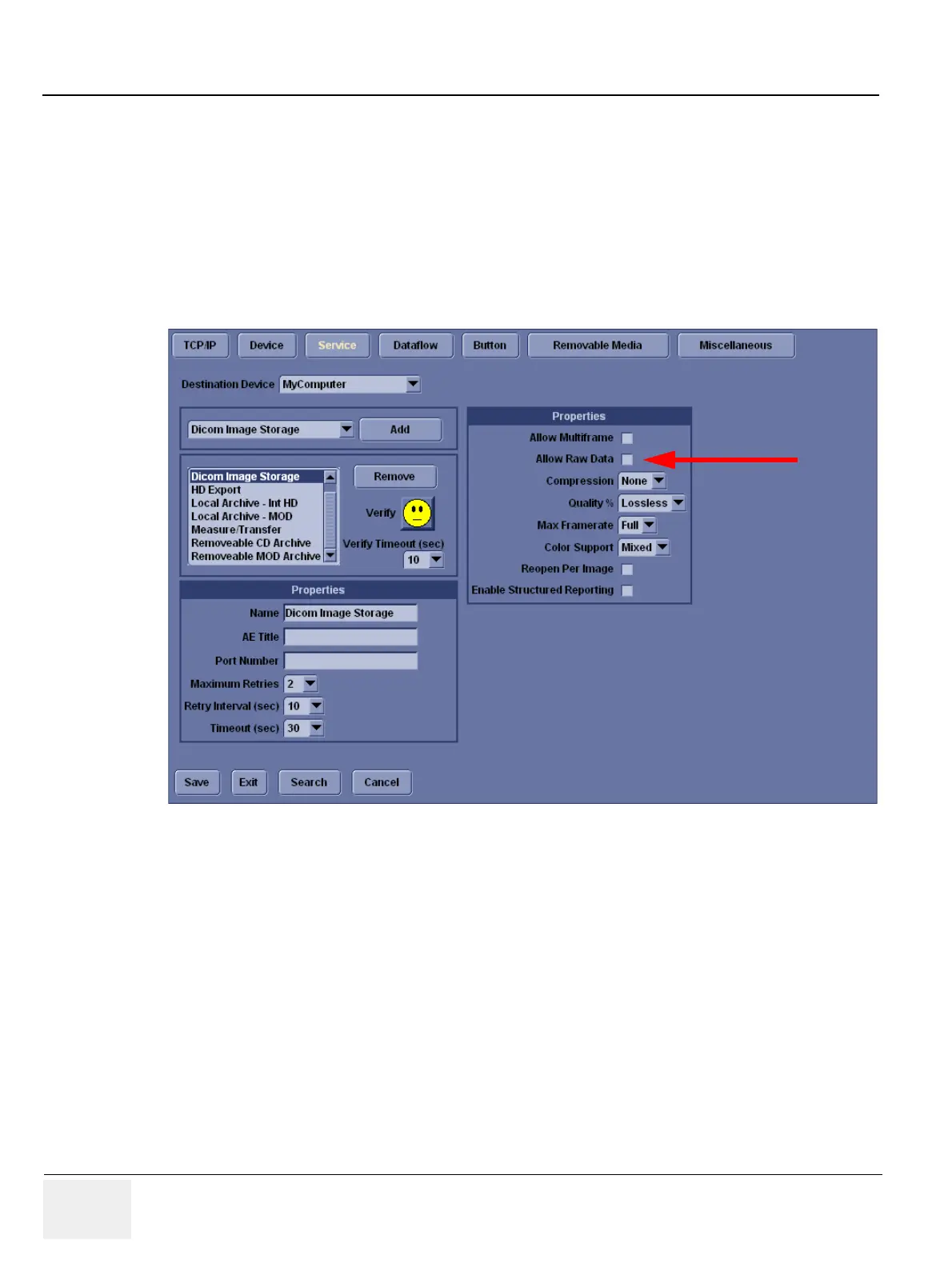
While setting up the connectivity for LOGIQworks, make sure that the ’Allow Raw Data’ checkbox is
NOT checked. This disables the RAW data image transfer. For detailed description, please also refer
to the LOGIQ e Basic User Manual, Direction 5118586-100 Rev.2, page 16-71.
Figure 3-181 DICOM Image Storage Service



 To Next Page