GE MEDICAL SYSTEMS
D
IRECTION 5184024-100, REVISION 5 LOGIQWORKS® BASIC SERVICE MANUAL
Chapter 5 Components and Functions (Theory) 5-33
5-5-5 Error Logs Page
In the Error Logs page there are 2 types of Error Logs:
• Error Logs for Centricity
• Error Logs for TruAccess Plugin.
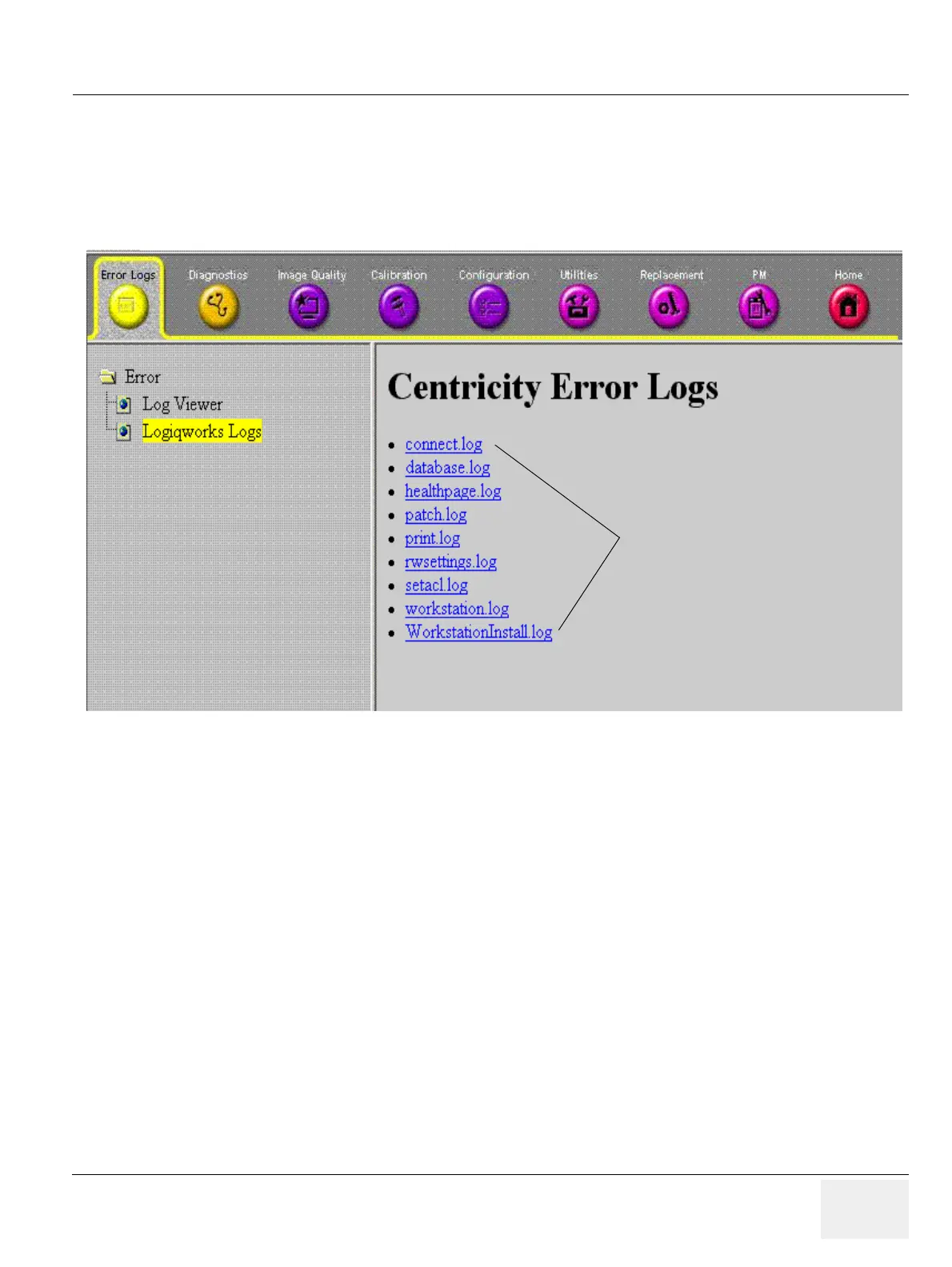
5-5-5-1 Error Logs for Centricity
Select one of the proposed categories in the list above. There are at least 4 different logs available:
• Connection.LOG
• Database.LOG
• Print.LOG
• RadWorks.LOG
All logs have the same structure and are written in text format. The structure is: date and time followed
by a descriptive text. The text is self-explanatory.
Dependent on the settings in LOGIQworks additional logs can be listed.
5-5-5-2 Error Logs for TruAccess
From the Error Logs tab the Log Viewer displays four categories with pull-down sub-menus and an Exit
selection. The Service Interface allows scanner logs to be viewed by all service users.
The Filter Error log is keyed to GE Service login access permissions and is not available to customer
level analysis.
The log entries are color-coded to identify the error level severity at a glance.
Figure 5-19 Error Logs for Centricity
Available Logs



 To Next Page