GE MEDICAL SYSTEMS
D
IRECTION 5184024-100, REVISION 5 LOGIQWORKS® BASIC SERVICE MANUAL
Chapter 3 Installation 3-119
3-5-3-11 Viewing Properties
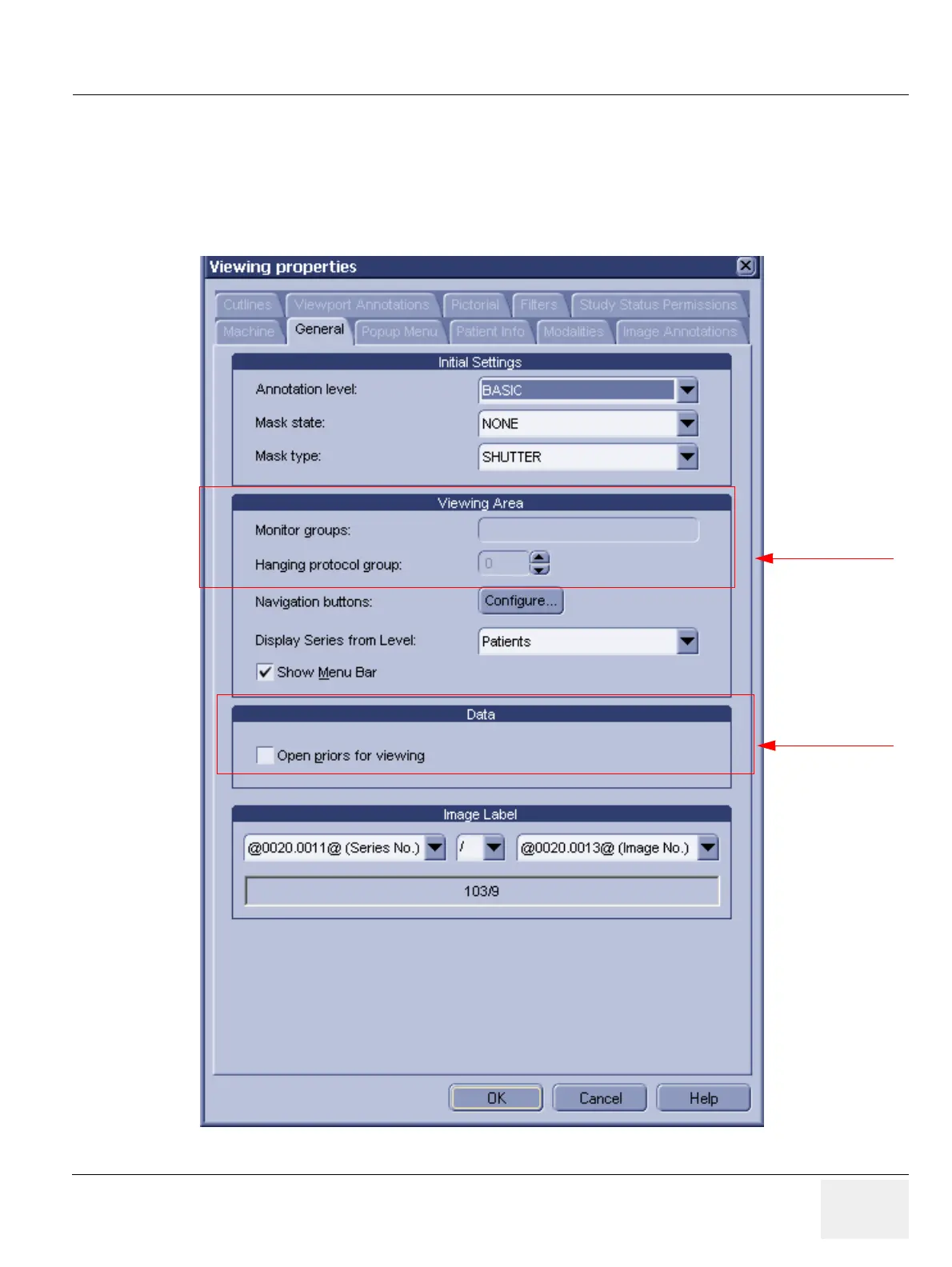
To set general viewing properties:
1.) Select Configuration > Viewing... from the Data Selector menu.
2.) Select the General tab from the Viewing Properties dialog.
Figure 3-106 Viewing Properties - General
Administrator only
Administrator only



 To Next Page