GE MEDICAL SYSTEMS
DIRECTION 5184024-100, REVISION 5 LOGIQWORKS BASIC SERVICE MANUAL
3-134 Section 3-5 - Configuration
3-5-4-2 Module
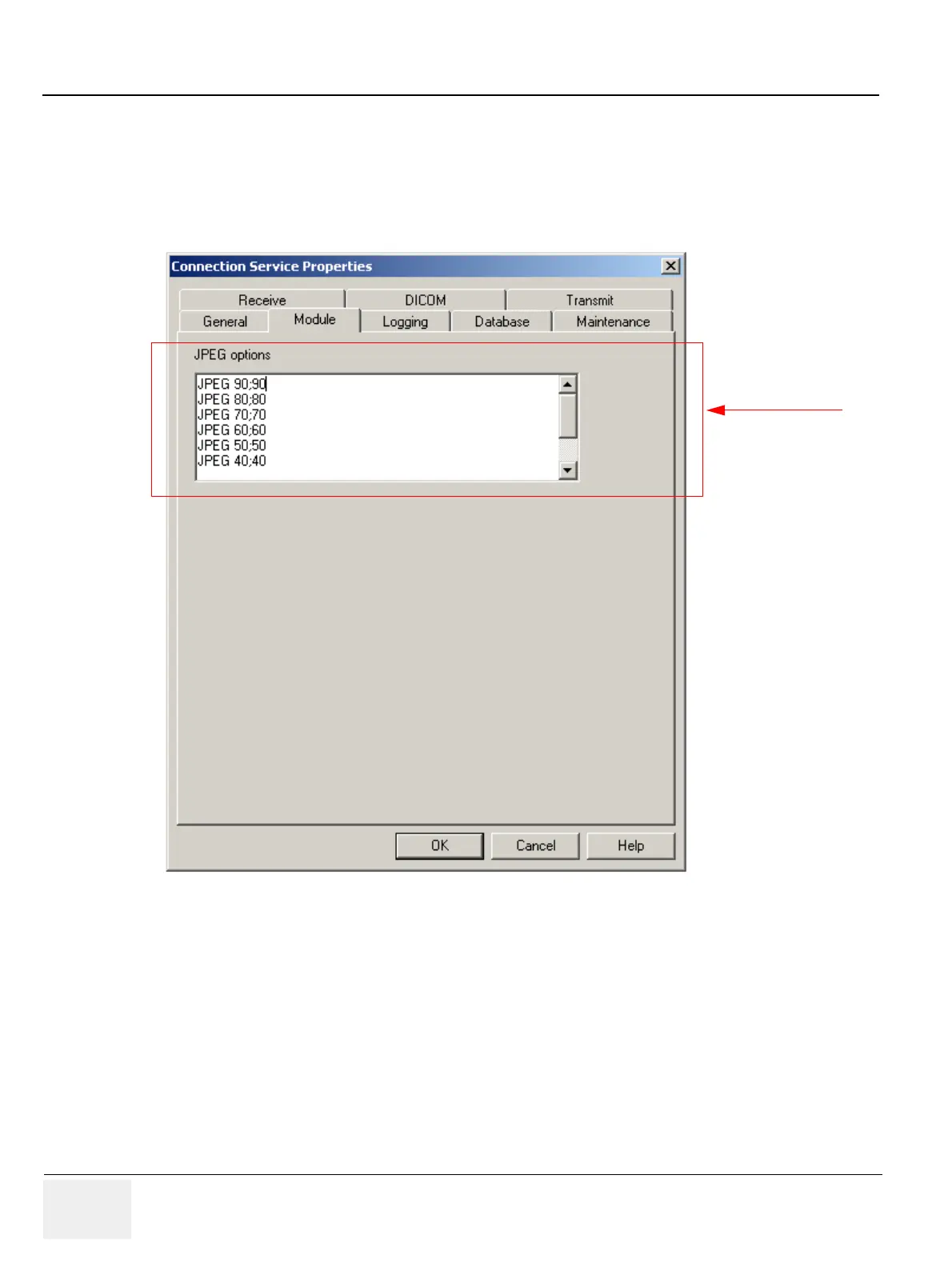
To view the JPEG Options:
1.) Select Configuration > Connection Service... from the Data Selector menu.
2.) Select the Module tab from the Connection Service Properties page.
Standard JPEG compression options: Each option is represented by one line. Before the semicolon
a textual description can be entered, that appears in a list-box containing JPEG compression options.
The number behind the semicolon is the JPEG Quality factor. This number should be larger than 0, and
smaller than 100. It should be an ordinal number.
3-5-4-3 Logging
To set and view RA600 logging properties:
1.) Select Configuration > Connection Service... from the Data Selector menu.
2.) Select the Logging tab from the Connection Service Properties page.
Figure 3-120 Connection Service Properties - Module (Default Setting)
Administrator only



 To Next Page