GE MEDICAL SYSTEMS
D
IRECTION 5184024-100, REVISION 5 LOGIQWORKS® BASIC SERVICE MANUAL
Chapter 3 Installation 3-81
3-5-2-2 General settings
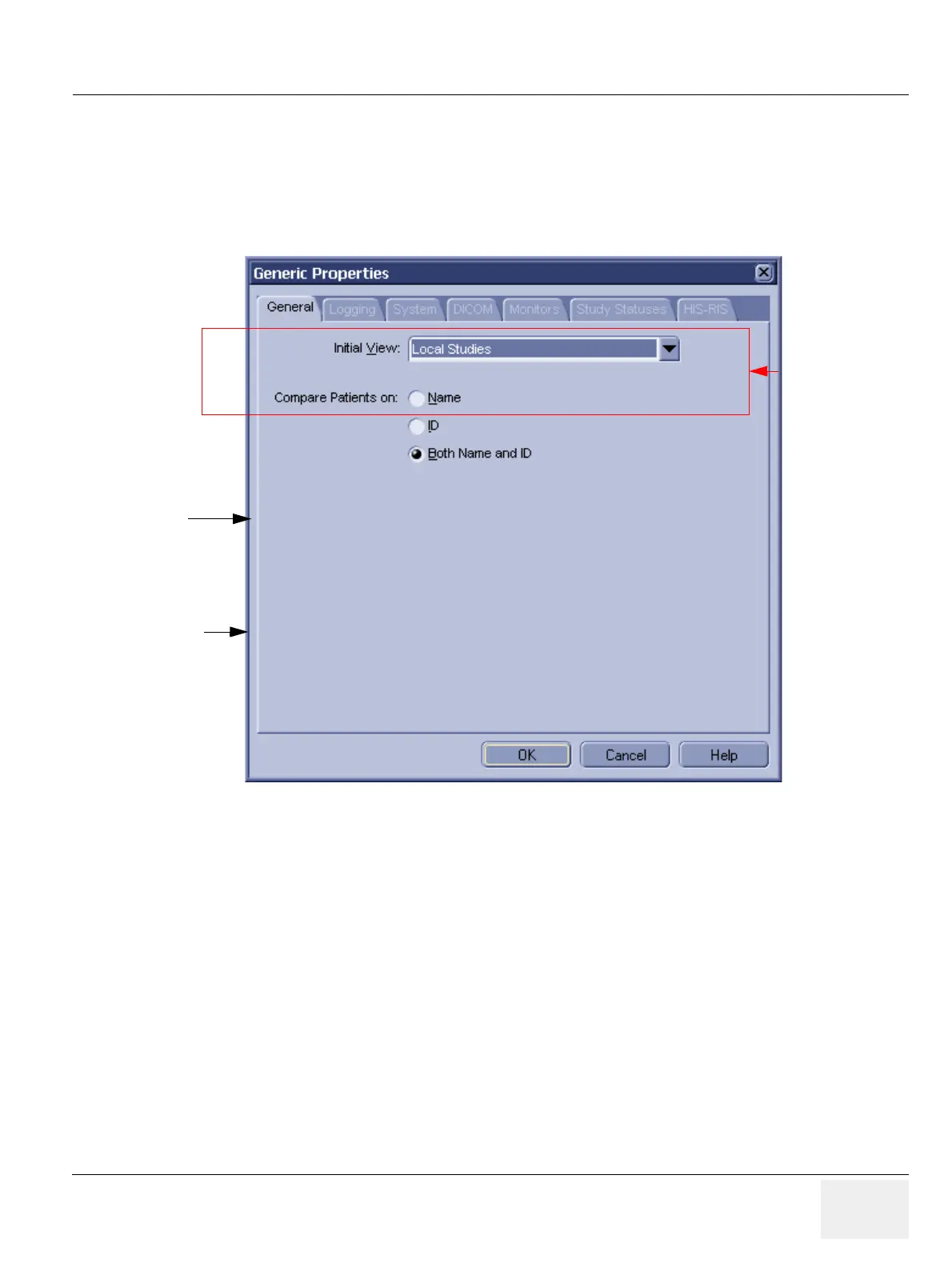
To view and set general LOGIQworks properties:
1.) Select Configuration > Generic... from the Data Selector Menu.
2.) Select the General tab in the Generic Properties dialog.
• ROOT Directory: Root directory of RA 600. This is the directory into which RA 600 has been
installed. (Default: C:\AMI_61)
• Work Directory: Directory for temporary files created by RA 600. (Default: D:\AMI_61\WORK)
• Main Window:
- Initial View: Check from the Initial View drop-down list the Worklist View you want
LOGIQworks to display by default when starting. (Default: nothing selected, Local Studies will
be default then)
Figure 3-70 Generic Properties - General Settings
Initial View
Compare patients on
Administrator only



 To Next Page