GE MEDICAL SYSTEMS
D
IRECTION 5184024-100, REVISION 5 LOGIQWORKS® BASIC SERVICE MANUAL
Chapter 3 Installation 3-173
3-5-8 Print Services up to LOGIQworks 1.3
3-5-8-1 General
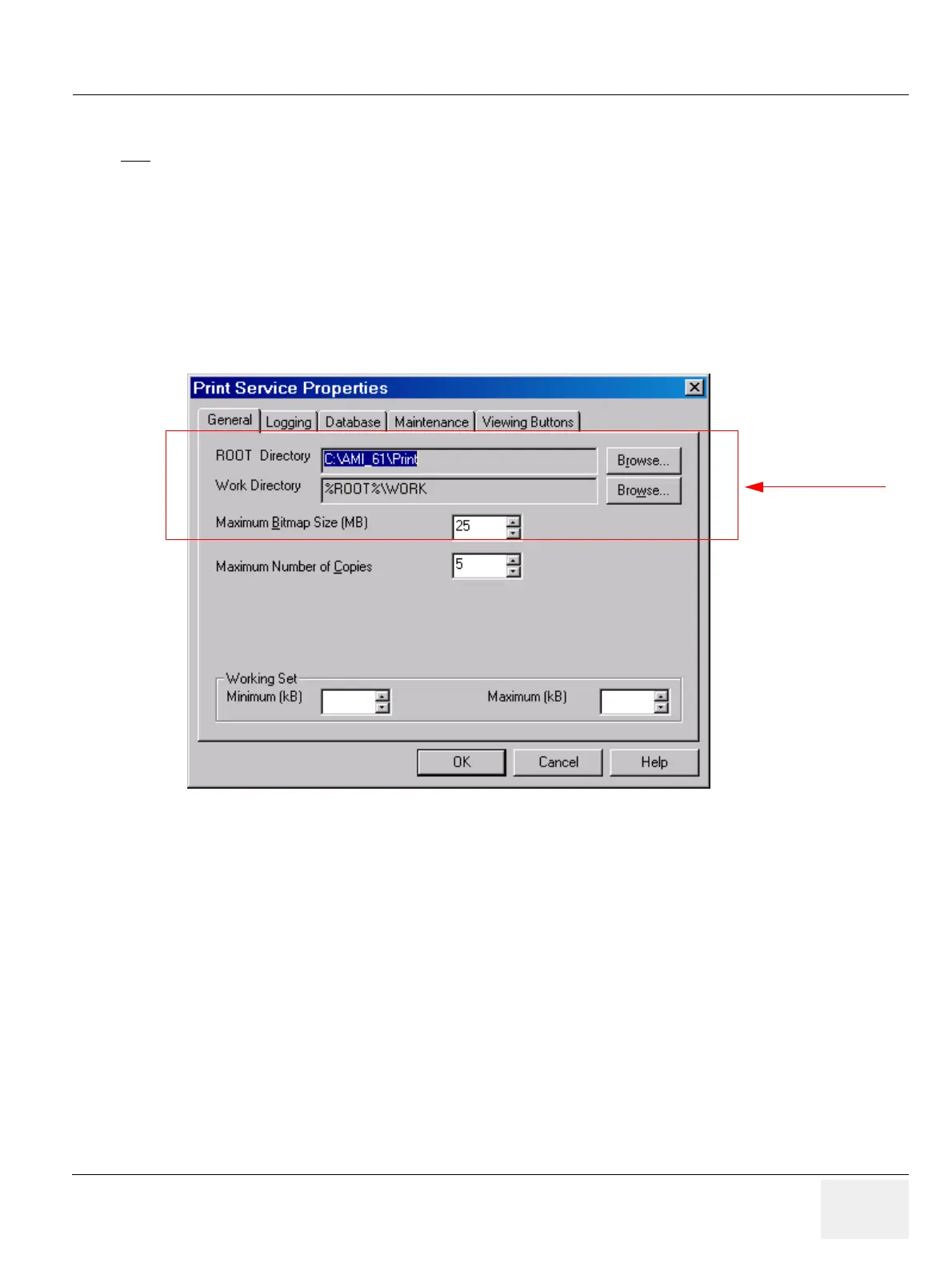
To set general properties for the LOGIQworks Print Service:
1.) Select Configuration > Print Service... from the Data Selector menu.
2.) Select the General tab from the Print Service Properties page.
• ROOT Directory: The root directory of the Print Service where PRINT.EXE resides.
• Work Directory: Directory where temporary files generated by the Print Module/Service are
placed.
• Maximum Bitmap Size: Set the maximum size of bitmaps that LOGIQworks will export/print.
• Maximum Number of Copies: Adjust the maximum number of copies of an image a printer can
turn out.
• Working Set
- Minimum/Maximum (kB): Working set for the service. The service will always have an
amount of physical RAM available within these limits.
NOTE
ONLY APPLY CHANGES TO THE DEFAULT SETTINGS IF YOU ARE AN EXPERT!
Figure 3-146 Print Service Properties - General (Default settings)
Administrator only



 To Next Page