GE MEDICAL SYSTEMS
DIRECTION 5184024-100, REVISION 5 LOGIQWORKS BASIC SERVICE MANUAL
3-76 Section 3-5 - Configuration
3-5-1-4 Configure TCP/IP Settings
Connect your LOGIQworks system to the network.
To achieve communication between Scanner and LOGIQworks the following steps must be completed
successfully.
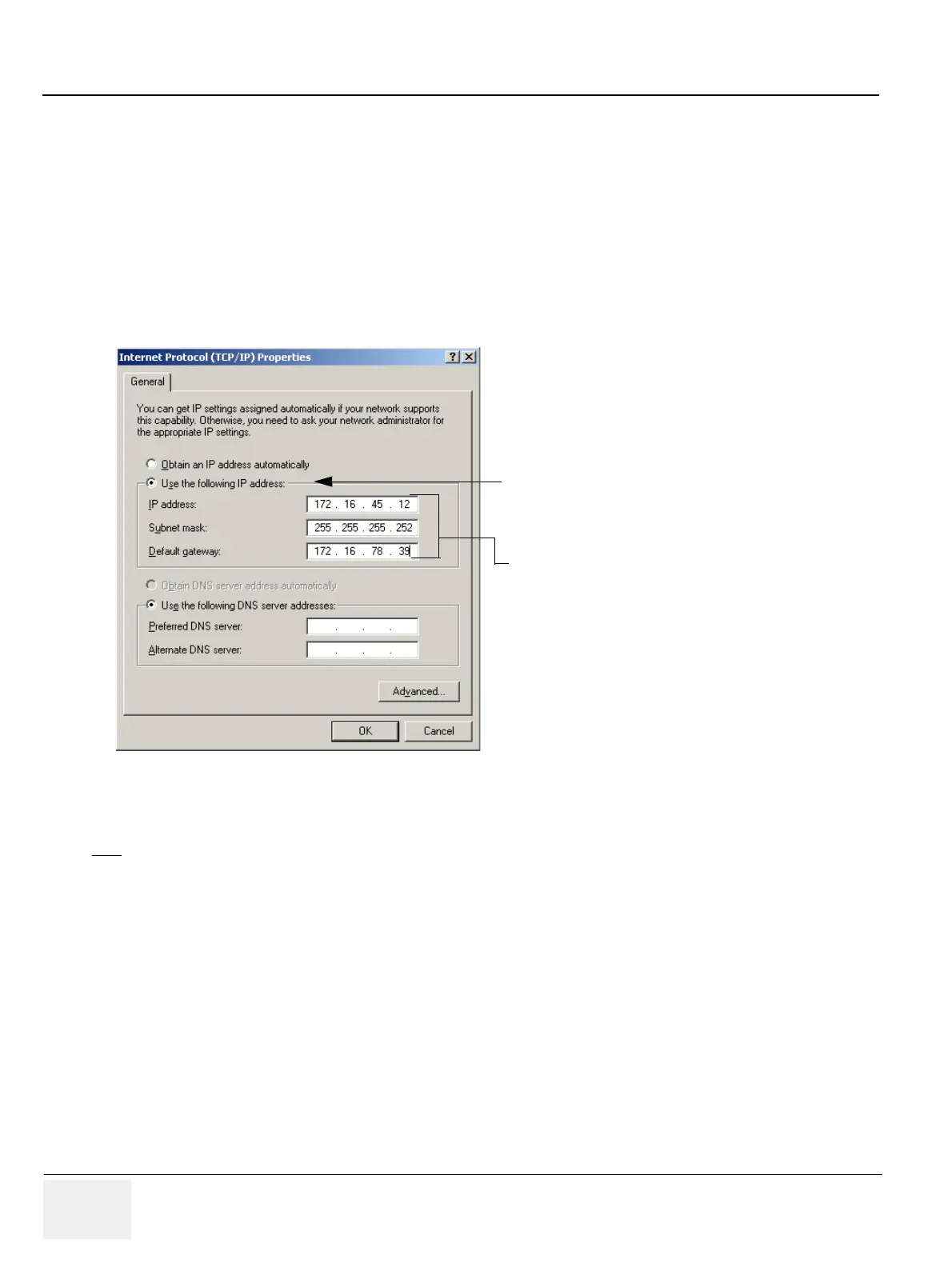
Configure the TCP/IP settings using the Windows Control Panel:
If not already configured according to the information you provided with the Data Collection Document
(see chapter ) or in case of configuration changes enter the correct data in the fields described in the
figure below.
Please refer to Section 3-5-4-6 "Receive" on page 3-140 for details on how to configure the “receive”
behavior of LOGIQworks through the Connection Service. Also please refer to Section 3-5-10
"Connectivity (Application Level)" on page 3-183 for general Connectivity Settings on the Application
Level.
Figure 3-65 Internet Protocol (TCP/IP)
NOTE
On the scanner the connectivity TCP/IP must be setup with the above TCP/IP information in the area
for a Remote Archive to achieve communication with LOGIQworks.
You need to ask your network administrator for
the appropriate settings.
Type in:
• IP address
• Subnet mask
• Default gateway
NOTE:This example shows fictive numbers!
When you receive your LOGIQworksthe
TCP/IP settings should reflect the
information you provide with the Data
Collection Document.



 To Next Page